Vigor2926 Series User’s Guide
551
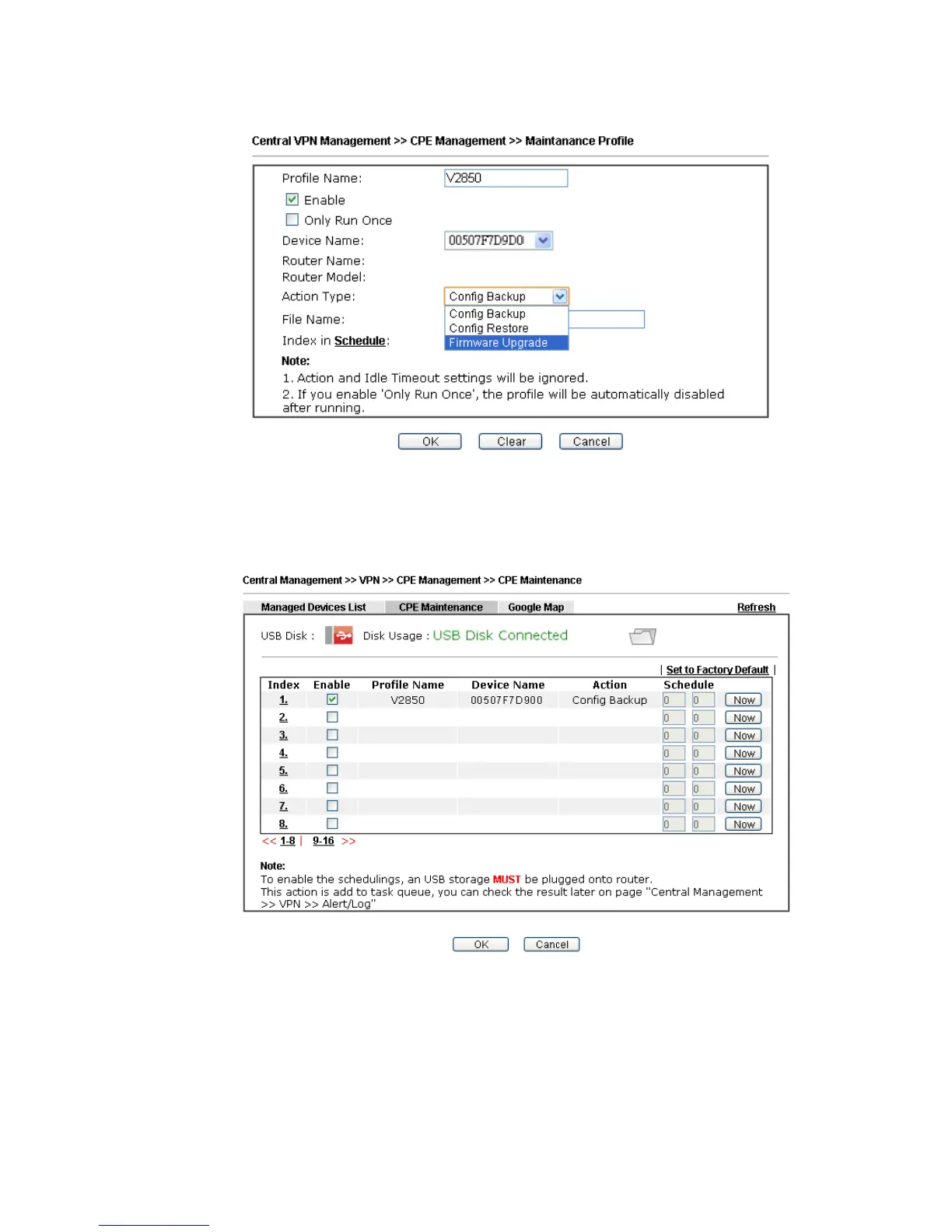
4. The Maintenance profile dialog appears.
In the field of Profile Name, type a name for such maintenance profile; check Enable;
and choose the one you want to perform firmware upgrade from Device Name drop down
list. From the Action Type, choose Firmware Upgrade. Type the file/path of the newest
firmware or click Select to locate it. Specify the Schedule profile. At last, click OK.
5. Now, a new maintenance profile has been created.
6. Click Now to perform the firmware upgrade immediately for Vigor2850.
7. Wait for several minutes for firmware upgrade.














 To Next Page