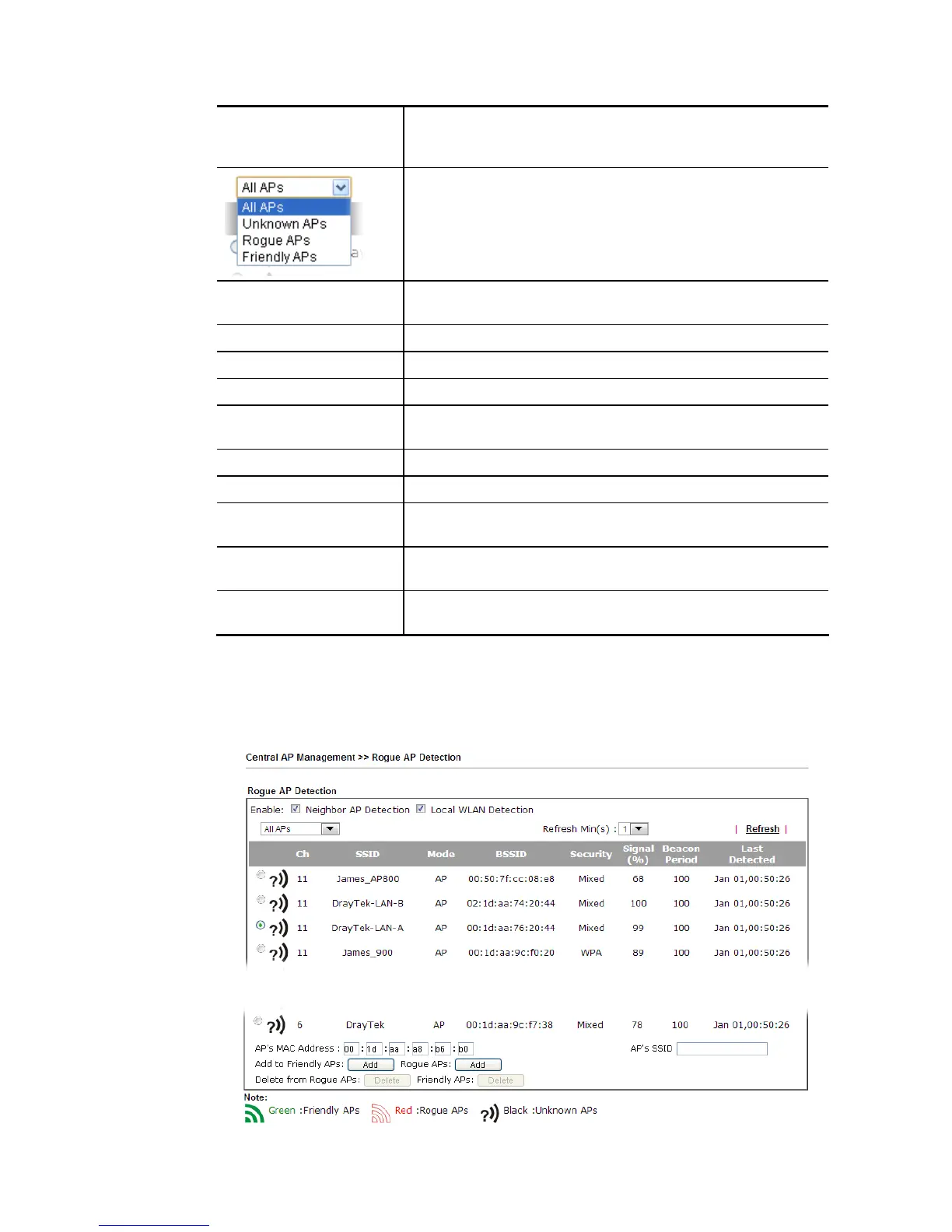
will be displayed on this page.
Local WLAN Detection – The router will detect all the access
points through wireless LAN connection.
Specify the access points which are classified under each type.
Refresh Min(s) Use the drop down list to specify the time to refresh the web
page.
Refresh Click such link to refresh the web page immediately.
Ch Display the channel used by the detected access point.
SSID Display the SSID specified for the detected access point.
Mode Display the mode (AP or Ad Hoc) used by the detected access
point.
BSSID Display the MAC address of the detected access point.
Security Display the encryption mode used by the access point.
Signal (%) Display the signal strength (represented by percentage) sent
by the access point.
Beacon Period Display the period (time) of the beacon. The beacon signal will
be sent out periodically.
Last Detected Display the date and time that such access point was detected
by Vigor router.
All the APs detected by Vigor router will be treated as unknown APs. You have to specify
which AP is friendly and which one is Rogue respectively. Follow the steps below to perform
the classification of access points.
1. Click the radio button on one of the access points. In this case, DrayTek-LAN-A is
selected.
2. Later, some options will appear on the bottom of the page.














 To Next Page