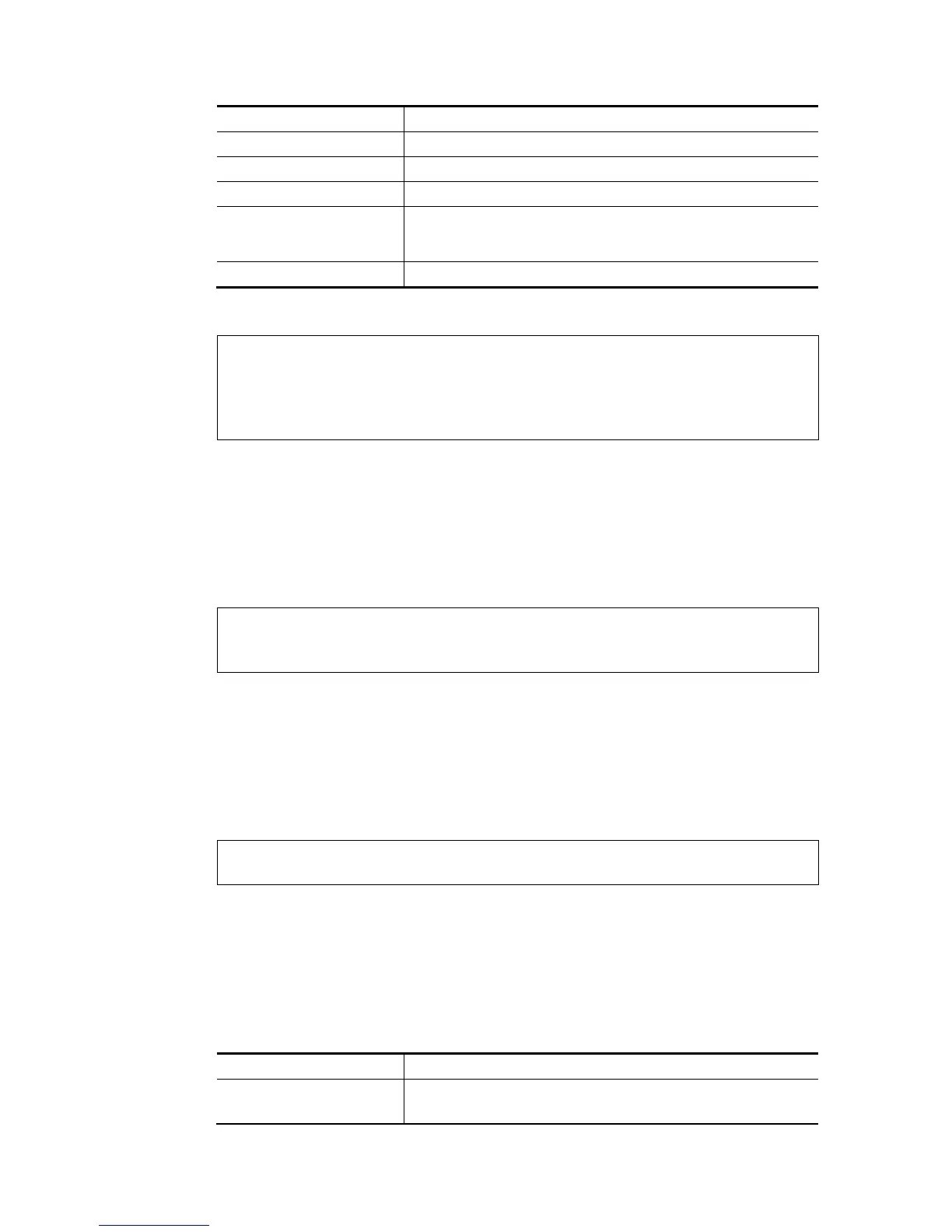
Parameter Description
id It means the group 0 to 7 for VLAN.
set It indicates each port can join more than one VLAN group.
set_ex It indicates each port can join one VLAN group at one time.
p1/p2/p3/p4 It indicates LAN port 1 to LAN port 4. To group LAN1, LAN2, LAN3
and/or LAN4 under one VLAN group, please type the port number(s)
you want.
s1/s2/s3/s4 It is only available for WALN models.
E
E
x
x
a
a
m
m
p
p
l
l
e
e
> vlan group 3 set p1 s3 s4
VLAN p1 p2 p3 p4 s1 s2 s3 s4
-----------------------------------------------
3 V V V
>
T
T
e
e
l
l
n
n
e
e
t
t
C
C
o
o
m
m
m
m
a
a
n
n
d
d
:
:
v
v
l
l
a
a
n
n
o
o
f
f
f
f
This command allows you to disable VLAN function.
S
S
y
y
n
n
t
t
a
a
x
x
vlan off
E
E
x
x
a
a
m
m
p
p
l
l
e
e
> vlan off
VLAN is Disable!
Force subnet LAN2/3/4 to be disabled!!
T
T
e
e
l
l
n
n
e
e
t
t
C
C
o
o
m
m
m
m
a
a
n
n
d
d
:
:
v
v
l
l
a
a
n
n
o
o
n
n
This command allows you to enable VLAN function.
S
S
y
y
n
n
t
t
a
a
x
x
vlan on
E
E
x
x
a
a
m
m
p
p
l
l
e
e
> vlan on
VLAN is Enable!
T
T
e
e
l
l
n
n
e
e
t
t
C
C
o
o
m
m
m
m
a
a
n
n
d
d
:
:
v
v
l
l
a
a
n
n
p
p
r
r
i
i
This command is used to define the priority for each VLAN profile setting.
S
S
y
y
n
n
t
t
a
a
x
x
vlan pri n pri_no
S
S
y
y
n
n
t
t
a
a
x
x
D
D
e
e
s
s
c
c
r
r
i
i
p
p
t
t
i
i
o
o
n
n
Parameter Description
n It means VLAN ID number.
n=VLAN ID number (from 0 to 7).














 To Next Page