Section 4: System Operation
e.g., Stay Arm partition 1 1234
Once the command is received and executed by the alarm system, the user receives a confirmation text message.
Note: Do not use Away Arm if Push to Set [001][072] or Final Door Set [001][016] zones are programmed.
4.9 Visual Verification
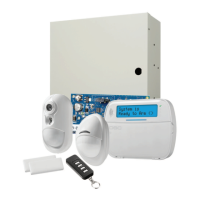
This feature enables the central station operator to view captured images of the premises in the event of an alarm event.
Combination camera/motion detectors can be installed throughout the premises to provide visual verification coverage. The
microphone on the camera PIR can be disabled.
Visual verification sessions are triggered by the following:
l Fire key
l Medical key
l Panic key
l Alarms detected by armed PIRCameras
To set up video verification on a partition:
l Enroll the camera PIR; [804]
l Set video verification options; [804]>[841]:
l [001] Visual Verification Enable/Disable
l [002] View Time Window
l [003] View Other Alarms
l Input a custom label to identify the camera PIR; [000]>[001]
l Enable this option on the alternate communicator (section [10] option 2).
Refer to the Camera PIR installation manual for more details.
Note: Visual Verification has not been evaluated by UL and shall be disabled for UL certified installations.
Note: While an image is being transferred from the PIR camera to a central station receiver, the product cannot capture addi-
tional images.
- 56 -






 To Next Page