UPR700 Microprocessor-Based Pressure/Process Indicator 29
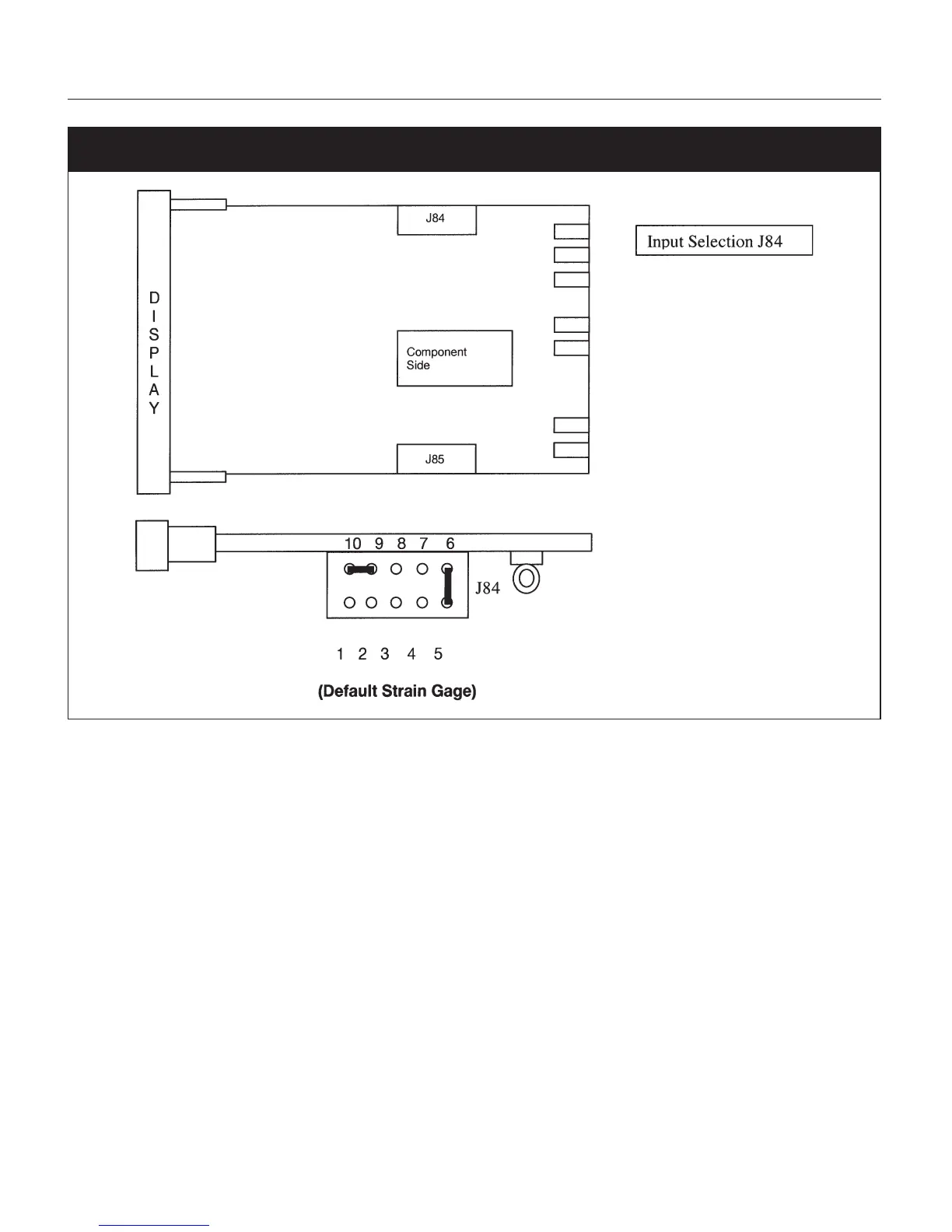
Fig. 7 Input/Output Jumper Location
8.4.2 SETTING THE SHUNT CALIBRATION FOR STRAIN GAGE TRANSDUCERS
AND
AMPLIFIED UNITS
The Dynisco strain gage transducers and amplified transmitters (if so equipped) have an internal
shunt to allow the UPR700 to set the span full scale value automatically. To Access the Shunt
Calibration parameter, press the FUNC key until
nonE
and
GROUP
show on the display. Press the
▲ key until
4
shows in the upper display. Press the FUNC key and the upper display will show
OFF
while the lower display shows
SHUNT
. Press the ▼ or ▲ key until the upper display changes to the
ON
. Press the FUNC key to set the value and move to the next Shunt parameter.
The upper display will show
80.0
while the lower display shows
SHNT%
. In most cases, the
Dynisco transducers have an 80% shunt value so no changes need be made. However, some
transducers and strain gages have shunt values that may range from 40-100%. If so, press the ▼ or
▲ key until the upper display changes to the correct values. Press the FUNC key to set the value.
Press the RESET key to go back to the active display.


 To Next Page