32
To set the Primary Input Failsafe Mode, press the FUNC key until
nonE
and
GROUP
show on the
display. Press the ▲ key until
4
shows in the upper display. Press the FUNC key until the lower
display shows
PI.IFS
. Press the ▼ or ▲ key until the upper display shows the correct mode, either
HI
or
Lo
. Press the FUNC key to set the value. Finally, press the RESET key to go back to the active
display.
8.5 SECONDARY INPUT SETUP
Skip this section if there is no secondary input or if this is a new installation and the secondary input
is for a “J” type thermocouple expressed in degrees Fahrenheit (°F).
8.5.1 SETTING THE SECONDARY INPUT TYPE
The Secondary Input measured values will show in the lower display. The Instrument’s default
secondary input setting is for a “J” type thermocouple. To select another type of input, press the
FUNC key until
nonE
and
GROUP
show on the display. Press the ▲ key until
5
shows in the upper
display. Press the FUNC key twice and the upper display will show
tr
while the lower display shows
SI.TYP
. Press the ▼ or ▲ key until the upper display changes to the correct value (
rtd
for Platinum
RTD,
0-20
for 0-20 mA linear input,
4-20
for 4-20 mA current loop input,
0-10
for 0-10 Vdc linear
input, and
OFF
if the input is to be disabled. Press the FUNC key to set the value. Finally, press the
RESET key to go back to the active display.
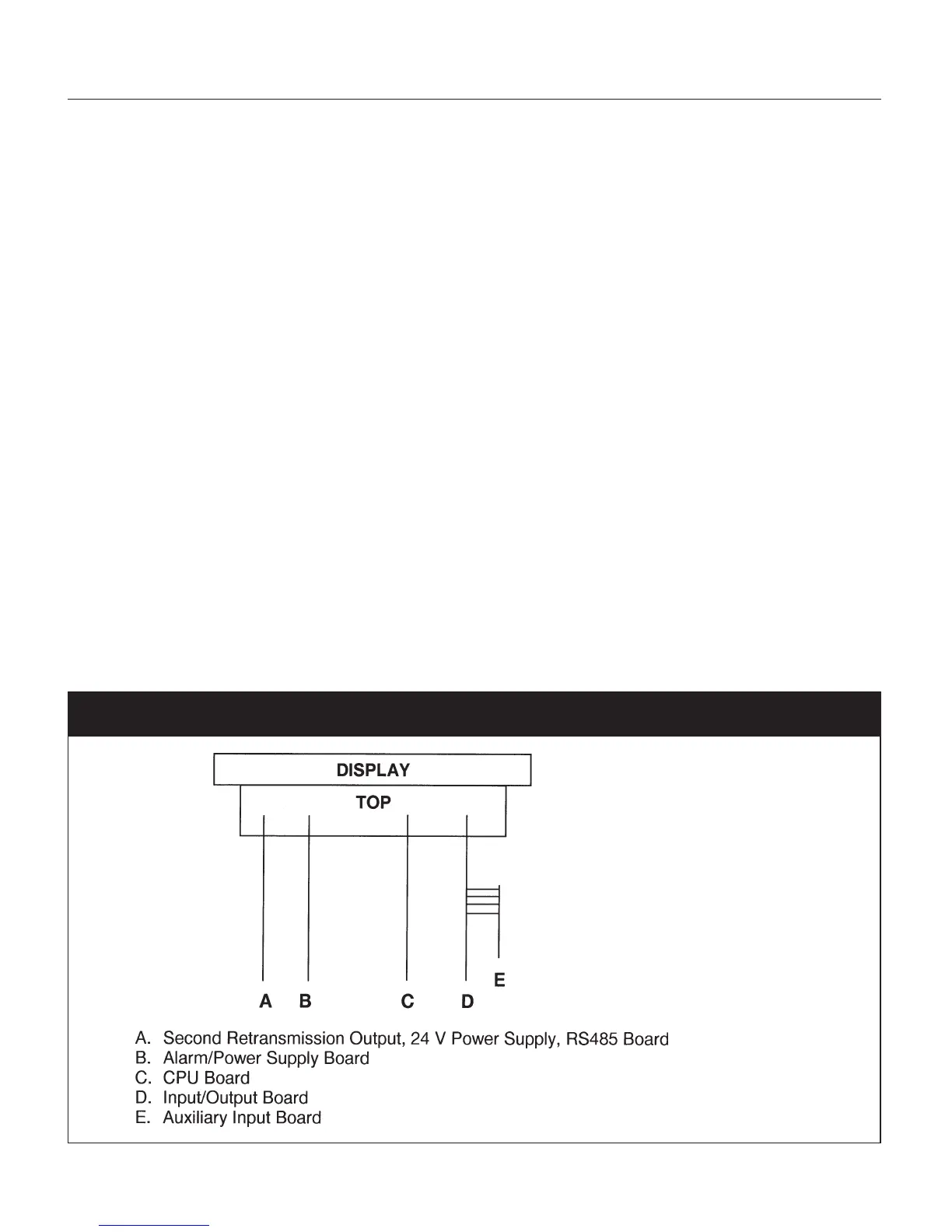
Remember to change the jumper settings to correspond to the proper input as shown in Figure 9 for
board location and Figure 10 for input jumpers.
Fig. 9 UPR700 Board Location


 To Next Page