CHAPTER 3
Remove the DynoWare EX Electronics
DynoWare RT Upgrade for Model 424x Dynamometers Installation Guide
3-10
REMOVING THE PICKUP CARD AND BREAKOUT BOARD—ABOVE GROUND DYNOS
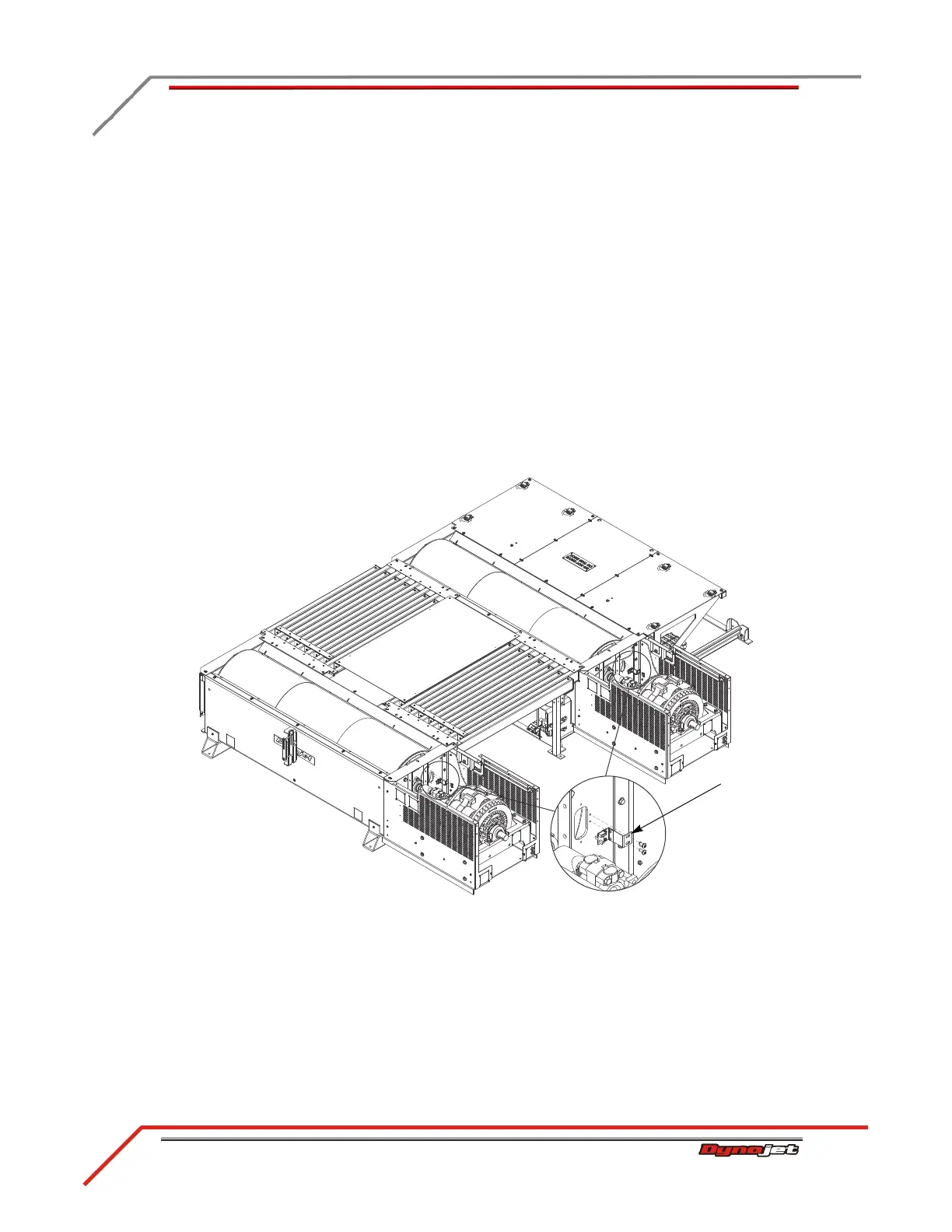
Use the following instructions to remove the pickup card, bracket, cable, and Breakout
board from your above ground dyno.
1 Remove the two screws securing the pickup card bracket and set aside.
2 Remove the bracket and pickup card.
3 Disconnect the speed pickup cable.
Note: Remove the pickup card bracket, pickup card, and speed pickup cable from
both the stationary and 4WD dyno.
4 DynoWare RT does not support the Breakout board controlled Gen 4 (AFR-4) air
pump and O2 sensors used with DynoWare EX and WinPEP 7. Disconnect and
remove the Gen 4 relay and wires from the Breakout board. Remove the Gen 4
components from the dyno. You may replace the Gen 4 air pump and sensor(s)
with the optional DynoWare RT Air Fuel Ratio module kit (P/N 77000008).
Please contact Dynojet for more information.
Figure 3-6: Remove the Pickup Card and Bracket



 To Next Page