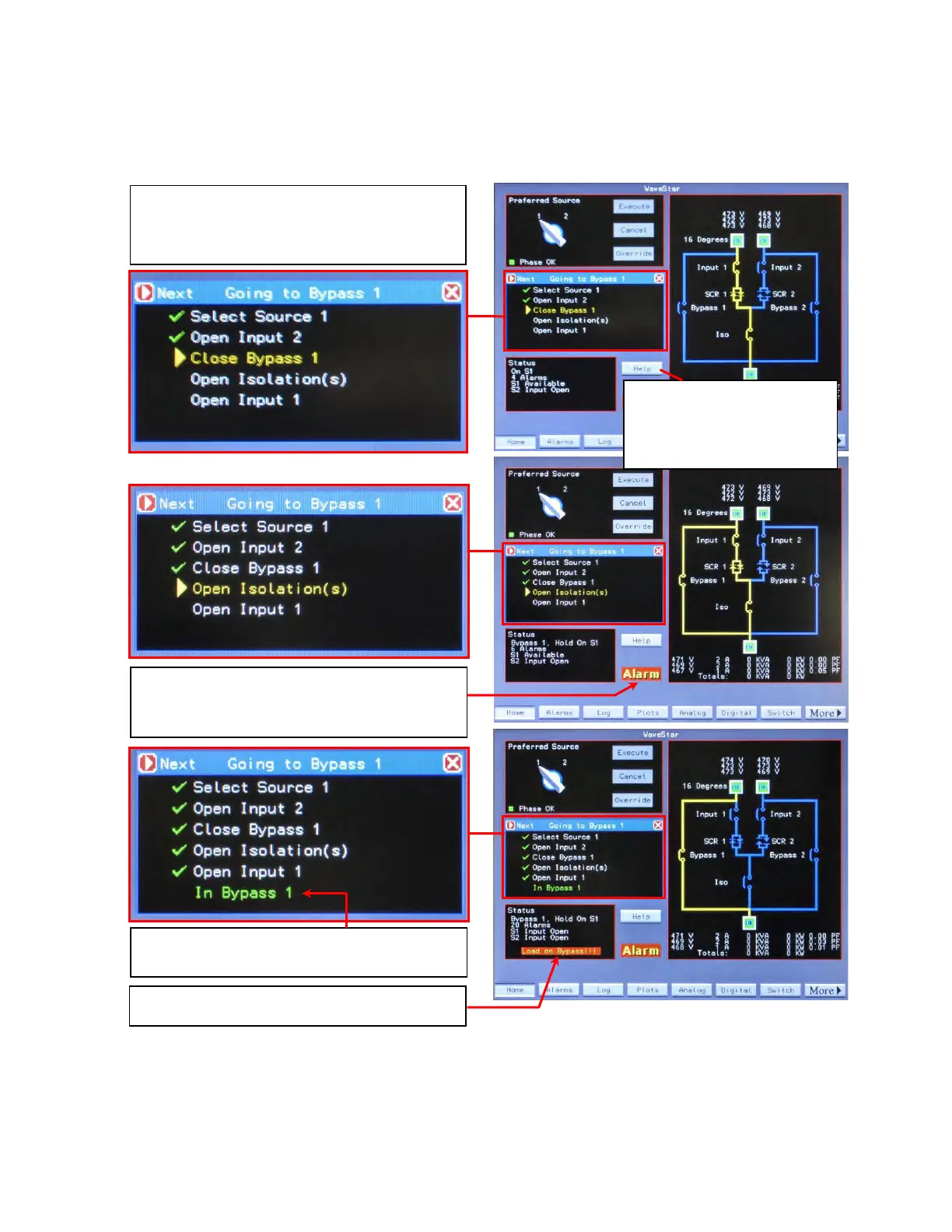
The process of going to bypass will normally
generate alarms, for example, change of breaker
status.
The Help panel indicates completion of the
procedure (“In Bypass 1”).
The Status panel shows “Load on Bypass!!!”
Help checklists guide an operator through the
steps of going to bypass. There are checklists for
going to Bypass 1 and 2 and returning to Normal
STS operation.
Touch Help.
Help overlays the Operator
and Transfers panels on the
Home screen.














 To Next Page