72 Eaton Static Transfer Switch 2000A 3-Pole Installation and Operation Manual 164001127—Rev 01
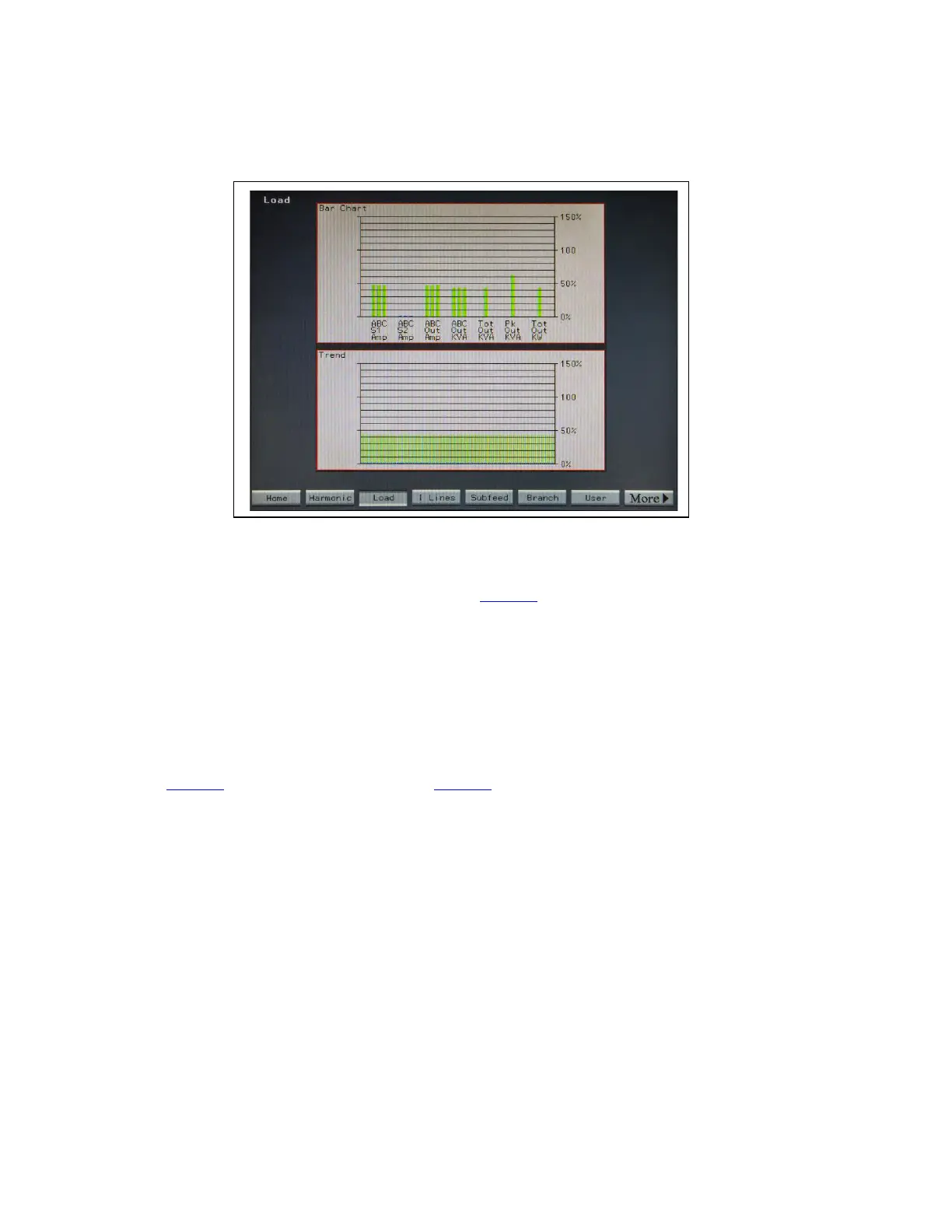
Figure 34. Load Screen
The Load Screen Bar Chart displays the current for both sources and the output, total KVA, peak KVA, and total KW as bar
charts. All bars start green, but turn yellow when they reach 80% or higher and turn red when they reach 100% or higher.
Load values are defined by Eaton PDI on the Configuration Screen (Figure 27). 100% load values are stored in the Analog Points
list as Rated Total KVA (point 93) and Rated Phase Amp (point 94).
The Trend panel on the lower half of the screen shows the trend for total KVA.
1122..33..33 BBrraanncchh SSccrreeeenn
The standalone STS 2000A does not have distribution branch circuits and the Branch screen does not apply.
1122..44 HHeellpp SSccrreeeenn
Touching the Help button on the Home screen displays Help screen, overlayed on the Home screen (see
Figure 19, Help for Bypass Operations, and Figure 35).
The Help screen provides the operator a step-by-step procedure for going to and returning from Bypass. The
procedure steps are listed and tracked as operations are performed.
Touch the Next arrowhead to display another help procedure.
Status, Alarms, and Other Diagnostic Information














 To Next Page