Eaton Static Transfer Switch 2000A 3-Pole Installation and Operation Manual 164001127—Rev 01 71
1122..33 AAddddiittiioonnaall SSttaattuuss SSccrreeeennss
1122..33..11 HHaarrmmoonniiccss SSccrreeeenn
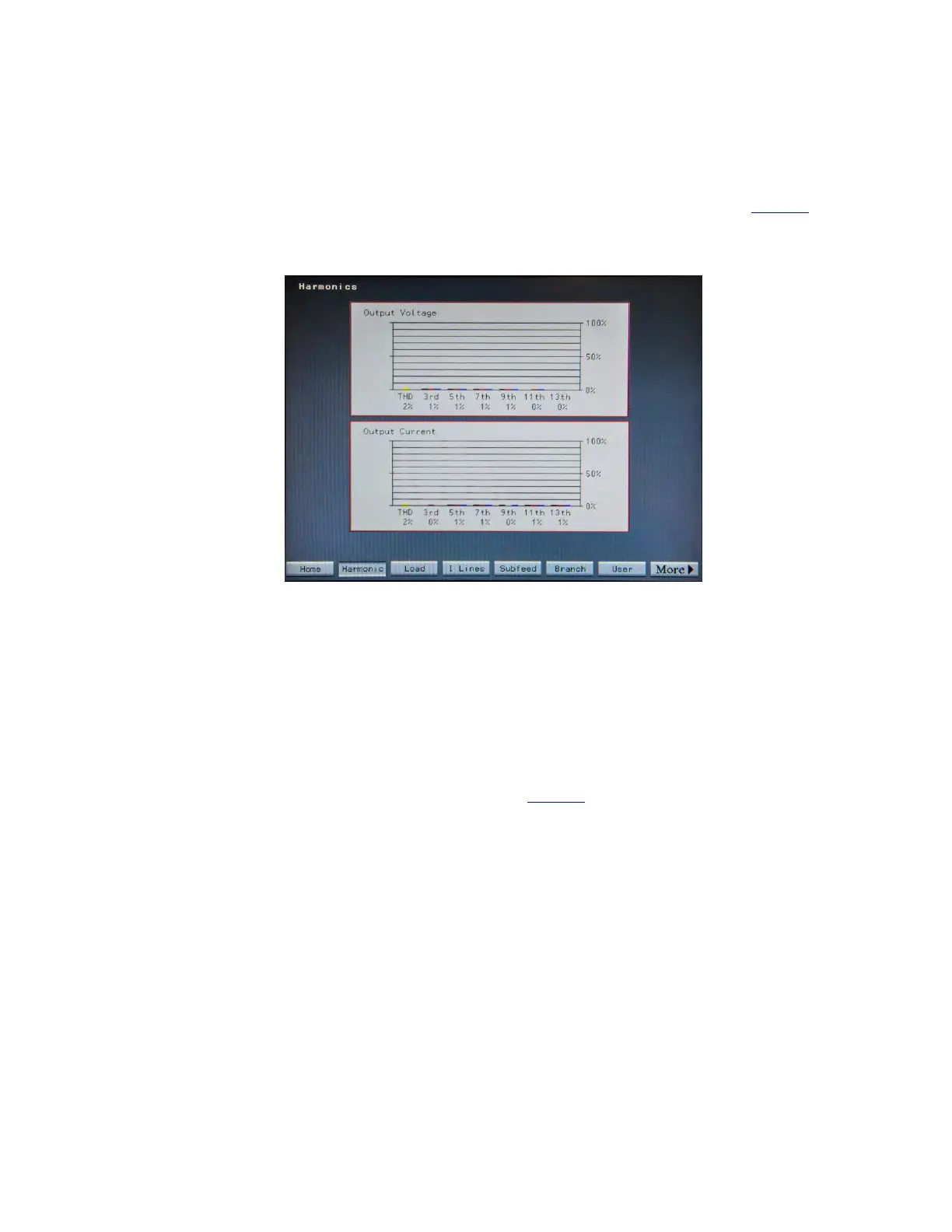
Touching the Harmonic button in the navigation buttons displays the Harmonics screen (Figure 33).
Figure 33. Harmonics Screen
The Harmonics screen displays harmonics for
• STS output voltage harmonics as percent of total waveform.
• STS output current harmonics at percent of total waveform.
Harmonics are represented in a bar chart and each phase has a color-coded bar: Phase A is black, Phase B is
red, and Phase C is blue. The yellow bar on the left side of the panel represents the Total Harmonic Distortion
(THD). AC harmonics are always odd-numbered (3rd, 5th, 7th harmonic, etc.).
1122..33..22 LLooaadd SSccrreeeenn
Touching the Load button displays the Load Screen (Figure 34).
Status, Alarms, and Other Diagnostic Information














 To Next Page