Eaton Static Transfer Switch 2000A 3-Pole Installation and Operation Manual 164001127—Rev 01 75
CChhaapptteerr 1133 WWeebb PPaaggeess
The STS has a web server for viewing STS status remotely. The web pages are similar to the screens on the
STS display, but not identical. Web pages can be viewed, but no changes in STS parameters or controls can be
made through the web server. For example, you cannot reset alarms, clear the number of transfers, or clear
plots. You cannot change operational parameters or initiate transfers remotely.
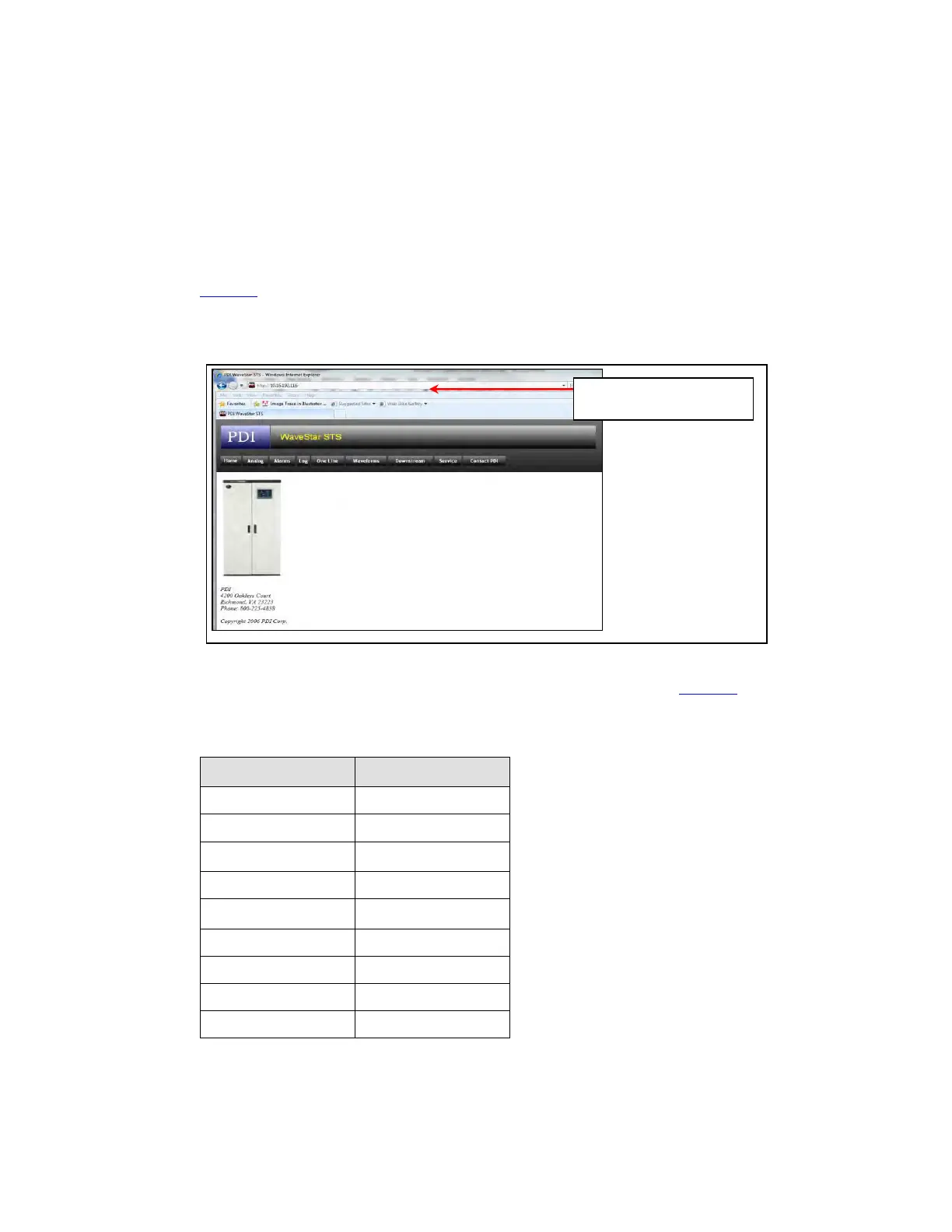
Connect to the web server using the IP address set up in the Ethernet panel of the Settings screen (
Figure 23).
Figure 36. STS Web Server Home Page
Web server address =
STS Ethernet address
The pages that can be displayed are given in buttons on the web Home page (Figure 36). The web pages
correspond to STS screens as follows:
Table 4. STS Screen to Web Page Correspondence
STS Web Page STS Screen
Home
—
One Line Home
Analog Analog Values
Alarms Alarms
Log Event Log
Waveforms Plots
Downstream Branch
Service
—
Contact Eaton PDI
—














 To Next Page