36 Eaton Static Transfer Switch 2000A 3-Pole Installation and Operation Manual 164001127—Rev 01
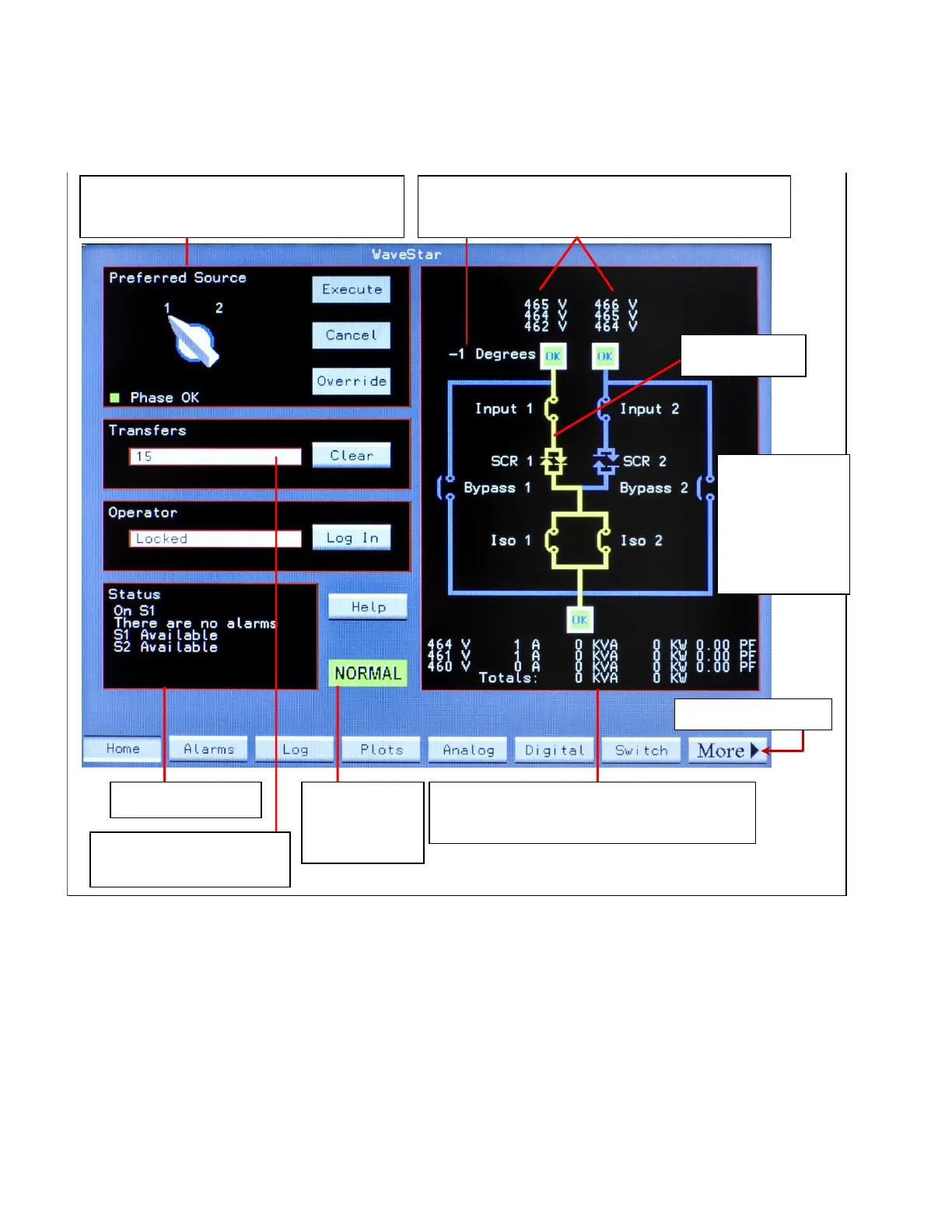
Figure 13. Touchscreen Display: Home Screen
Input Source 1 and 2 measurements are voltage and
degrees of phase angle between sources.
Select Preferred Source (can force transfer).
See Chapter Operational Modes.
Status Summary Output measurements show voltage, current,
kVA, Kilowatts, and power factor.
System Normal
or Alarm status
Active path
Accumulated Transfer
Count since last Clear.
Navigation Buttons
Dynamic 1-line
mimic, showing
state of
- Power paths
- MCCBs
- MCSWs
- SCRs
77..11..33 NNaavviiggaattiioonn BBuuttttoonnss
The row of buttons at the bottom of the screen lets you select other screens. Touching the MORE button
displays additional navigation buttons.
77..11..44 UUsseerr//OOppeerraattoorr LLooggiinn
Viewing screens does not require login, nor does viewing screens remotely using a web browser. However, to
use controls or change parameters, a user must log in from the Operator panel on the Home screen and have
an access level that permits the action.
Operational Interfaces














 To Next Page