76 Eaton Static Transfer Switch 2000A 3-Pole Installation and Operation Manual 164001127—Rev 01
The Contact Eaton PDI web page has a link to send email to Eaton PDI service and a link to the Eaton PDI
corporate web site. The Downstream page is not valid for the standalone STS 2000A because it has no
distribution branch circuits.
1133..11 AAnnaalloogg WWeebb PPaaggee
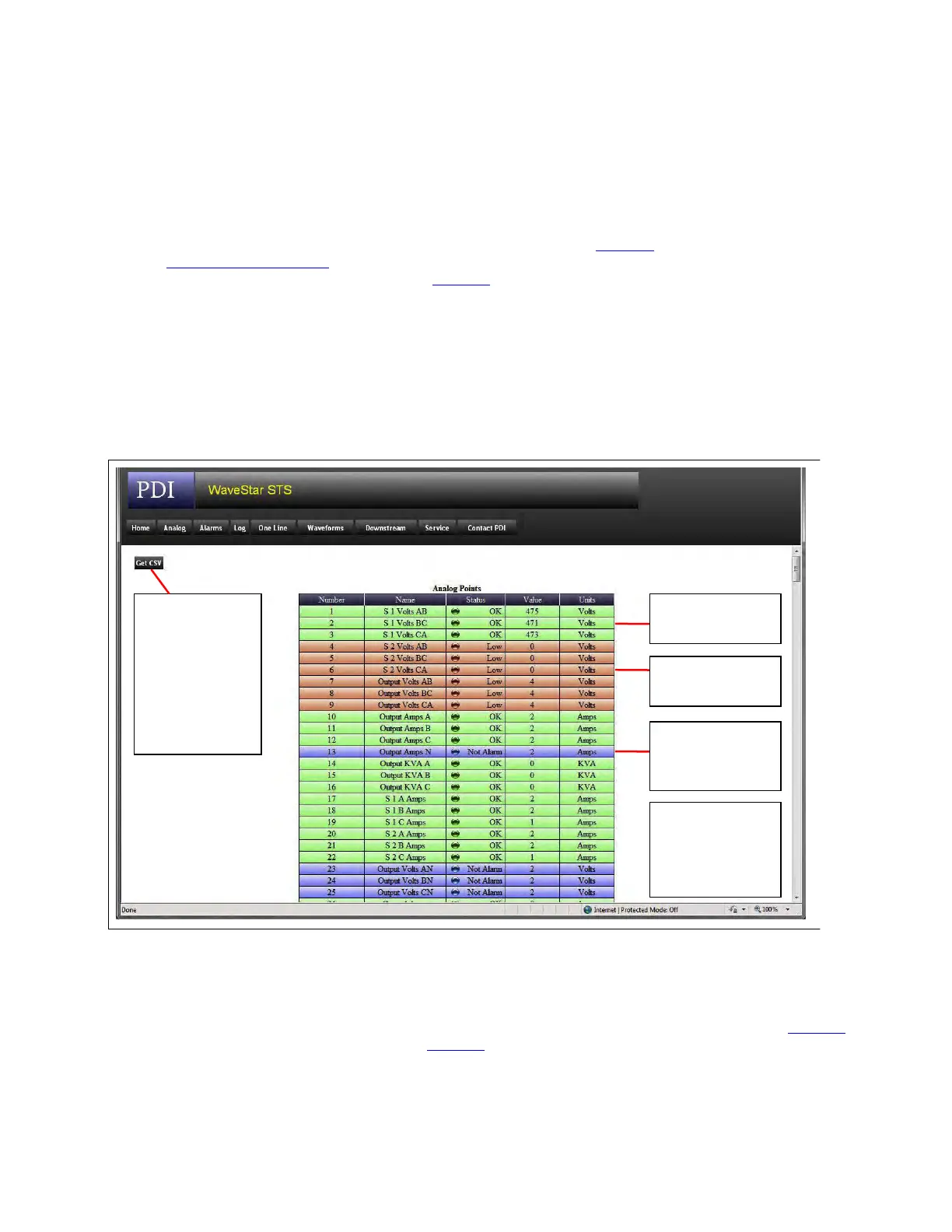
On any STS web page, click Analog to display the Analog web page (Figure 37). All Analog Points (see
16.2 Analog Screen Points) can be displayed on this page. The color-coding of points is the same as the
indicator dot in the Analog Values screen (Figure 29), but is applied to the entire point entry:
• Green = OK/Normal
• Red = Alarm/Not OK
• Blue = Status only, alarms not applicable
• Black = Point not used or invalid in this STS configuration
Figure 37. Analog Web Page
Green =
Normal/OK
Red =
Alarm/Not OK
Click Get CSV
button to
download a
comma-
separated file of
the analog
points to a
spreadsheet.
Black (not
shown) =
Blue =
Status only, not
an alarm point
Point not valid
for this STS
configuration
Digital Points currently cannot be displayed in a web page.
1133..22 OOnnee--LLiinnee PPaaggee
Click the One Line button to display a one-line diagram similar to the Home screen one-line diagram (Figure 13)
and interpreted essentially the same way (Figure 38).
Web Pages














 To Next Page