Guangzhou EC-PACK Packaging Equipment Co., Ltd.
EC-JET 1000Pro Continuous Inkjet Printer
3.5 Creating a Simple Message
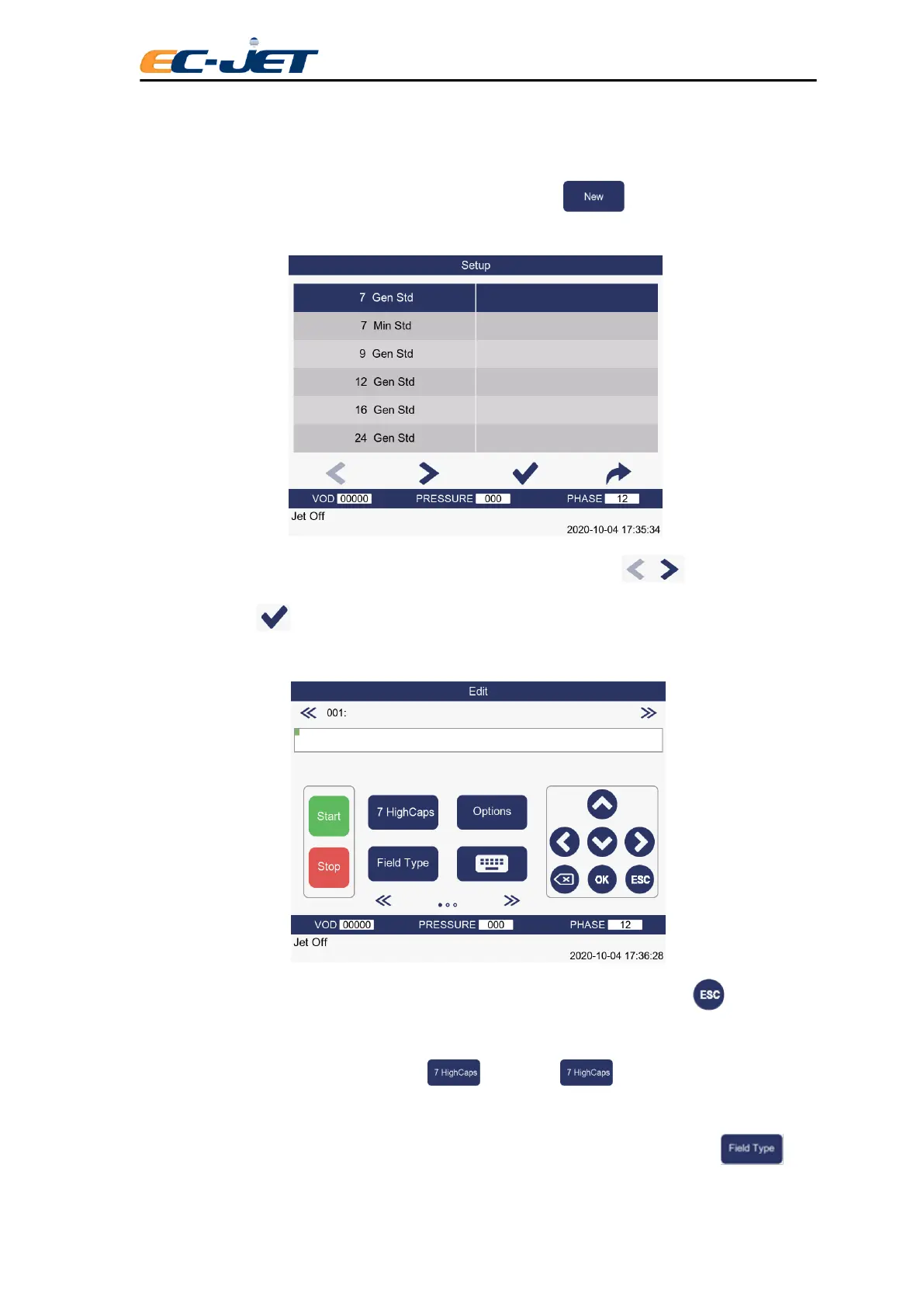
If there are no messages stored in the printer memory, selecting : New Message from the
“CURRENT MESSAGE” screen will display the “MESSAGE HEIGHT” menu:
Select the raster type you require by moving the cursor next to it and press for more raster
type, then pressing .
The EDIT MESSAGE screen will then be displayed:
Type in your message which will appear in the message area of the display, then press key when
you have finished.
The character set can be altered by pressing . Each time key is pressed, a different
character is selected.
You can use the Field Type function to include a time, date or sequential count, by pressing



 To Next Page