Guangzhou EC-PACK Packaging Equipment Co., Ltd.
EC-JET 1000Pro Continuous Inkjet Printer
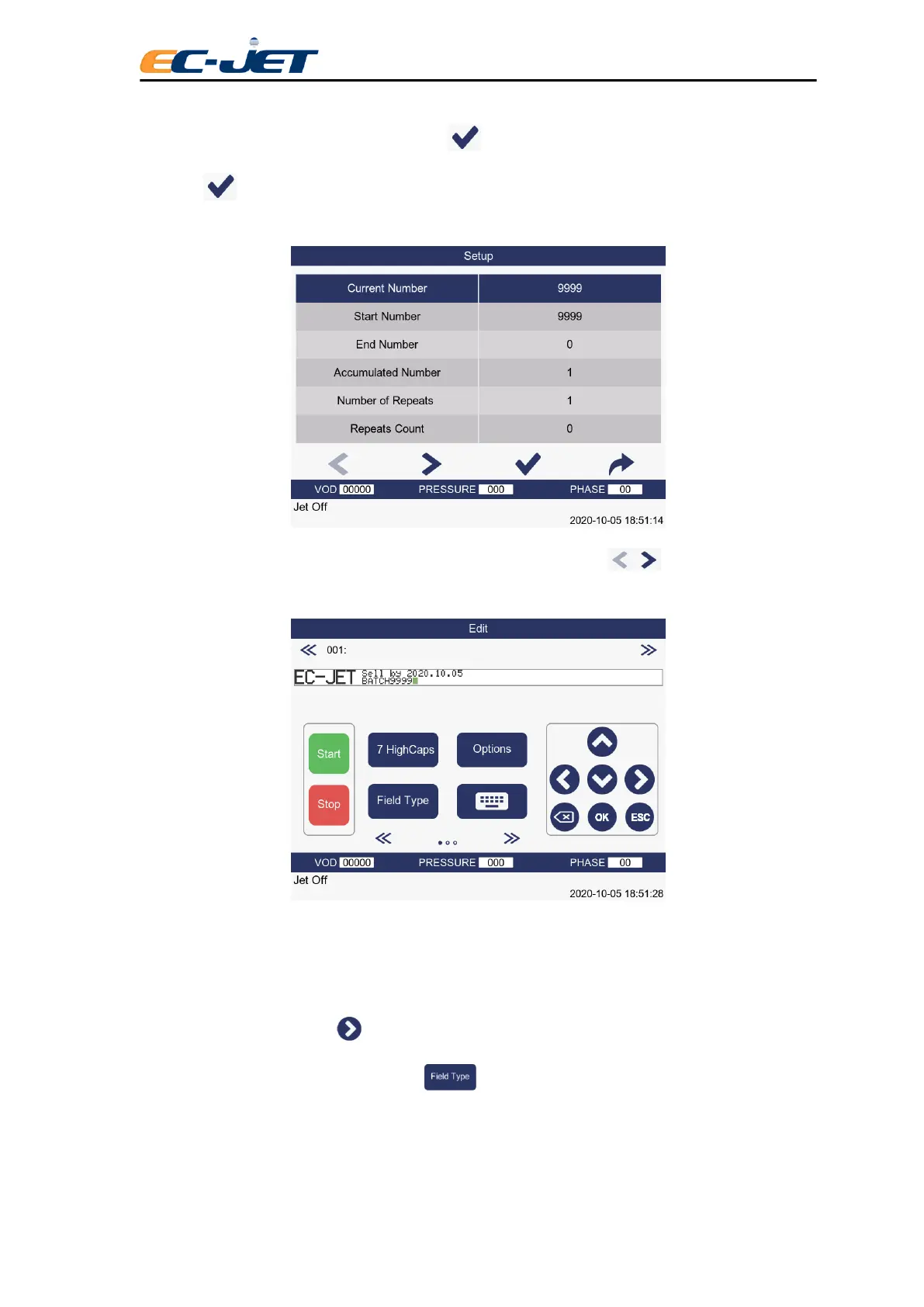
For example, select the End Number, press the key to select it and type in the value 0000 and
press the key. In response to this, the system will default to a Start Number of 9999 and a Current
Number of 9999:
When satisfied that the sequential number has been set up correctly, press key to return to the
EDIT MESSAGE screen.
Notice the value is set to the start number of 9999.
5.3.3 Creating Time Fields
For the example here, use key to move the cursor a few characters to the right. There is no need
to change the character set, so just press the function key to display the SELECT FIELD TYPE
menu:



 To Next Page