Guangzhou EC-PACK Packaging Equipment Co., Ltd.
EC-JET 1000Pro Continuous Inkjet Printer
2. Add only EC-JET ink and solvent
3. Check the ink or solvent specification are consistent with the using printer before
replenishing
4. Only add ink or solvent when ink or solvent low warning, each add no more than
500ML
8.2.2 EC1000 Consumable verification
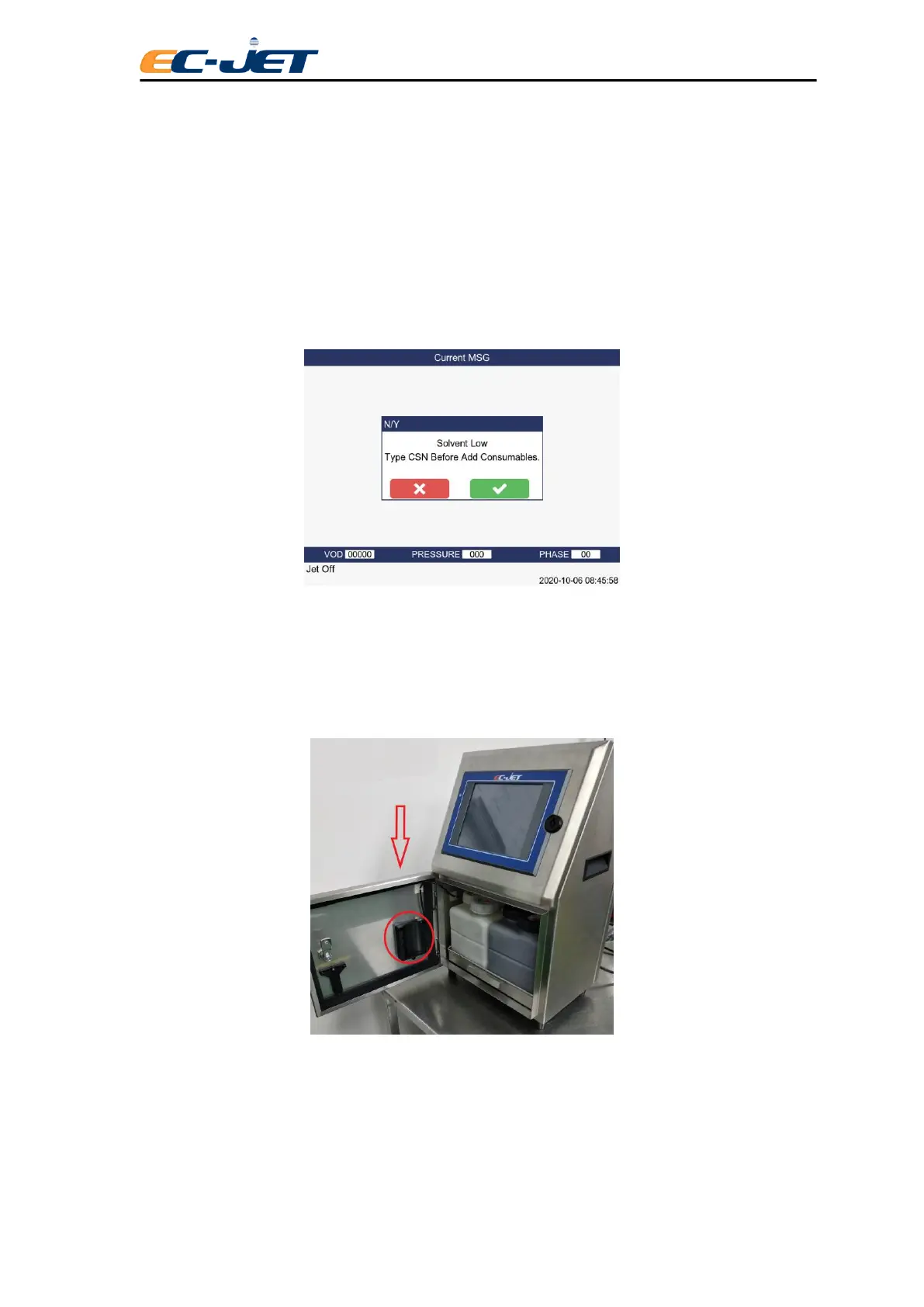
1. When the ink or solvent level is low, the printer will display following interface:
Note: if you do not follow up the instruction to verify the CSN of consumables, printer will
remind every 15 minutes
2. Open the ink system door and find the RFID assembly which is located at the
right of the rear door
3. Hold the ink or solvent bottle, keep label alignment of RFID, putting into the
groove about 2 seconds. When the light of the RFID turns green with one-long alarm, it
means read successfully.



 To Next Page