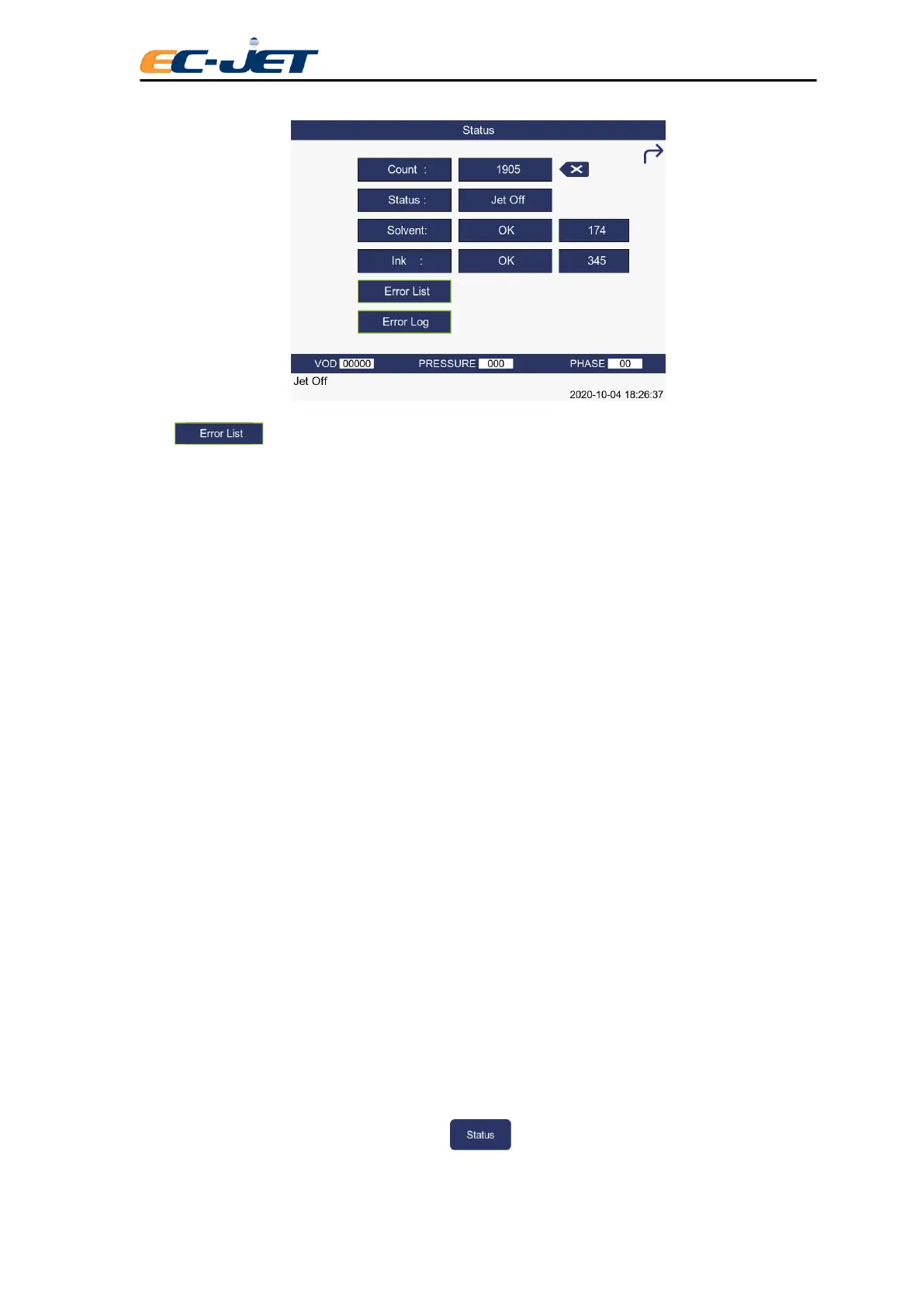
Shows the warning message of the printer.
Count Shows the number of prints made by the printer.
This value can be reset to 0 (zero) from the SETUP menu (see later
“Changing the System Setup”)
Status Show the operational status of the printer.
“Jet Off” – The jet has been stopped.
“Jet running” – The jet is running but printing is stopped.
“Printing” – The jet is running and the printer is ready to print.
Ink Show status of ink level check:
OK – Ink level is acceptable.
LOW – Ad one bottle of ink
(see “Routine Maintenance”)
Solvent Shows status of solvent level check:
OK – Solvent level is acceptable.
LOW – Add one bottle of solvent.
(see “Routine Maintenance”)
The ink and solvent levels should show OK. If not, they must be refilled with the correct ink or solvent.
CAUTION: Only One bottle of APPROVED Ink or Solvent (500ml) should be added when the level is
reported Low. If the level is still reported LOW after adding one bottle of ink or solvent, it could be that
the level sensors are faulty. In this case you should contact your local EC-JET distributor.
4.5 Listing Error Messages
The printer maintains a current error list. This list will display any errors which have occurred since the
printer was switched on and is a record of the errors reported on the status line of the display. The
ERROR LIST menu can be viewed by pressing from the CURRENT MESSAGE screen to



 To Next Page