Guangzhou EC-PACK Packaging Equipment Co., Ltd.
EC-JET 1000Pro Continuous Inkjet Printer
The current time will replace the hh:mm when editing is complete.
5.3.4 Creating Timed Message Fields
Up to 24 timed messages are allowed per Timed Message field, each associated with a unique time at
which the timed message will appear in the current printer message. In this example, a timed message is
set to occur at 12 midnight (zero hours) to read: “Night Shift”.
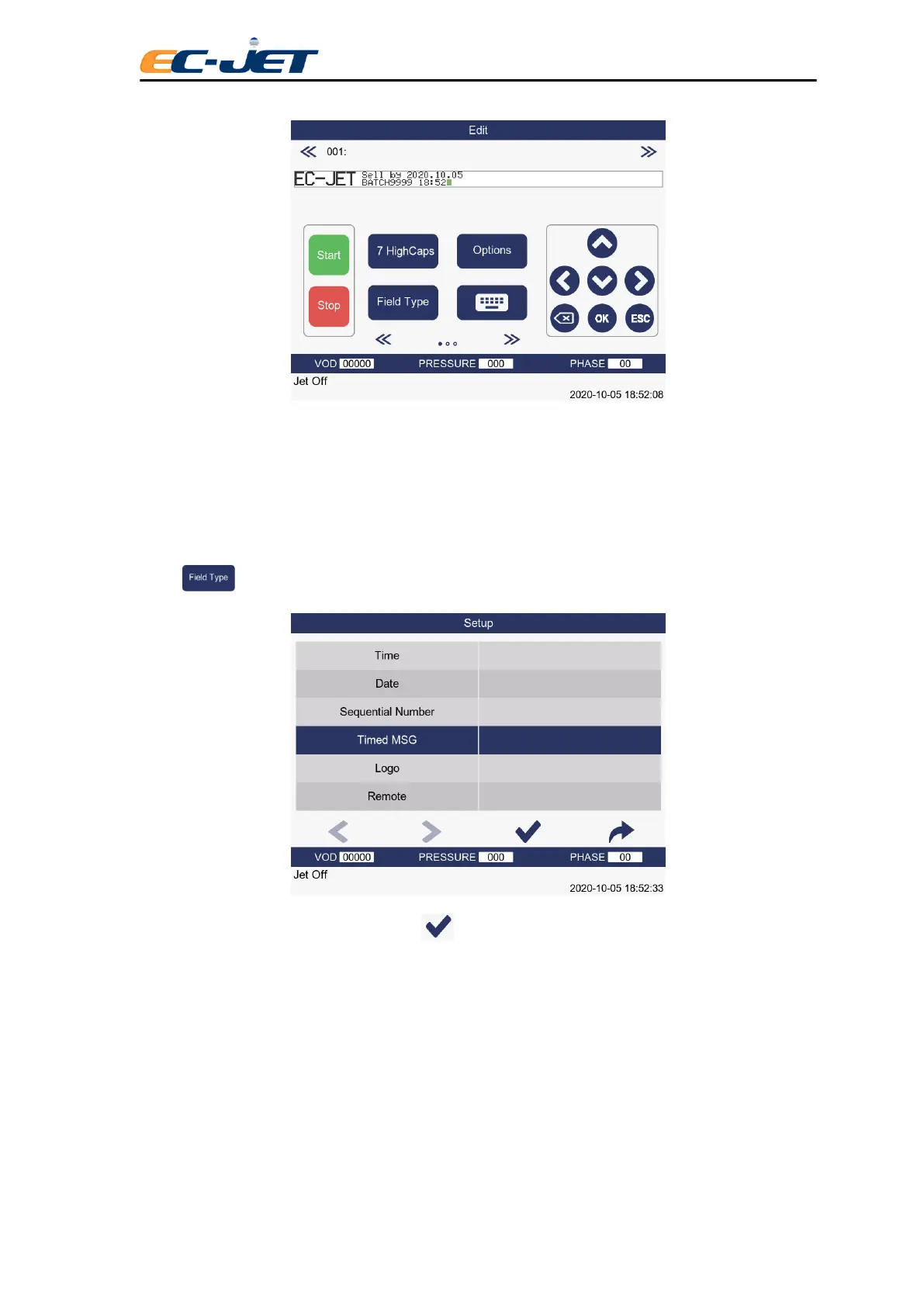
Press key from the EDIT MESSAGE screen to display the SELECT FIELD TYPE menu:
Locate the Timed Message option and press key to display the TIMED MESSAGE menu:



 To Next Page