Version 2.02 15.05.2007
Installation and Startup of VS 3000
57
eckelmann.de
E 2007 - ECKELMANN AG | BERLINER STRASSE 161 | 65205 WIESBADEN | TELEFON +49(0)611 71 03-0 | FAX +49(0)611 71 03-133
4.6 Installing update software
As supplied, the VS 3000 pack controller is operational and contains the c urrent firmware. Future software ver-
sions can be loaded into the VS 3000 by firmware update when required to bring them up to date.
This requires a two -step procedure:
S Install update s oftware on the PC
S Update firmware on the VS 3000 by download
First start is performed following firmware update. This loads the default settings for all parameters
and all archives (alarms/messages and operating data, e.g. starts, activity) are deleted! Your must
now repeat complete startup of the system (see section 4 Startup).
4.6.1 Installing update software on t he PC
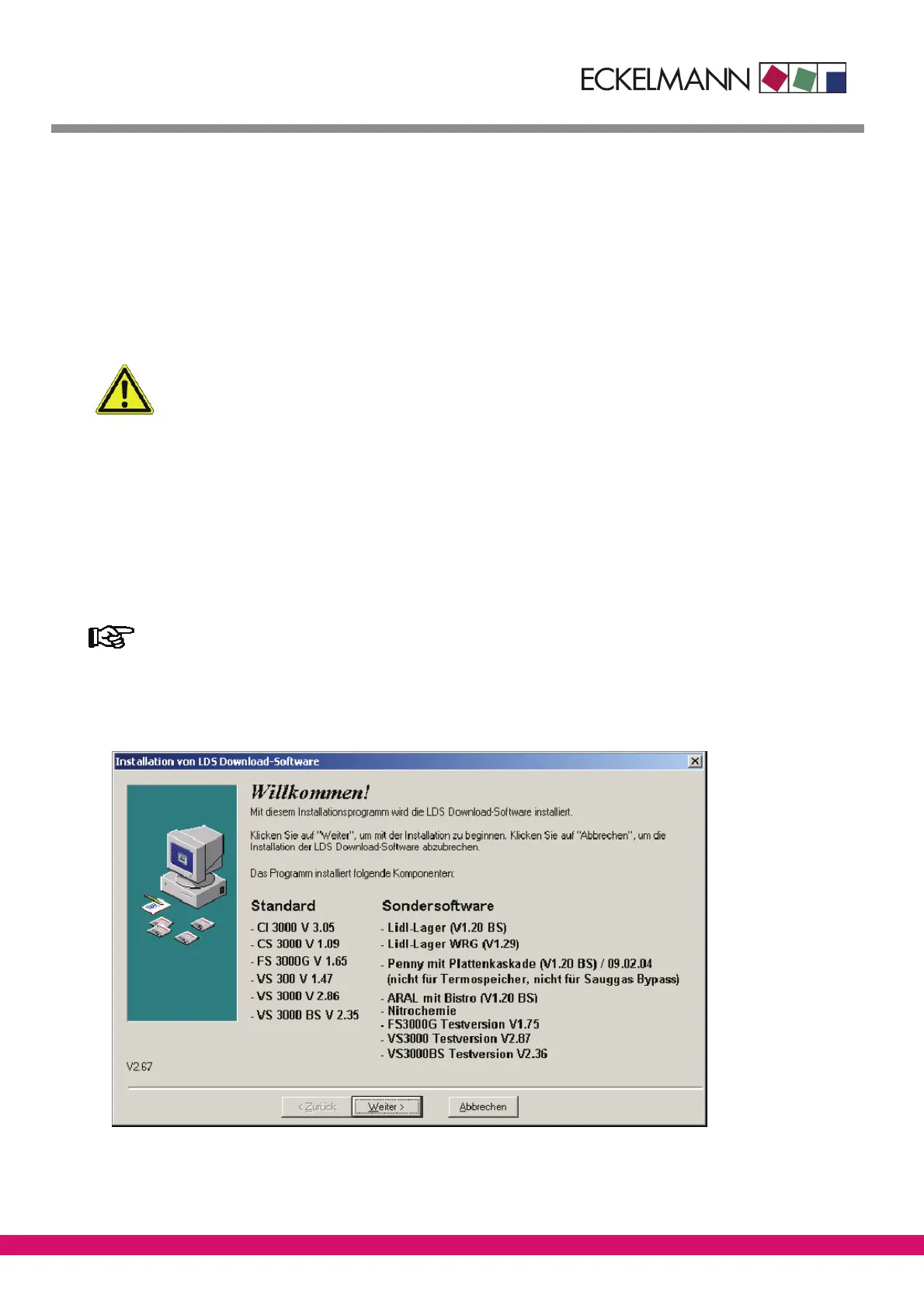
The procedure for installing LDS Download Software under Windows 95/98 or Windows NT, 2000 and XP is as
follows:
You must be authorized with Administrator rights to install software under Windows NT, 2000
and XP!
1. In Windows Explorer, open the drive (CD-ROM, disk or network drive) containing the LDS Download Software.
2. Double-click setup.exe to start installing the program.



 To Next Page