PREPARING THE COPIER/PRINTER TO CONNECT TO THE E-42B 122
PREPARING THE COPIER/PRINTER TO CONNECT TO THE E-42B
Before you can connect the E-42B to the copier/printer, you must prepare the copier/printer
as follows:
• Install the Gigabit Ethernet board in the copier/printer and change the Service Program
(SP) mode on the copier/printer.
• Install the “
fierydriven®” key top on the copier/printer operation panel.
• Affix the Fiery decal to the copier/printer front cover.
• If needed, disable the GW scanner feature on the copier/printer.
TO INSTALL THE GIGABIT ETHERNET BOARD IN THE COPIER/PRINTER
1 Before removing the panels on the copier/printer, shut down the copier/printer, and then
unplug the power cord from the wall.
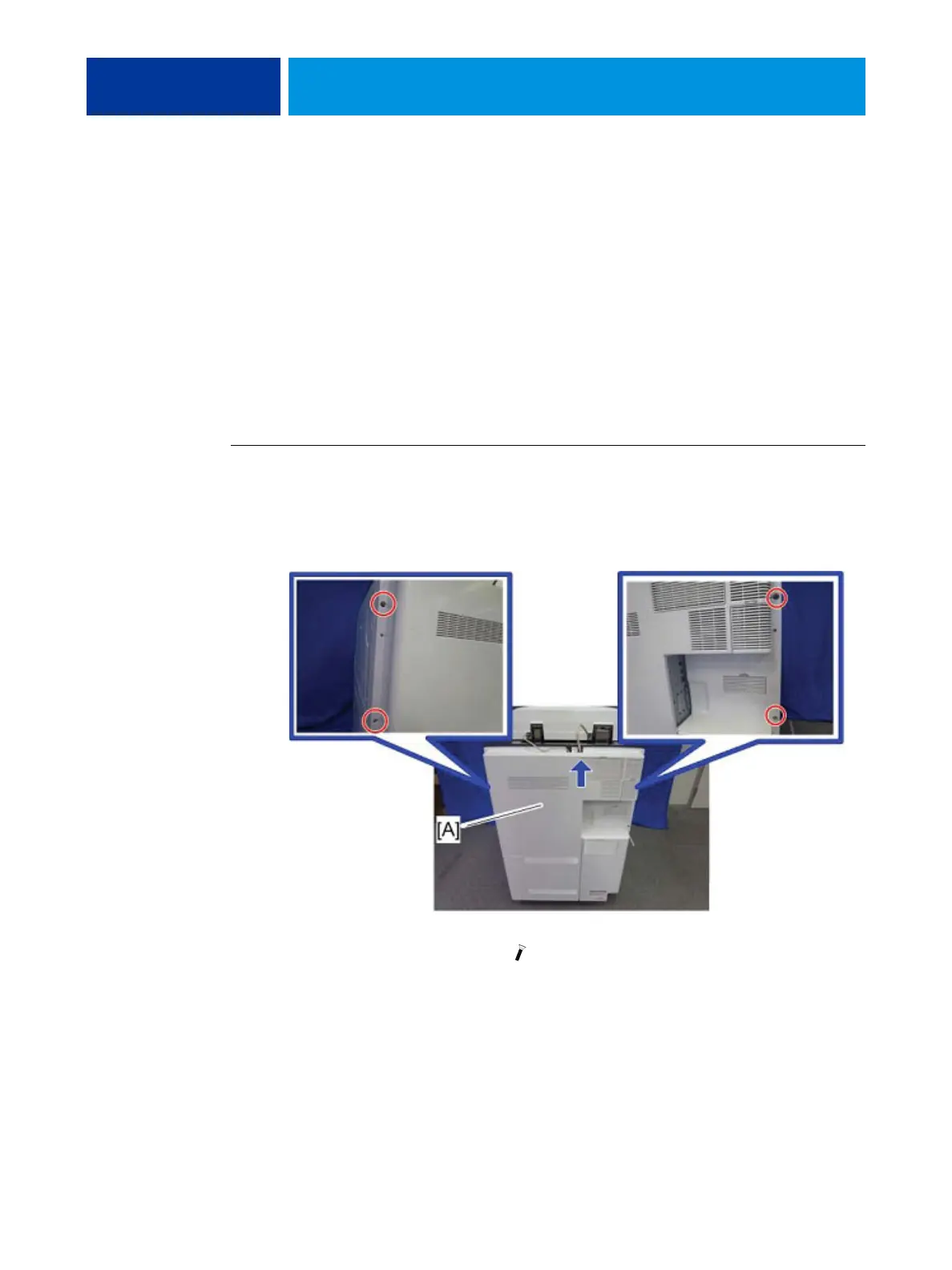
2 Remove the rear and central covers [A] with a screwdriver.
FIGURE 29: Rear central cover [A] ( x 4)



 To Next Page