Page 12 / 53
All IT components electrically connected to the Helios must confirm to IEC 60950-1.
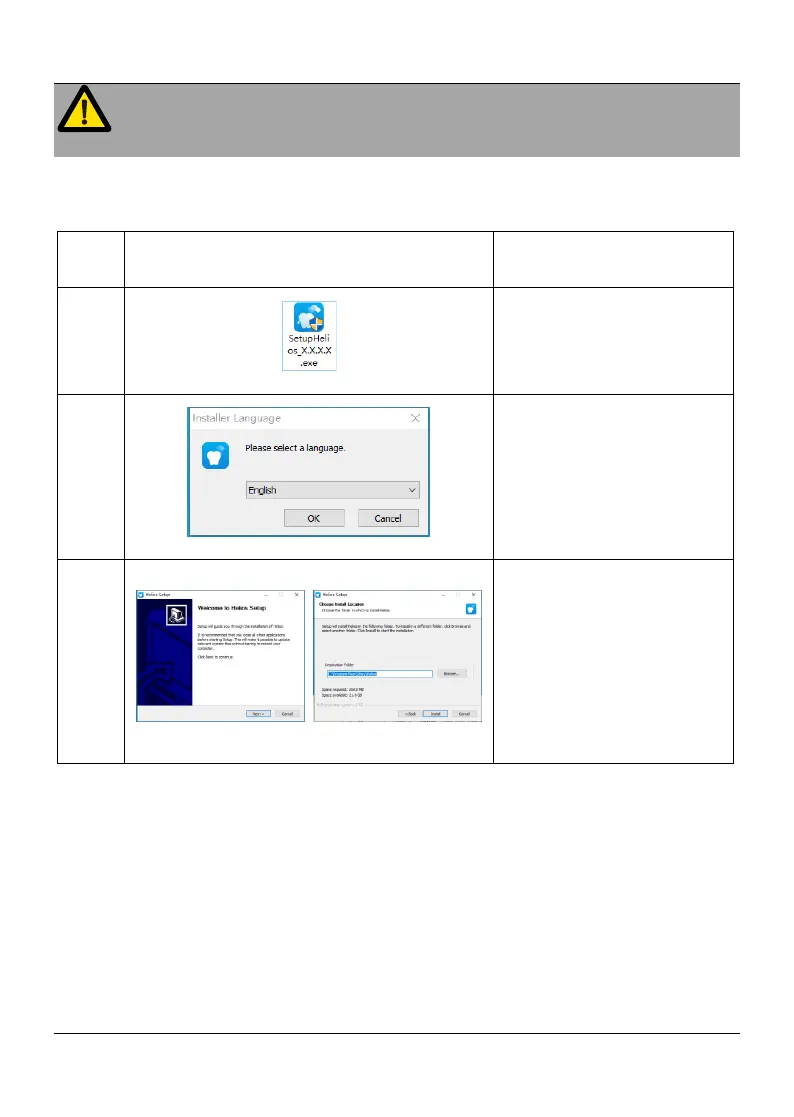
4.3 Software Installing
Connect the USB flash
driver to the computer and
open it. Click open EXE
format file
Choose a language from
the drop-down list and click
OK to install
Follow the instructions on
the screen to complete the
installation
4.5 Software Update
If there is an update of Helios 600 software, we(Sifary) will notify local distributors
(agents) and provide free installation U disk, and the distributor(agents) will upgrade
the software for everyone.
4.6 Helios 600 Mounting
It is recommended to use the Helios 600 mounting bracket to place the Helios 600.















 To Next Page