Page 19 / 53
6.2.1 Implant cut out diameter: Set the diameter of the automatic cut out areas in
implant mode, it is recommended to choose a value slightly larger than the diameter of
the scan body used.
6.2.2 Bite adjustment:When selected, the software will automatically correct over-bite
after refinement.
6.2.3 Hole highlight color: When selected, the software will fill holes in the model after
refinement.
6.2.4 Enable air mouse: When selected, the scanned 3D model can be rotated by
rotating the scanner while not scanning.
6.2.5 Play sound during scanning: When selected, a sound will be continuously played
when you are successfully scanning (if your computer does not have speakers, this
option will not take effect).
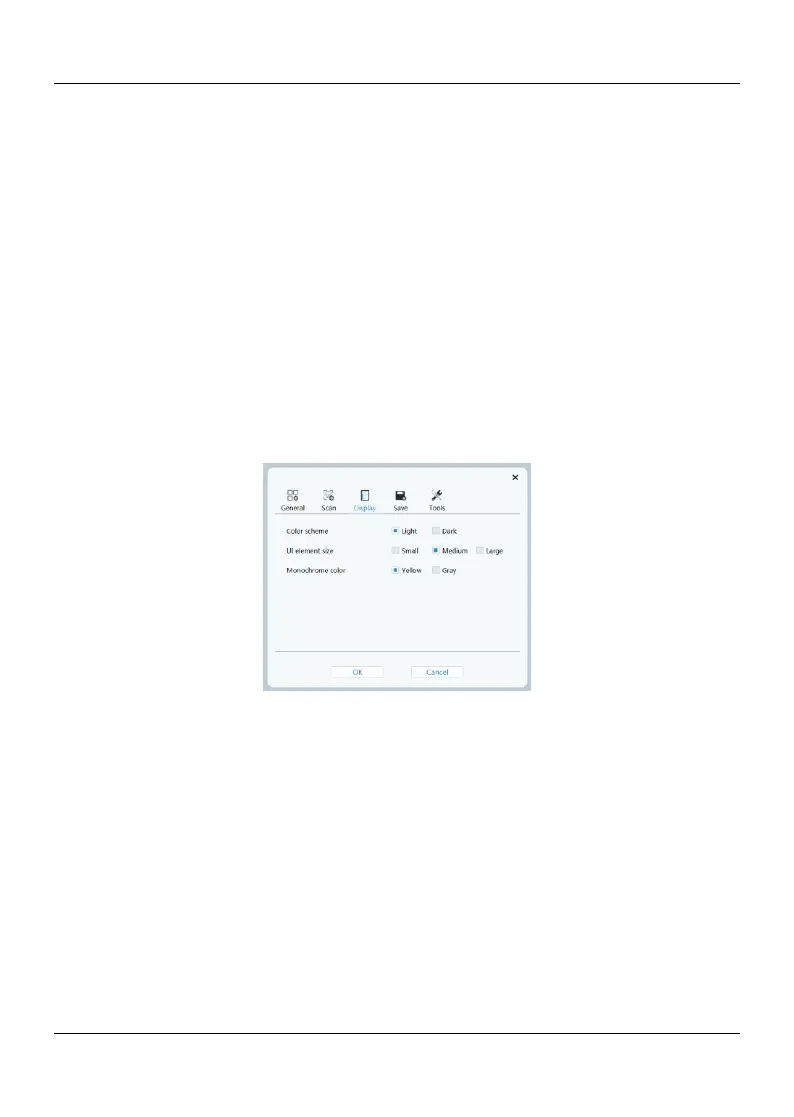
6.3Display
6.3.1Color scheme: Select the color scheme of the user interface.
6.3.2UI element size: Select the size of interface icons to adapt to different screen
resolutions.
6.3.3Monochrome color: Select the color when displaying the 3D model in
monochrome.















 To Next Page