Page 15 / 53
Option Menu: Access the system configuration and version information.
Login Menu: Enables you to log in, log out and switch users.
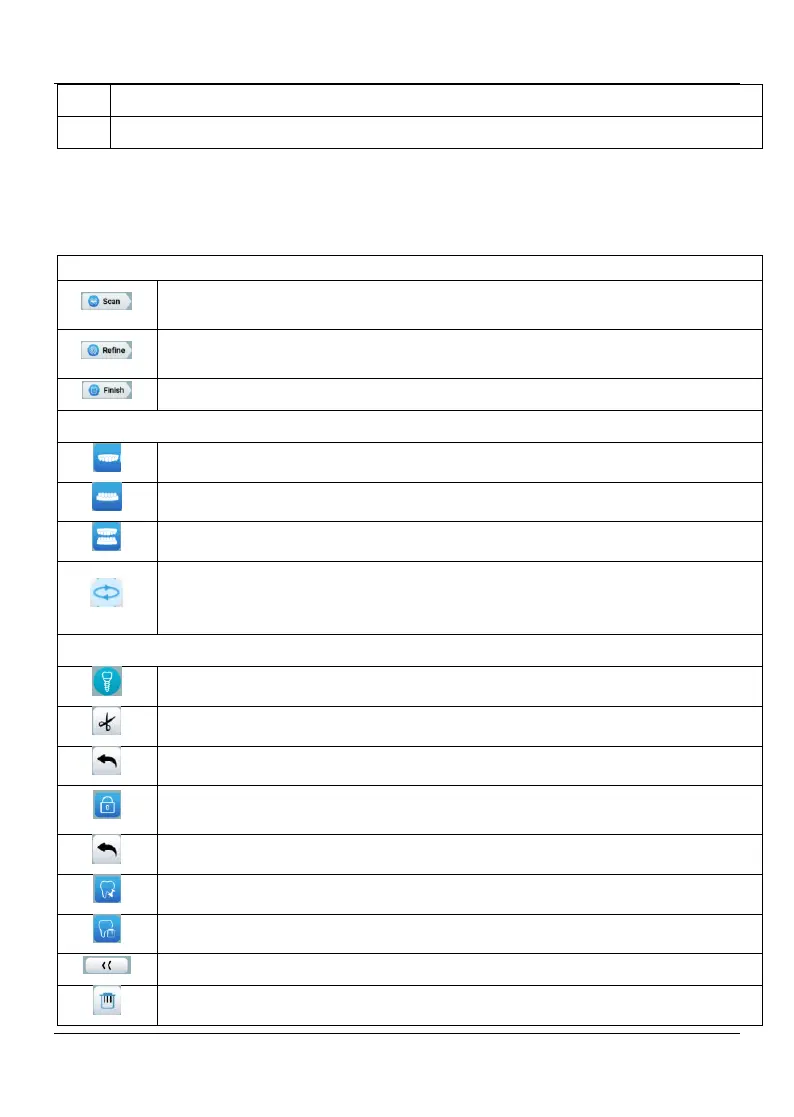
5.2 Toolbar Overview
Scan button: Enables you to scan the upper and lower arch, and the
buccal bite registration.
Refine button: Refines the acquired 3D model, and enables you to use
various tools to check the refined results..
Finish button: complete the case information and save the scan results.
Upper Jaw button: Acquires a 3D model of the upper jaw.
Lower Jaw button: Acquires a 3D image of the lower jaw
Buccal Bite Registration button: Acquires a 3D image of the bite.
Switch Upper/Lower Jaw button: Changes the acquisition mode from
upper to lower or vice versa, if you accidentally scan teeth on the wrong
jaw.
Scan body button: enter the scan body scan workflow.
Cut button: draw a curve to delete unnecessary data.
Undo the last cut operation
Lock button: Enables you to select and lock an area on the model to
prevent it from being updated by add
i
itional scanning.
Unlock the last Locked area
Mark tooth button: Mark one or more preparation areas.
Unmark one or more marked preparation area
Return to the up-level toolbar
Delete button: Delete all models from the current case.















 To Next Page