Page 16 / 53
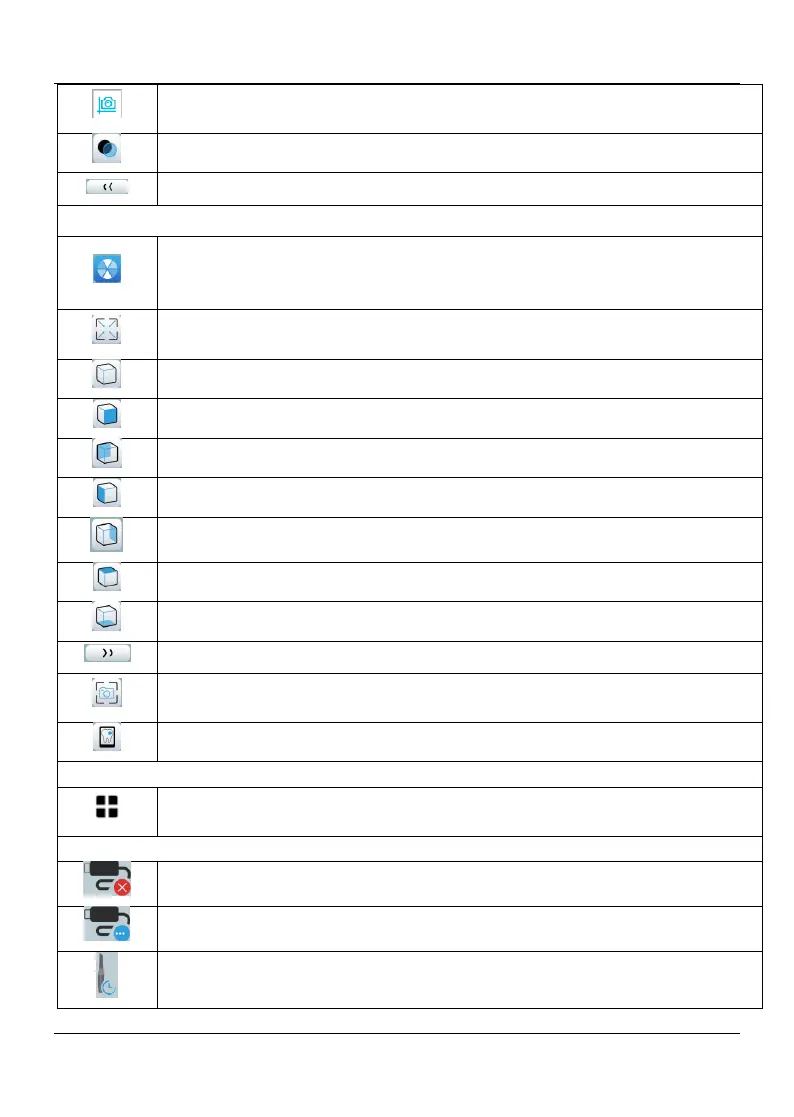
Quadrant Snapshot button: Displays a preview of five 2D images showing
different views of the model.
Transparency button: Set the transparency of the scanned model.
Return to the up-level toolbar
True Color button: When selected, displays the 3D model in the actual
color of the patient’s hard and soft tissues. When deselected, displays the
3D model in monochrome.
Zoom fit button: Scales the 3D model to the best size to fit the display
region.
Views orientation button: Displays a list of views.
Return to the up-level toolbar
Snapshot button: Takes a snapshot of the 3D model as it appears on your
screen.
Intraoral camera button: Enables you to select 2D intraoral images.
Show more options button: Enables you to access Import/Export scan
data, Scan history, Preference and About dialogs.















 To Next Page