To remove
a
defective converter:
1.
Remove the line cord and both the top and bottom cover of the counter.
2.
Remove the two screws holding the converter in place from the bottom.
3.
Remove coaxial cables and unplug DC harness.
4.
Lift the converter out of the counter.
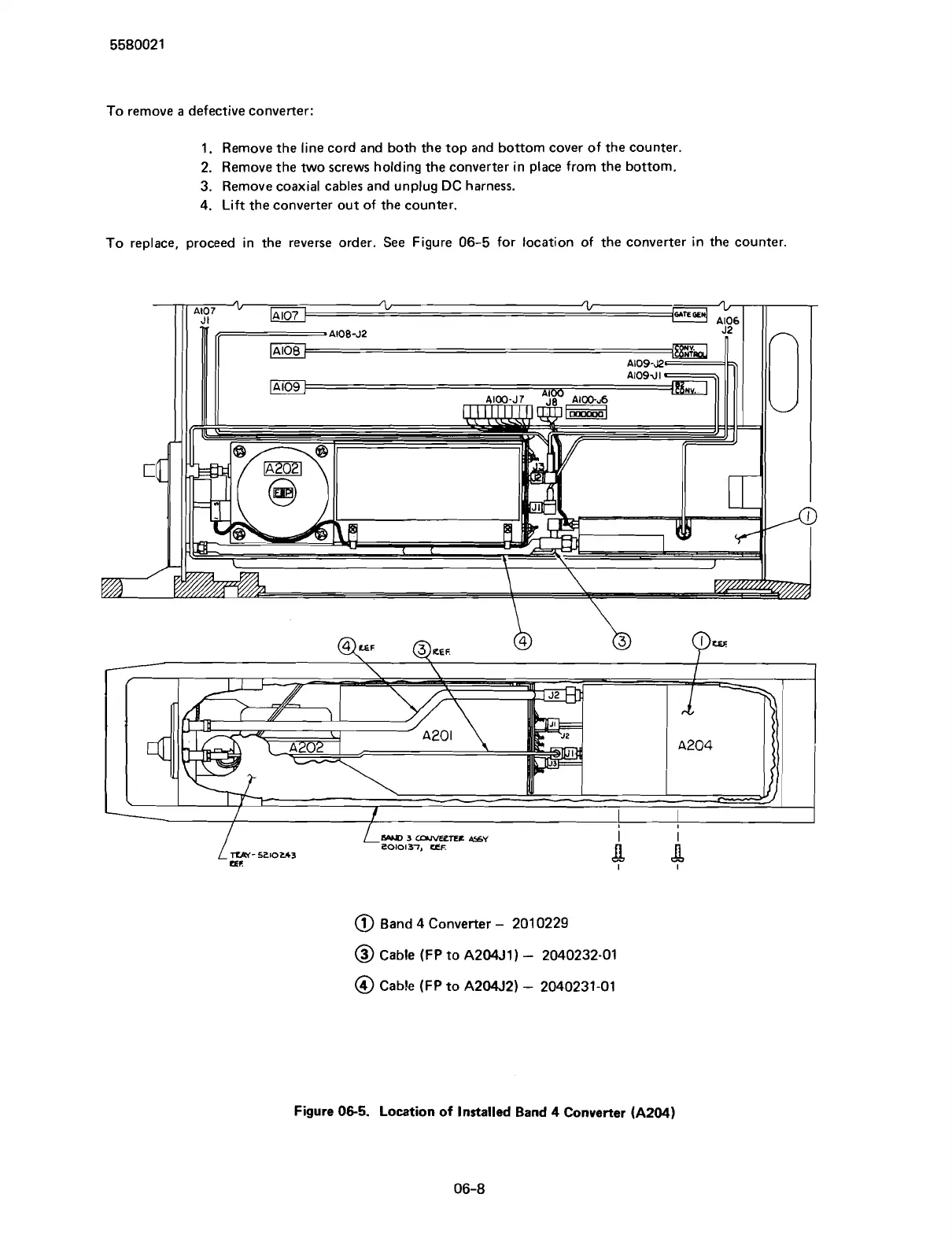
To replace, proceed in the reverse order. See Figure
06-5
for location of the converter in the counter.
@
Band
4
Converter
-
201 0229
@
Cable
(FP
to
A204J1)
-
2040232-01
@
Cable
(FP
to
A204521
-
2040231-01
Figure
06-5.
Location of Installed Band
4
Converter
(A204)
Scans by ArtekMedia © 2007



 To Next Page