FINE ADJUSTMENT
1. Set the sweeper to 1.0 GHz
f
10 MHz.
2.
Connect the spectrum analyzer to
A106J4 (IF output).
3.
The counter should be counting the incoming signal. The spectrum analyzer should be displaying
the
IF (125 MHz).
RESET
4. On the counter press
.
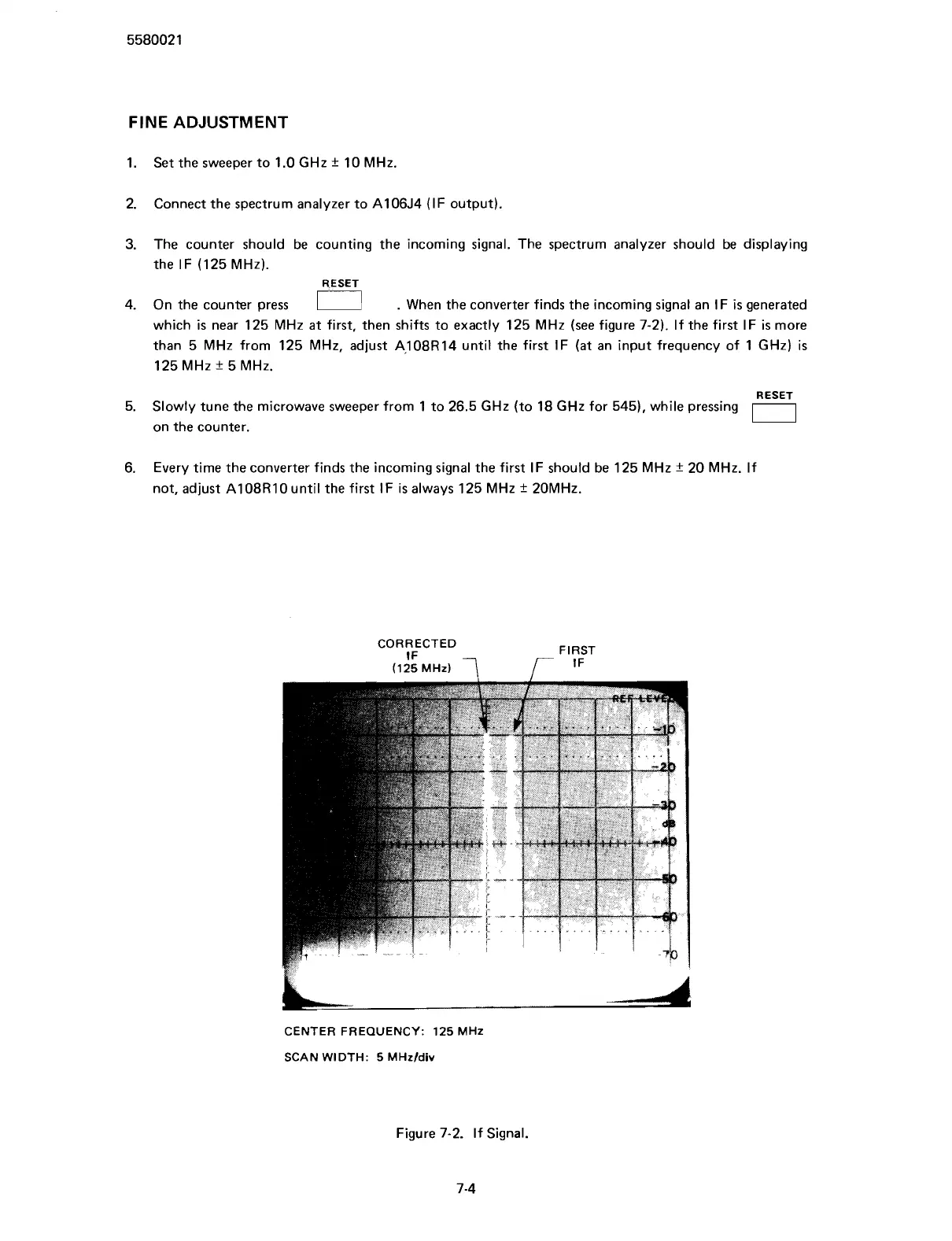
When the converter finds the incoming signal an IF
is
generated
which
is
near 125 MHz
at
first, then shifts to exactly 125 MHz (see figure 7-2). If the first IF
is
more
than 5 MHz from 125 MHz, adjust
A108R14 until the first IF (at an input frequency of 1 GHz)
is
125 MHz
+
5 MHz.
RESET
5. Slowly tune the microwave sweeper from 1 to 26.5 GHz (to 18 GHz for 545), while pressing
on the counter.
0
6.
Every time the converter finds the incoming signal the first IF should be 125 MHz
+
20 MHz. If
not, adjust
A108R10 until the first IF
is
always 125 MHz
f
20MHz.
CORRECTED
IF
(125 MHz)
7
r
CENTER FREQUENCY: 125 MHz
SCAN WIDTH: 5
MHzfdiv
Figure 7-2. If Signal.
7-4
Scans by ArtekMedia © 2007



 To Next Page