PROGRAM EXAMPLES
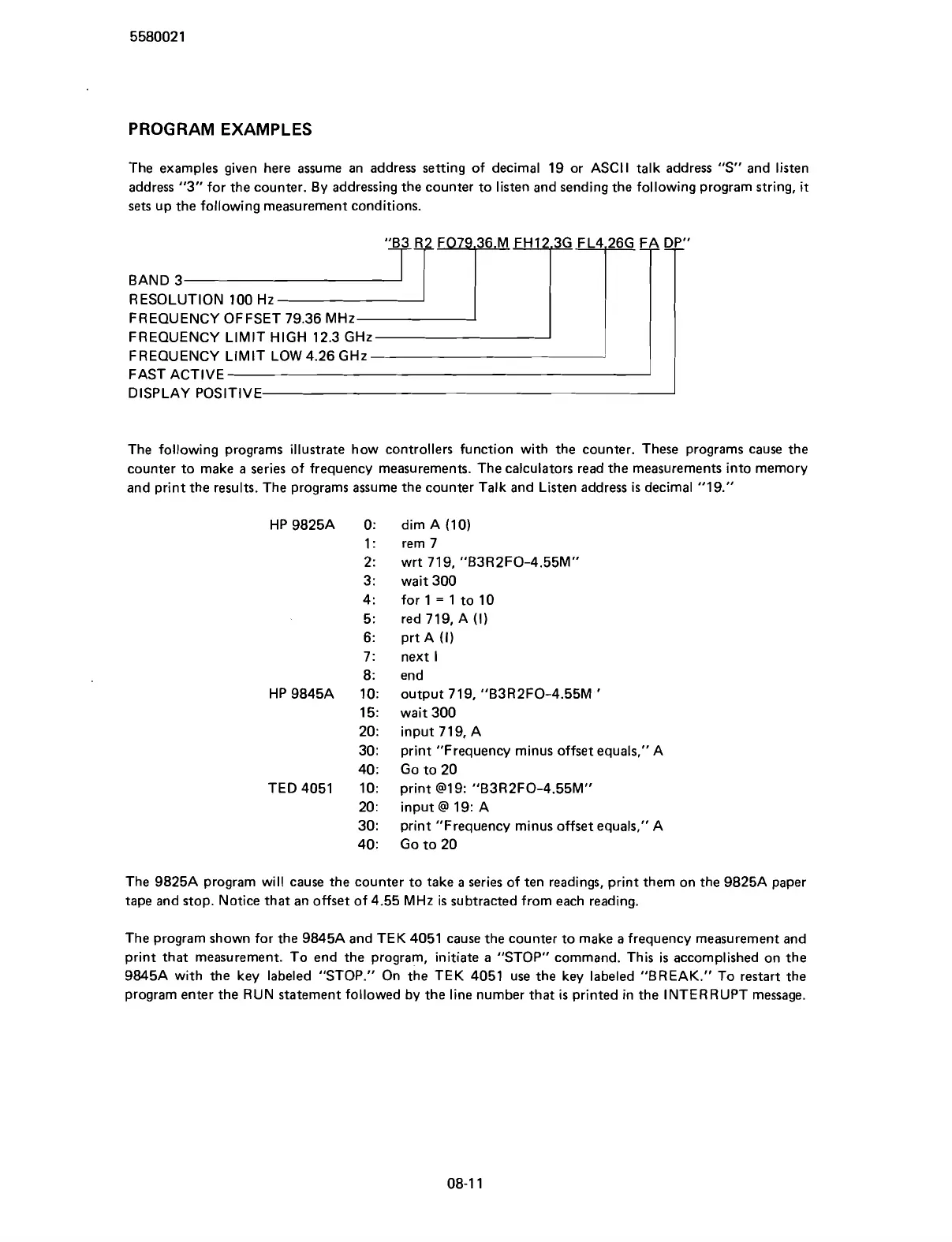
The examples given here assume an address setting of decimal 19 or ASCII talk address "S" and listen
address
"3" for the counter. By addressing the counter to listen and sending the following program string,
it
sets
up the following measurement conditions.
BAND 3
RESOLUTION 100 Hz
FREQUENCY OFFSET 79.36 MHz
FREQUENCY
LIMIT HIGH 12.3 GHz
FREQUEIVCY LIMIT LOW 4.26 GHz
FAST ACTIVE
DISPLAY POSITIVE
The following programs illustrate how controllers function with the counter. These programs cause the
counter to make a series of frequency measurements. The calculators read the measurements into memory
and print the results. The programs assume the counter Talk and Listen address
is
decimal "19."
HP 9825A 0:
1
:
2:
3
:
4
:
5
:
6:
7:
8:
HP
9845A 10:
15:
20:
30
:
40
:
TED 4051 10:
20
:
30:
40:
dim A (10)
rem 7
wrt 719,
"B3R2FO-4.55M"
wait 300
for
1
=
1 to 10
red 719, A (1)
prt A
(1)
next
l
end
output 719,
"B3R2FO-4.55M
'
wait 300
input 719, A
print "Frequency minus offset equals," A
Go to 20
print
@19: "B3R2FO-4.55M"
input
@
19: A
print "Frequency minus offset equals," A
Go to 20
The
9825A program will cause the counter to take
a
series of ten readings, print them on the 9825A paper
tape and stop. Notice that an offset of 4.55 MHz is subtracted from each reading.
The program shown for the
9845A and TEK 4051 cause the counter to make a frequency measurement and
print that measurement. To end the program, initiate a "STOP" command. This is accomplished on the
9845A with the key labeled "STOP." On the TEK 4051 use the key labeled "BREAK." To restart the
program enter the RUN statement followed by the line number that
is
printed in the INTERRUPT message.
Scans by ArtekMedia © 2007



 To Next Page