14
6204
2
6204
3
1
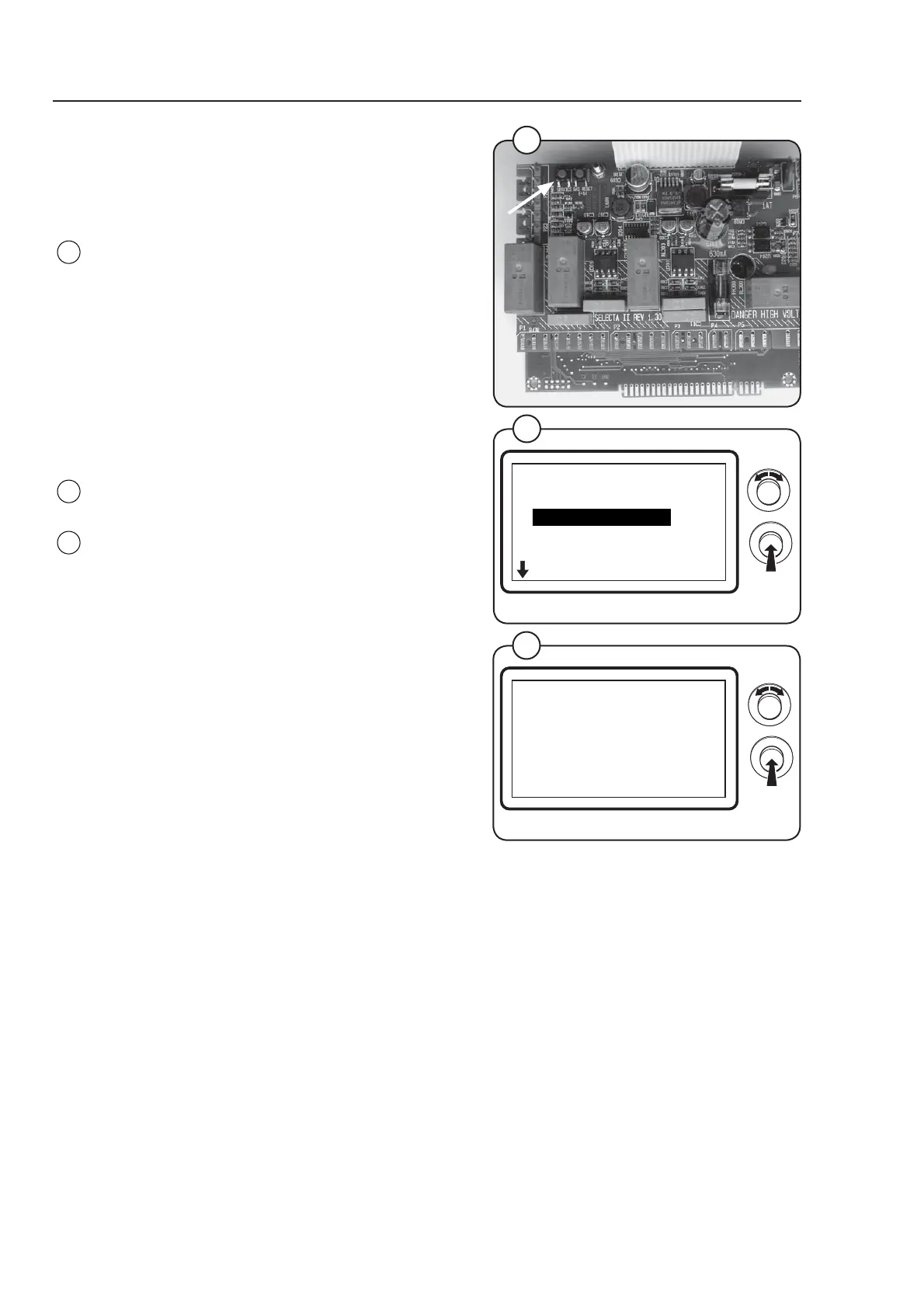
Engaging service mode
Service mode is engaged using the service
switch on the CPU board under the top cover on
the front of the machine.
Press the service button.
The machine software will now switch to its
service mode. The display lists the submenus
available in this mode.
This service manual describes functions and
programming instructions for the following
submenus:
• SERVICE
• CONFIG 1
• CONFIG 2
For other submenus, please refer to the
programming manual.
To save changes to the machine's memory they
must be confi rmed in a menu that is displayed
automatically whenever a change has been
made.
Fig.
1
Fig.
2
Fig.
3
MAIN MENU
MENU 1
SERVICE
PARAMETER PROGR.
STATISTICS
CONFIG 1
CONFIG 2
Program unit
NEW VALUE IS:
SERVICE
ARE YOU SURE?
YES
A



 To Next Page