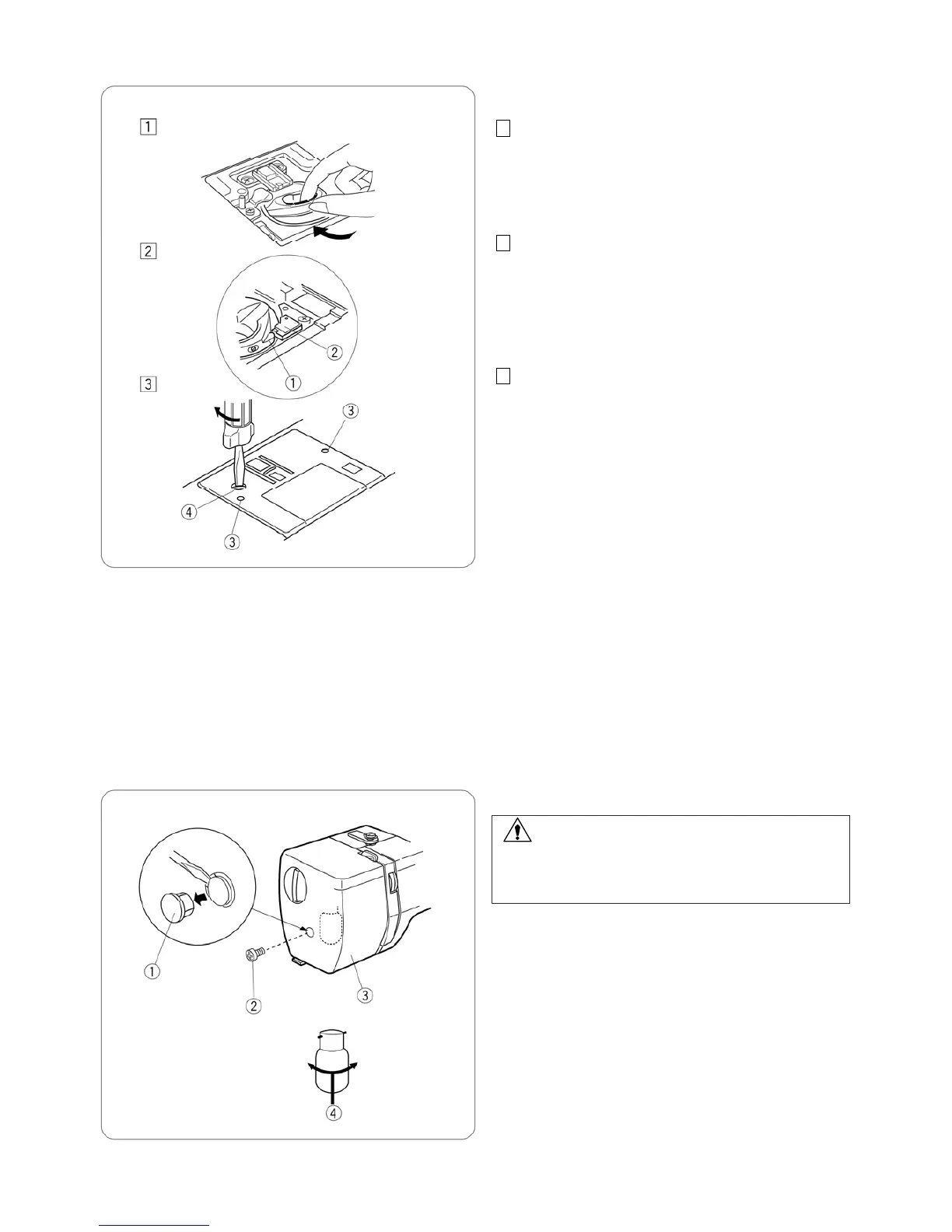
1 Insert the bobbin holder into the hook race.
2 Make sure the knob of the bobbin holder fits next to
the stopper on the race.
q Knob
w Stopper
3 Replace the bobbin.
Attach the needle plate, inserting the two guide pin
firmly with the screwdriver.
e Guide holes
r Screw
Clean the machine with a soft cloth. Do not use chemical
solvent.
Store the machine in cool and dry place.
Do not store the machine in an area of high humidity,
near a radiator or in direct sunlight.
Replacing the Light Bulb
WARNING:
When replacing the bulb, switch off and unplug the
machine.
Wait for the light bulb to cool down before touching it.
Remove the cap and screw. Remove the face plate.
q Cap
w Screw
e Face plate
Push and turn the bulb counterclockwise to remove it.
Push and turn the bulb clockwise to replace it.
r
Light bulb














 To Next Page