CMeX50 Users Manual English
CMeX50 Users Manual English
Document id: 1090055 Version 1.5
”Compact frame” format
telegram with ” short
application” header
”Application error”-telegram
with ”short application”
header
”Alarm”-telegram with ”short
application” header
”Compact frame” data
telegram without header
Ignored or sent in data container on wired M-Bus
depending on the setting ”CI=0x79 mode”, see
5.5.7.
”Compact frame” format
telegram without header
Normal data telegram without
header
Secondary address for the corresponding
virtualized meter on wired M-Bus is taken from
the ID-field ”Link layer header”.
Maddalena water meter with
annual
periodic reading
This is a special format for Maddalena water
meters. The product supports decryption of these
telegrams with Maddalena’s own algorithm that
uses a 64-bit key. It is the last 8 bytes of installed
decryption key (meter specific or global) that are
used, the first 8 bytes of the key are ignored and
are for example set to 0x00. The secondary
address for corresponding virtualized meter on
wired M-Bus is taken from the ID-field in ”Link
layer header” whose format is not following the
standard EN13757-4.
Maddalena water meter with
monthly periodic reading
Maddalena water meter with
weekly periodic reading
Table 9 Handled CI-fields for “extended link layer”
6.1.4.3 Wireless M-Bus telegram with no header
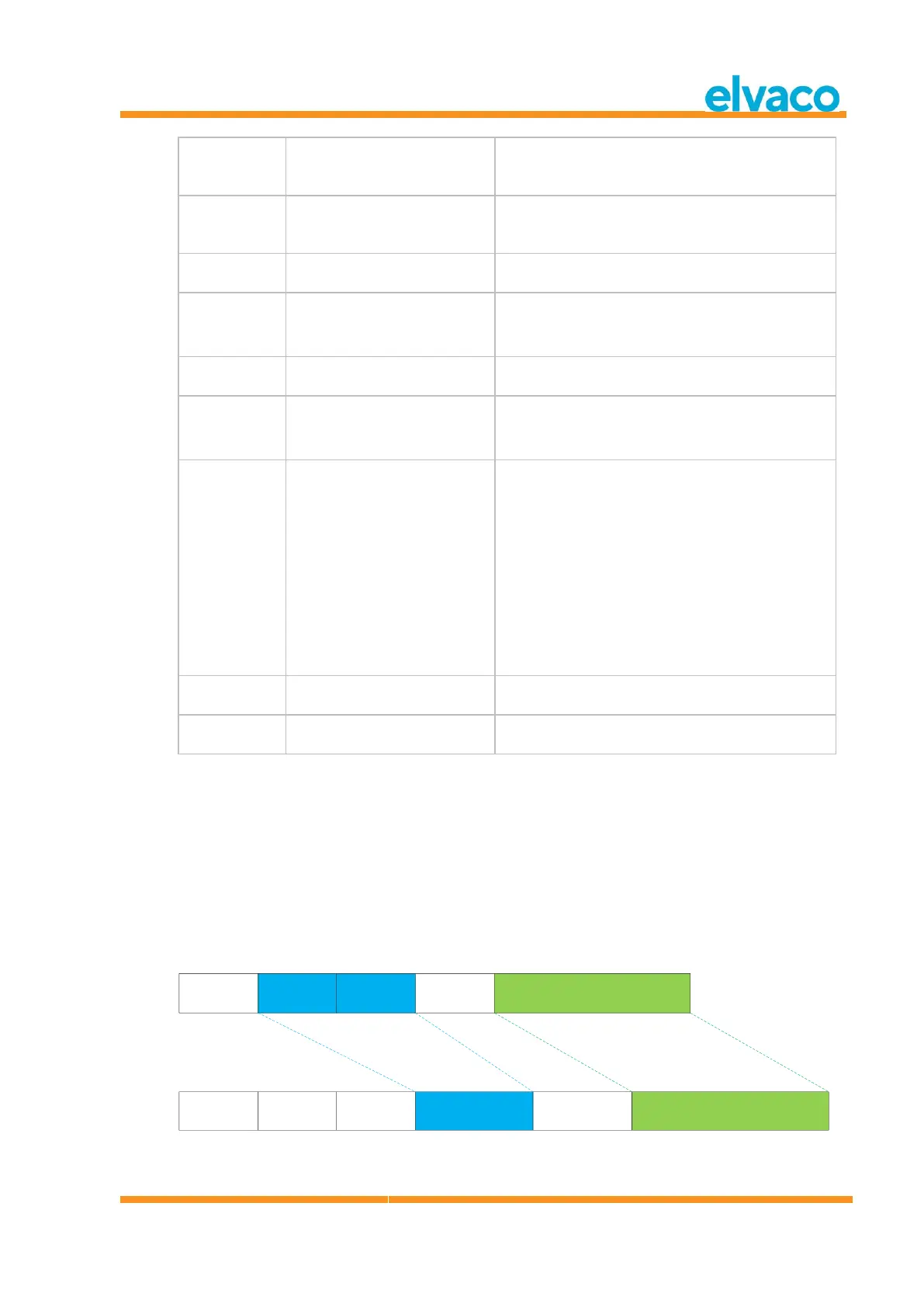
Figure 13 describes how data is mapped from the received wireless M-Bus telegram to the wired M-Bus
telegram. The wired secondary address is taken from the M-Field and A-Field from the wireless M-Bus
telegram. The wired A-Field is automatically assigned upon installation.
C-Field
0x44|0x46|0x48
M-Field
2 bytes
A-Field
6 bytes
CI-Field
0x78
Payload
C-Field
0x08
A-Field
0xnn
Payload
CI-Field
0x72
Long header
M-Field + A-Field
Mapped to Long header Mapped to payload data
Wireless M-Bus telegram
No header
Wired M-Bus telegram
with long header
CMeX50 Info
Figure 13 Wireless M-Bus telegram with no header data mapping



 To Next Page