3 Using the Generator
3 Using the Generator
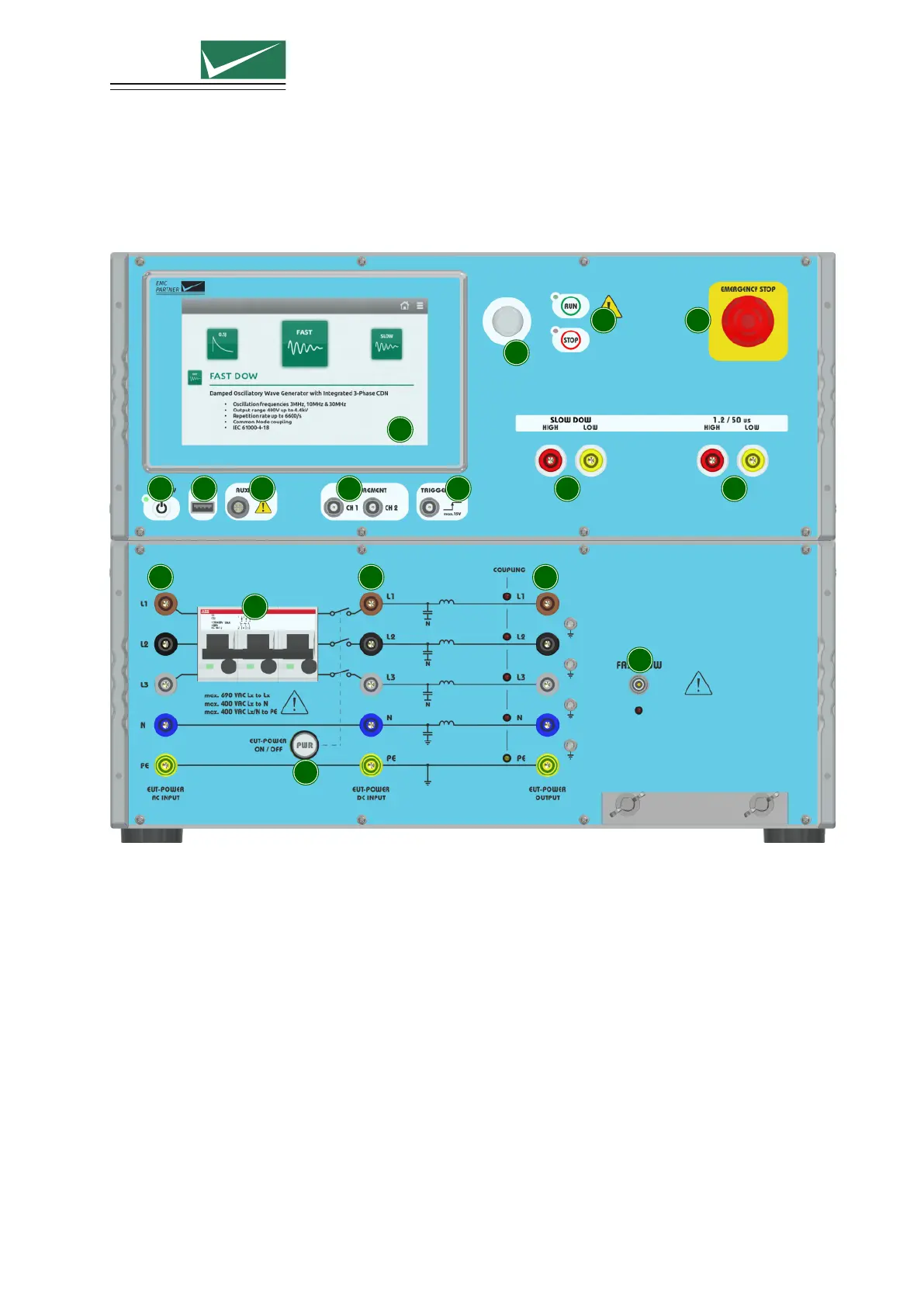
3.1 Front Panel
1
2
3
4 5
6 7 8 9 10 11
12
13
14 15
16
17
1 ON/STBY
Power-up or power-down the generator.
2 Touchscreen Monitor
User interface to perform all functions including test types selection, parameter entry, saving and
recalling tests.
3 Rotary Knob
Entry device enables faster navigation and parameter entry.
4 Run/Stop
Starts, stops or pauses the selected test.
A green blinking LED indicates a running test.
A red blinking LED indicates a stopped test due to an error.
A red LED indicates a finished test.
Page 13/55


 To Next Page