6 Configuration
6 Configuration
6.1 Settings
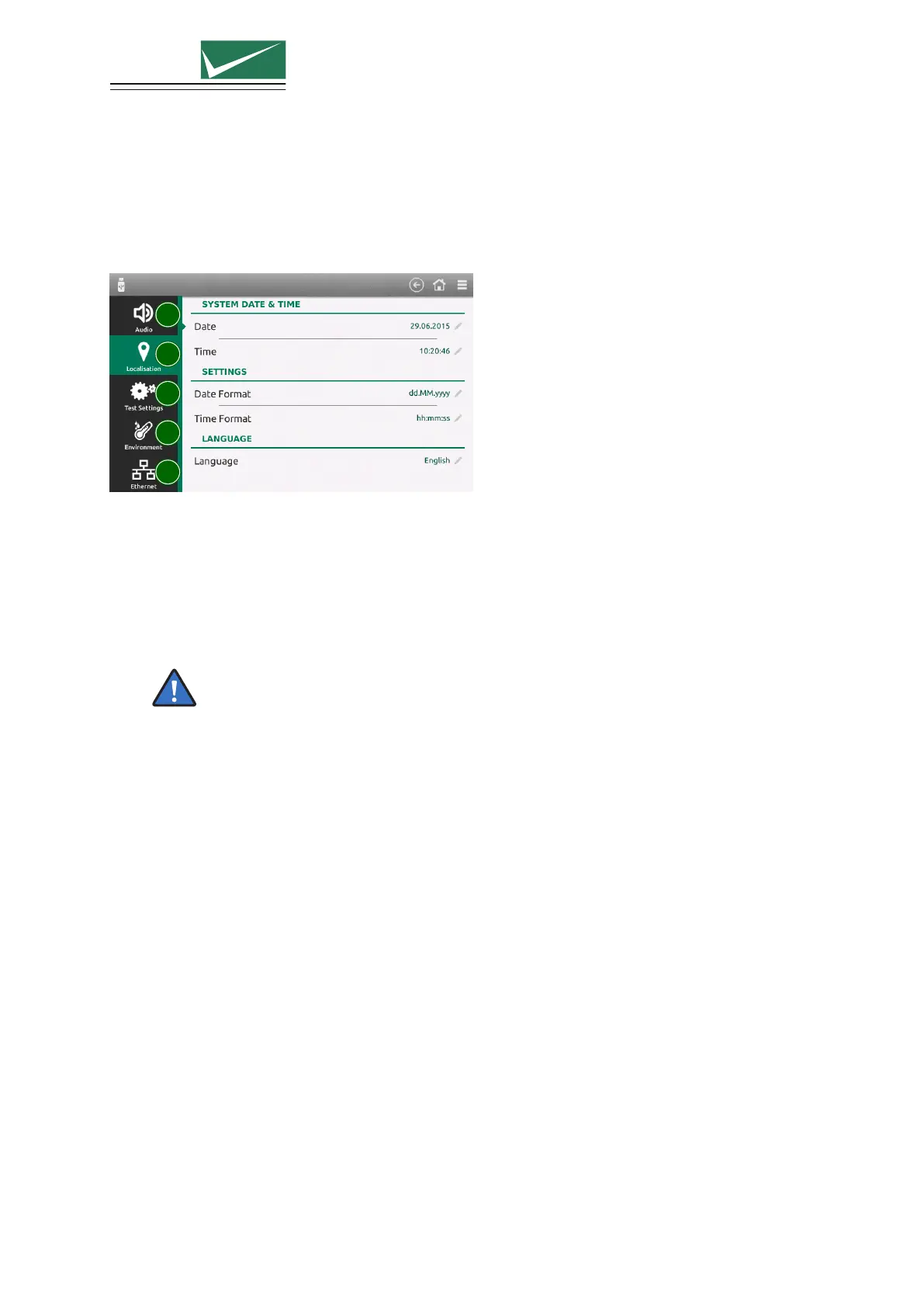
Select ≡ (General Menu) –> Settings
1
2
3
4
5
1 Audio
Volume and type of the different audio messages
2 Localisation
Set equipment time and date and the required format. This information will be included in the
test report and file data.
The user interface is available in different languages. English (Default), German, French,
Spanish, Italian, Chinese Traditional, Chinese Simplified and Russian. Additional lan-
guages can be provided on request. Please contact EMC PARTNER. All translations
are made to the best of our knowledge and abilities, however, we cannot guarantee the
correctness of all translations.
3 Test Settings
Behaviour of the generator during the test
• Generator can stop as soon as the EUT failed
• The generator can perform different tests from the setup linker
• During a running test changed parameters can be resetted when the test is over
• Unavailable tests due to missing hardware can completly be removed (instead marked with a
gray icon)
4 Environment
Units for the internal temperature sensor can be selected between Celcius (
◦
C), Fahrenheit (
◦
F)
and Kelvin (K). This information is included in the test protocols. This function is not available
with all generators.
5 Ethernet
Depending on the network capability, the TCP/IP address information for the equipment can be
obtained in different ways. If the network supports dynamic TCP/IP configuration using the Dy-
namic Host Configuration Protocol (DHCP), all address information can be assigned automatically.
If the network does not support DHCP, or if the equipment is set to use alternate TCP/IP config-
uration, the address must be set manually. By default, the equipment is configured to use manual
address.
Page 37/55


 To Next Page