3 Using the Generator
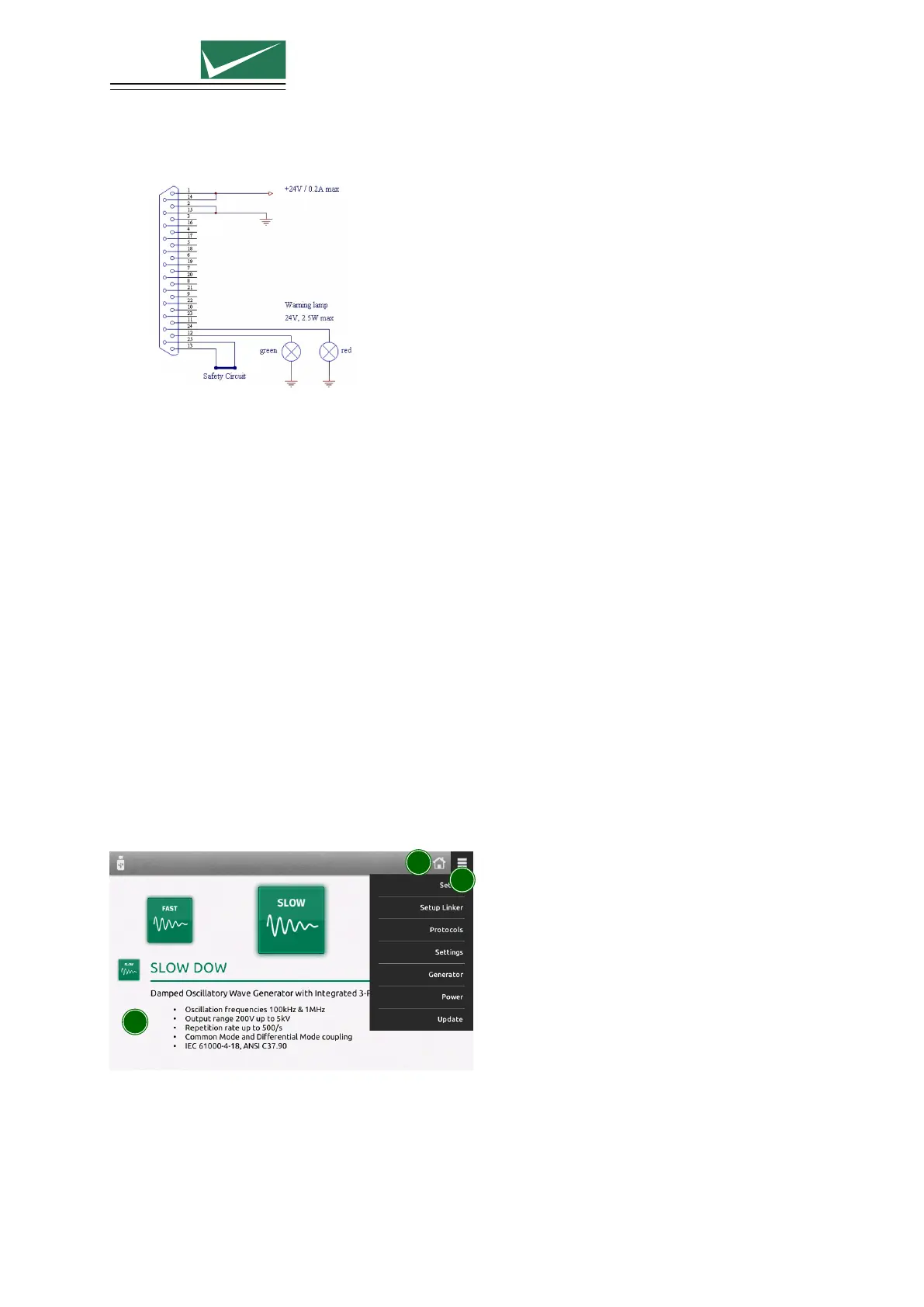
• The green lamp indicates safety circuit open, no test can be started
• The red lamp indicates safety circuit closed, tests can be started
3 RS485 Interfaces
Interfaces to connect additional equipment that is controlled directly from the test equipment.
4 Ethernet Interface
Remote control using TEMA3000 software via a common ethernet interface.
5 EUT Failed
A falling edge to ground impressed on the BNC connector is indicated in the test protocol as an
EUT Fail condition. The input is internally pulled up to max. 24 V. Driving with an open-collector
output is recommended.
6 Trigger Input
A falling edge to ground on the BNC connector, triggers impulse release. This function must be
configured in the test parameter menu. The input is internally pulled up to max. 24 V. Driving
with an open-collector output is recommended.
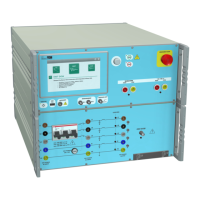
3.3 Software User Interface
1
2
3
1 Test selection
The main window is a carousel of all tests available in the equipment. A short description is
included with each test type. A green icon indicates that the test is available, a grey icon indicates
that the test is not currently available. Select a test by bringing the relevant icon to the centre of
the screen. This is achieved by finger swipe on the touch panel or by using the rotary knob.
Page 16/55


 To Next Page