5 Additional Software Features
2 Edit the Setup
Click on a setup to edit, modify or delete from the list. Setups are stored as a copy in the setup
linker. Any change to parameters does not affect the source file in the library.
3 Change Order
Use the up and down arrows to move a setup position in the sequence.
4 Activate
If checked, the setup linker is activated. Press run to start the linked tests.
A linked sequence cannot be saved internally. TEMA3000 Software provides a complete
sequence generation package including DSO and other applications.
5.4 File Manager
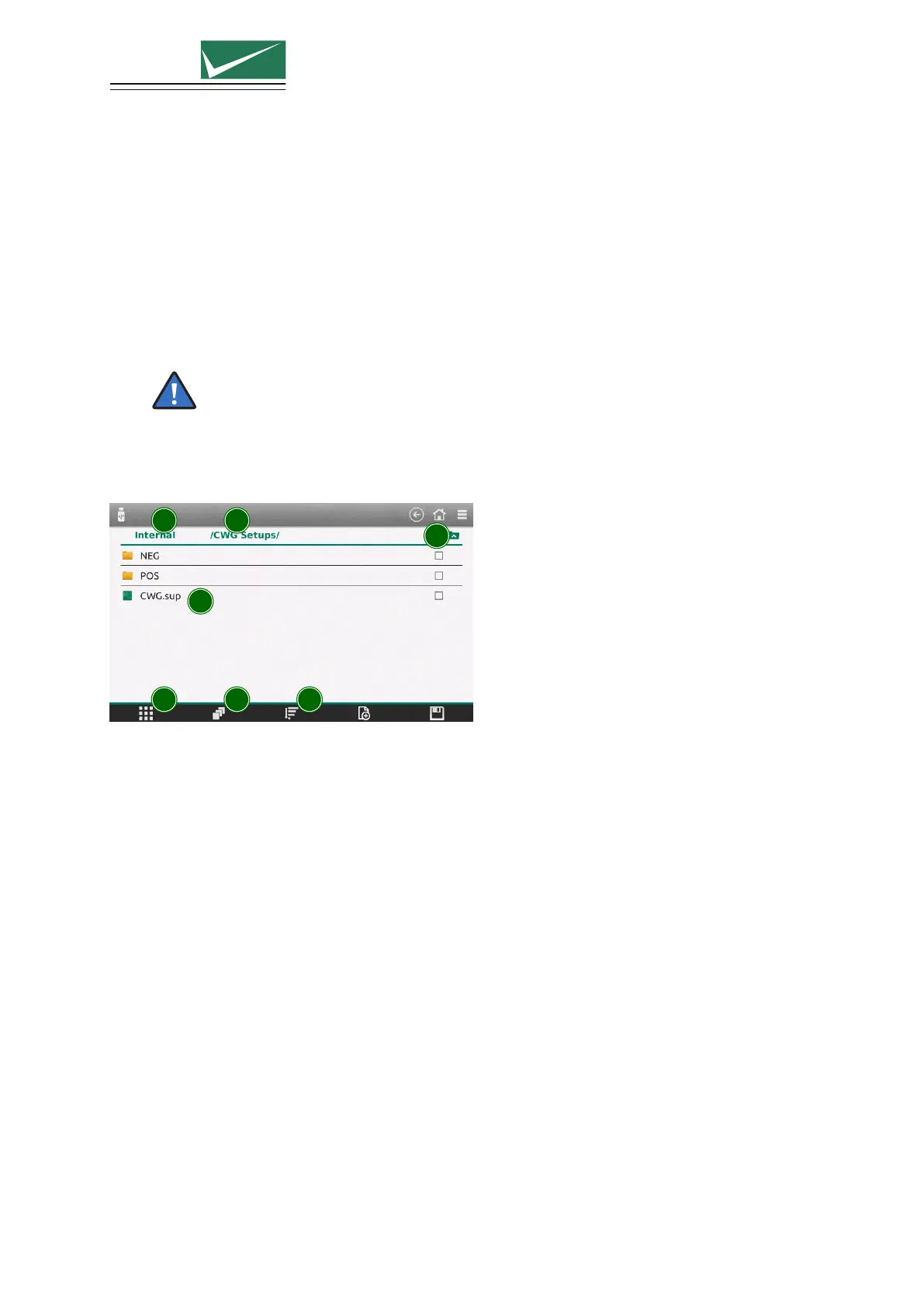
The generator has a powerful file manager. It is used for the setup library and the saved protocols.
1 2
3
4
5 6 7
1 Root Directory
Files can be selected from the internal memory or, if connected, the USB memory stick
2 Selected Path
Shows the current location in the file structure.
3 Path Up
Select to move to a higher level in the file structure.
4 Current Folder
Shows the content of the selected folder. Press and hold on the file name to open a menu enabling
modification of the file (cut, copy, delete, rename).
5 Context Menu
Opens a menu for different actions like create directories, copy, paste and delete multiple selected
items.
6 Multiselect Mode
To perform an action (copy, delete, move) on multiple files. Activate directly from this menu point
or select the checkboxes behind each file.
7 Sort
Files can be sorted by name, by date or by type.
Page 36/55


 To Next Page