Document number: ED.03783.00.001.ENG rev 4 Page 72 of 153
the laptop. Buttons [6] and [10] do not apply.
2. When in local, the unit cannot be controlled by
the laptop. Buttons [6] and [10] do apply.
Only applicable if [9] is switched to local:
switches the pump of the unit on/off
Switches the whole unit on/off
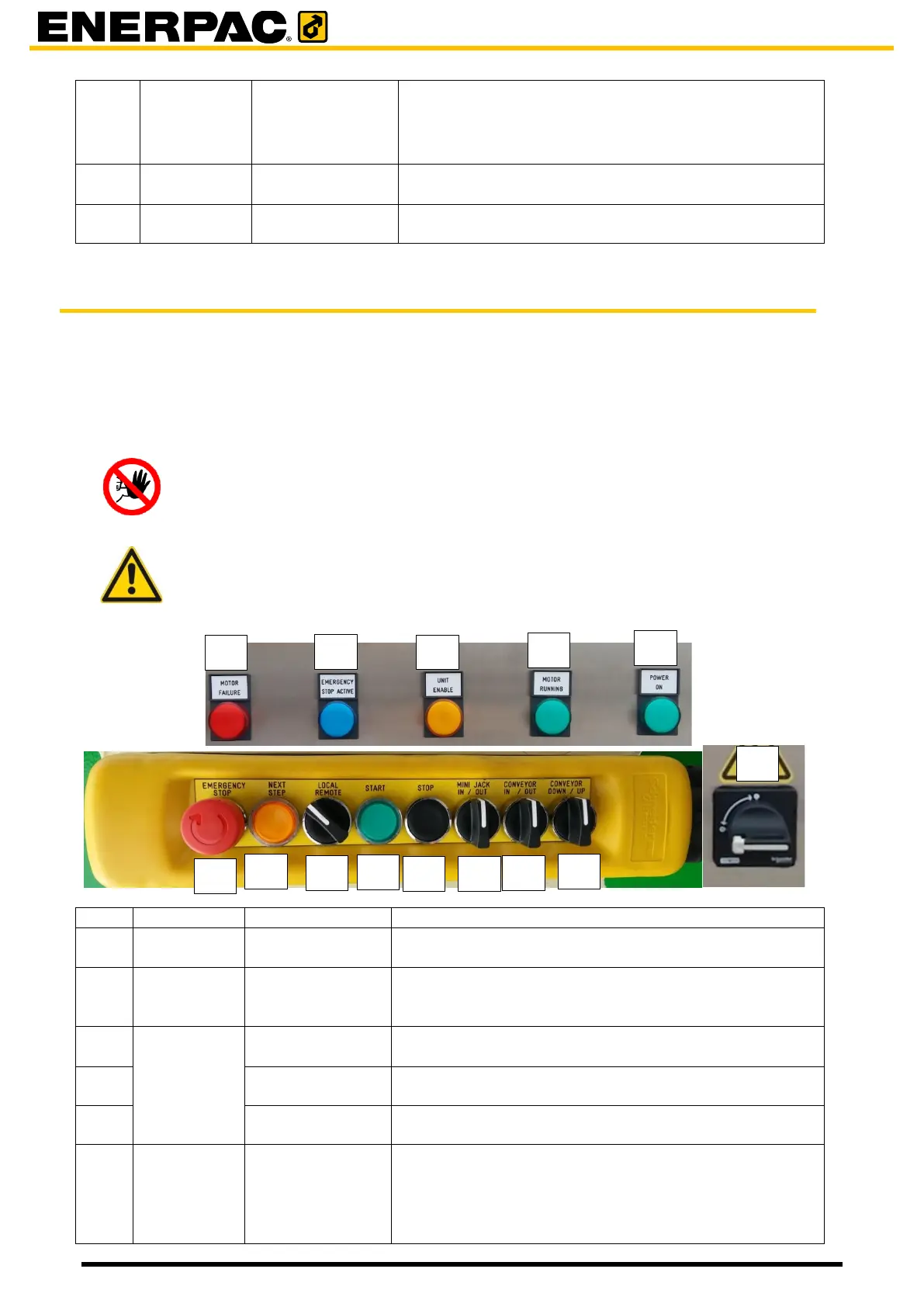
6.3 The control panel on the electro cabinet/remote control (JS500)
Each unit is provided with an electro cabinet. At the front of it is a controlpanel.
The control panel is intended for
• controlling the unit locally
• showing errors and statuses of the unit.
Hazard
Operating the system locally may causes potential hazards to personnel and
damage to the system, due to the fact that all safety precautions are switched
off.
Caution
When operating the automatic insert table locally, the table is not automatically
aligned with the holes in the barrel. This should be done visually.
Is lit when motor failure. The motor has stopped.
Is lit when the emergency button [7] or the emergency
button on the Smartbox has been pressed.
Press the button to recover from an emergency stop.
Is lit when the unit was enabled by the HMI.
When enabled, the unit takes part in the lifting process.
The motor of the hydraulic system is running
The power was switched on by button [10]
Press in case of emergency. The unit will stop moving.
When the unit is switched in remote by [6] then other
units which are switched in remote are switched off as
well.
Turn the button to recover from an emergency stop.


 To Next Page