Document number: ED.03783.00.001.ENG rev 4 Page 84 of 153
6.4.2 The functions on the Menu bar
This chapter describes in detail all functions which are accessed by using the menu bar.
6.4.2.1 File
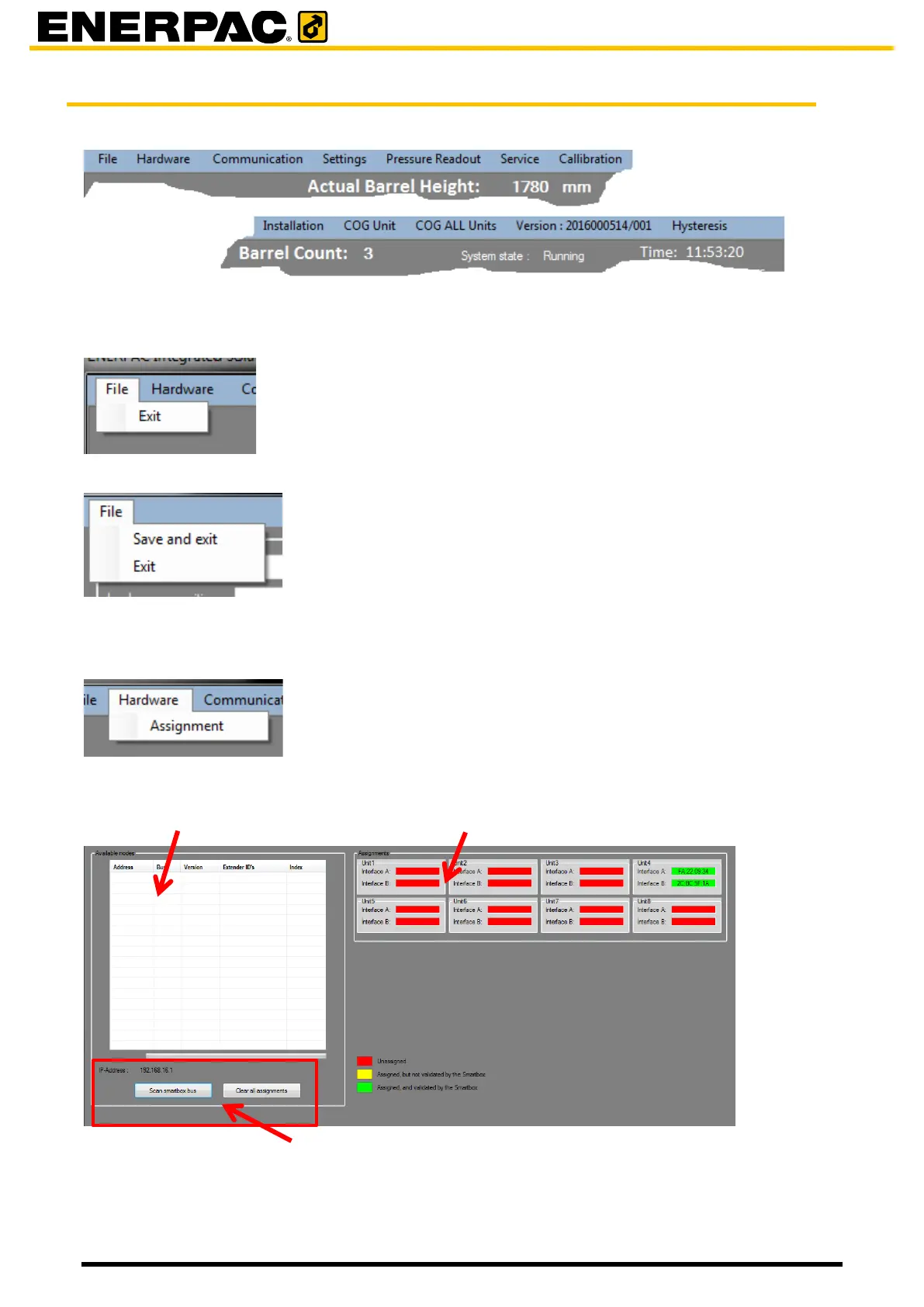
To quit the program, click in the menu bar on File; then click Exit.
If modifications are made in system settings or calibrations then the menu shows “Save and
exit”. Use it to save the modified settings.
6.4.2.2 Hardware
To enter the hardware assignment function, click in the menu bar on the main screen on
Hardware and then on Assignment.
Each unit is identified by a unique MAC address. Use this function to assign those MAC
addresses to the system.


 To Next Page