Document number: ED.03783.00.001.ENG rev 4 Page 117 of 153
7.5 Calibration
Calibration is executed per unit.
Reference is made to par 6.4.2.5 “Settings / Calibration settings”.
To calibrate the main jacks of a specific unit proceed as follows:
1. Go to the main menu
2. Click Manual
The system gets into the manual mode
3. Click Calibration, then click Log On
A password is required to enter the mode
You’re logged off automatically when you leave calibration.
4. Click enable
5. Click Settings / Calibration settings on the menu bar
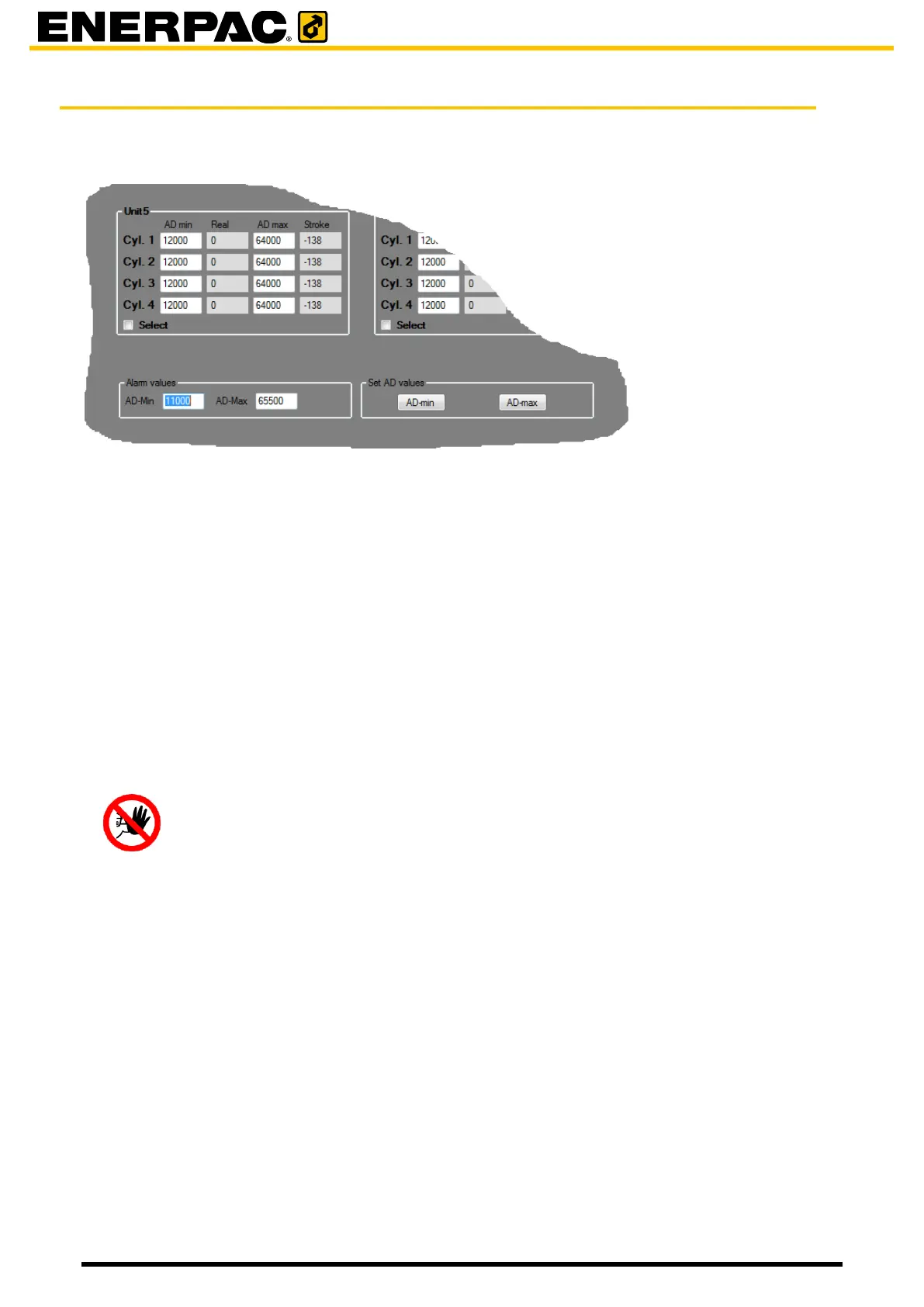
The calibration window as depicted above is shown
6. Select the unit that has to be calibrated with the Select checkbox
Hazard
For the JS500, the calibration should be executed without the End Barrel in the
system or with the End Barrel locked by the mini Jacks. When failing to follow
this requirement the system will be damaged and causes potential hazards to
personnel.
Calibrate the minimum value:
7. Press Retract until the main jacks of the unit are fully retracted
8. Click AD-min inside the Set AD values group
9. Click File in the menu bar; then click save and exit
Calibrate the maximum value:
10. Press Extend until the main jacks of the unit are fully extended
11. Click AD-max inside the Set AD values group
12. Click File in the menu bar; then click save and exit
You may enter the minimum and maximum values if you know them, probably from an earlier
calibration. Then there is no need to extend and retract the cylinders.
Proceed as follows:
1. Select a unit
2. Add the values in the fields AD Min and AD Max


 To Next Page