Sigma DS1, DS2, DS3 Card Printer User’s Guide 61
Clear a Card Jam
A card jam occurs when the card does not reach the proper position for the next action, such as
printing or ejecting the card.
You usually can resolve the error by pressing the U
SER button so that the printer displays Ready. If
the error persists, do the following to remove the card from the printer.
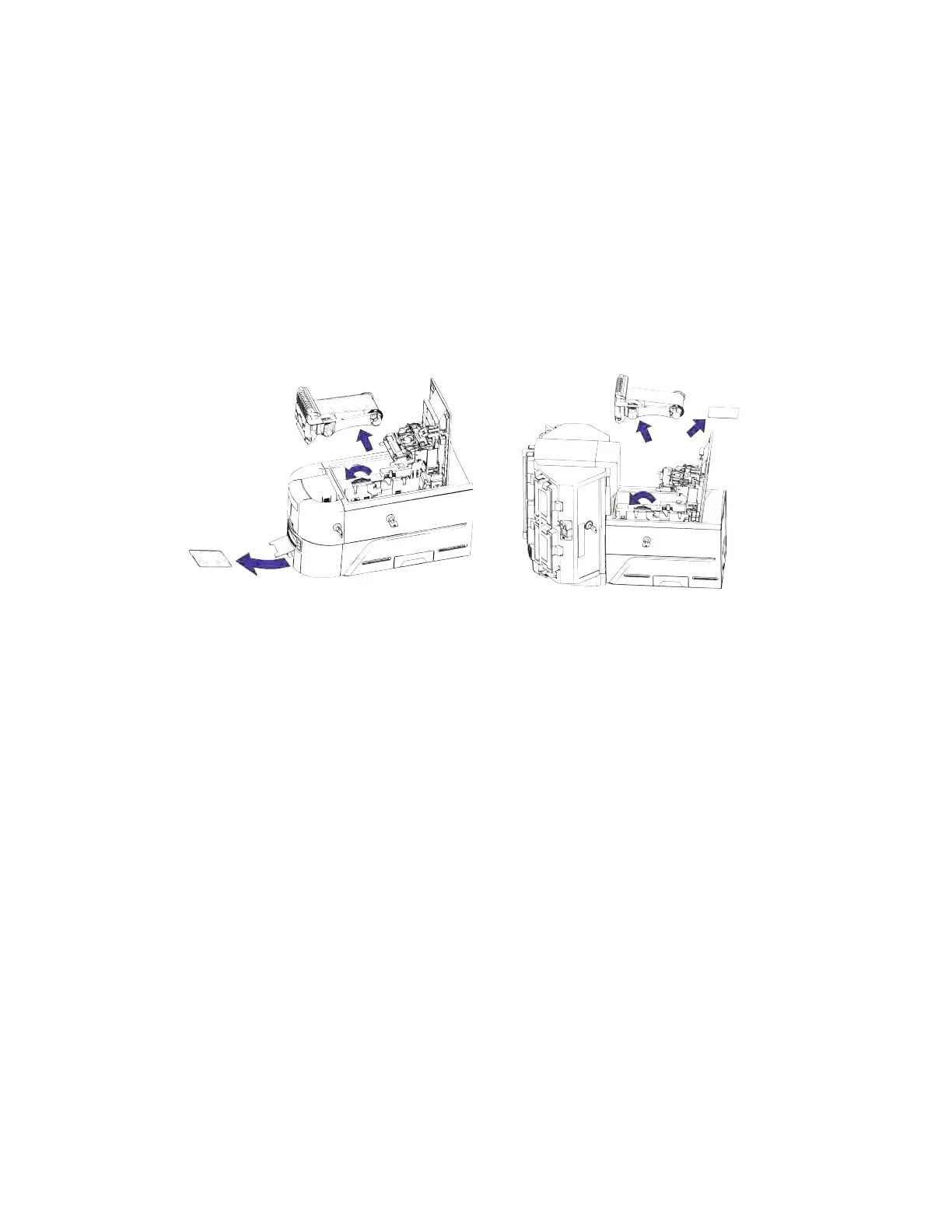
1. Open the printer.
2. Remove the print ribbon cartridge or cassette.
3. Turn the manual advance knob to move the jammed card until it exits into the output hopper
of a single-hopper printer, or is accessible from the rollers in a single- or multi-hopper printer.
4. Remove the card.
5. Replace the ribbon cartridge and close the printer.
6. Press the U
SER button on the printer.
HINTS & TIPS
Check the ribbon to make sure that it is not torn. Refer to “Repair a Broken Ribbon” on page 62
and “109: Print ribbon problem” on page 68 to repair or replace the ribbon, if needed.



 To Next Page