Envision One cDLM® User Manual
TS-MAM-EnvisionOneCDLMUserManual-V5.0-FN-EN , 2021-12-15
There is also an option for users to get a custom version of the Control Software that contains special features or
an early bug fix. Once that custom Control Software version is ready, users will receive an encrypted version number
and would be able to install that custom update on the printer.
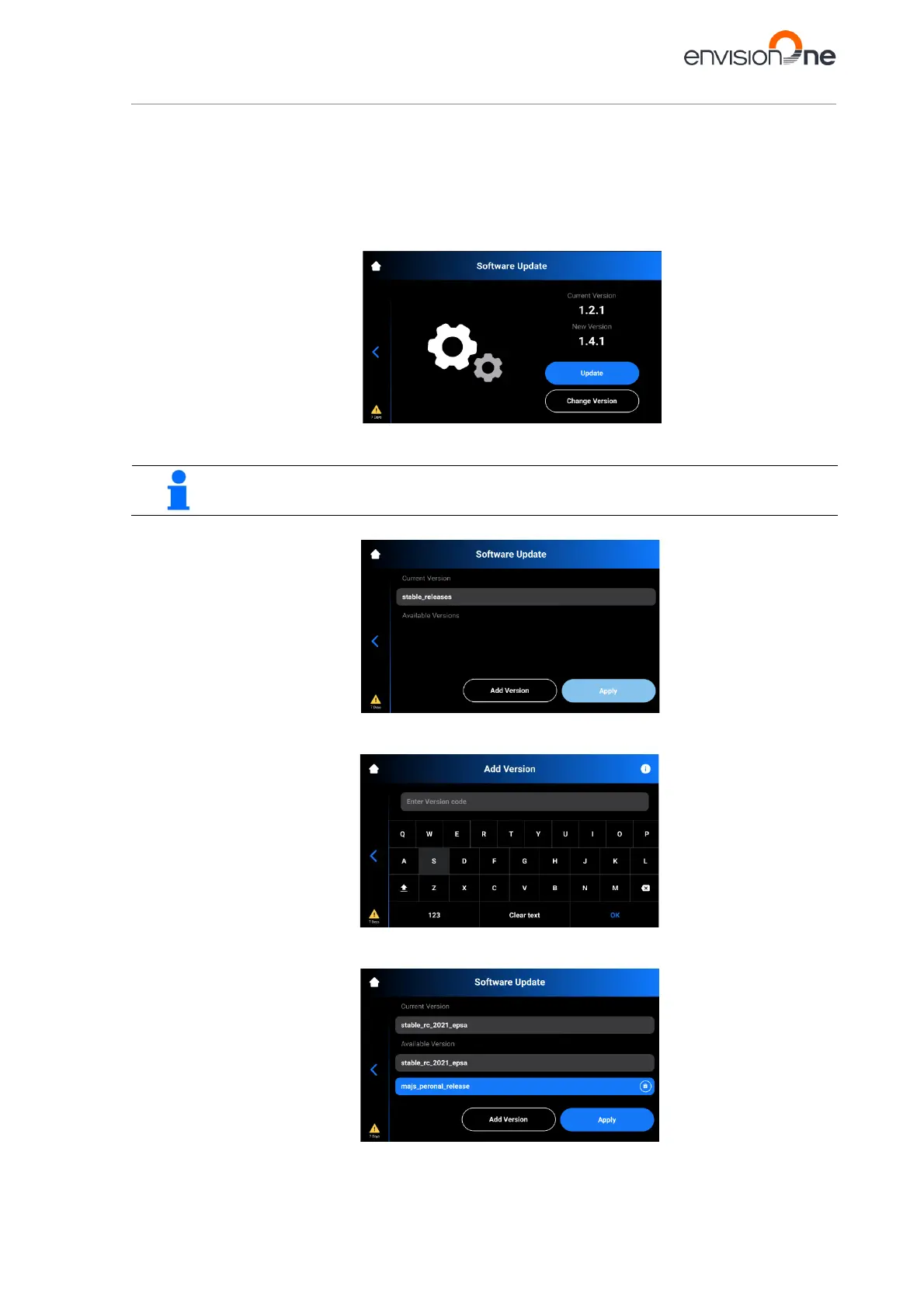
To install the custom update of the Software version:
1. Go to Settings | Printer Settings | Software Update on your printer.
→ The following screen appears.
2. Tap [Change Version].
→ The following screen appears.
If no custom updates are installed yet, the Apply button will be grayed out.
3. Tap [Add Version].
→ The following screen appears.
4. Type in the encrypted version number.
→ The system adds the version to the list.



 To Next Page