Envision One cDLM® User Manual
TS-MAM-EnvisionOneCDLMUserManual-V5.0-FN-EN , 2021-12-15
5. Set the required delay time using the plus and minus icons in the Hours and Minutes fields and tap
[Apply].
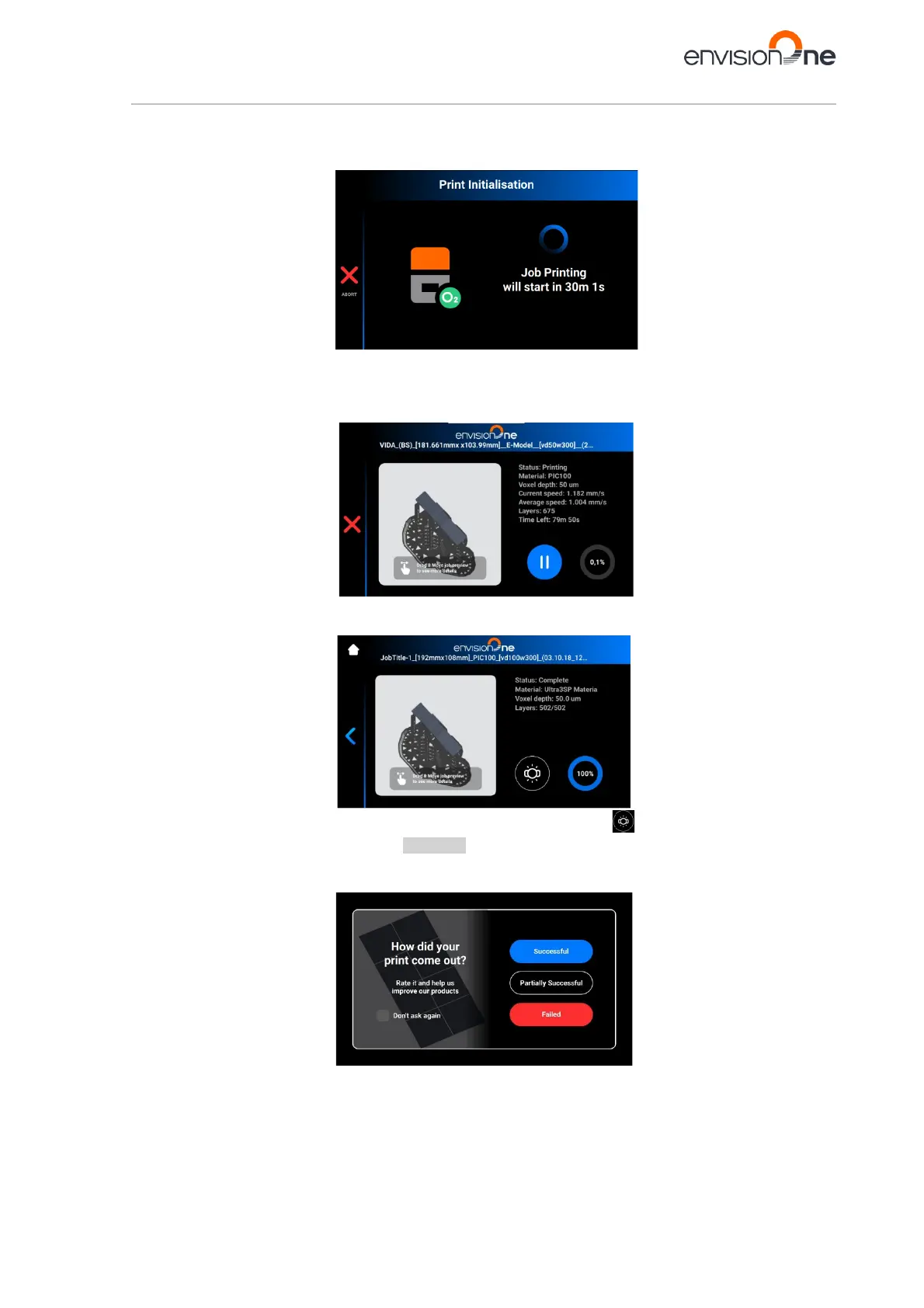
→ The print initialization window appears.
6. Wait until the job starts.
→ The build platform homes.
→ The job starts.
→ The following window appears.
→ The job has been printed successfully.
→ The following window appears.
If for some reason you want to remove the job from the material tray, tap the icon and proceed by following a
step-by-step for debris removal specified in Abort Job.
→ The following window appears.
7. Rate the print by tapping [Successful], [Partially Successful] or [Failed].



 To Next Page