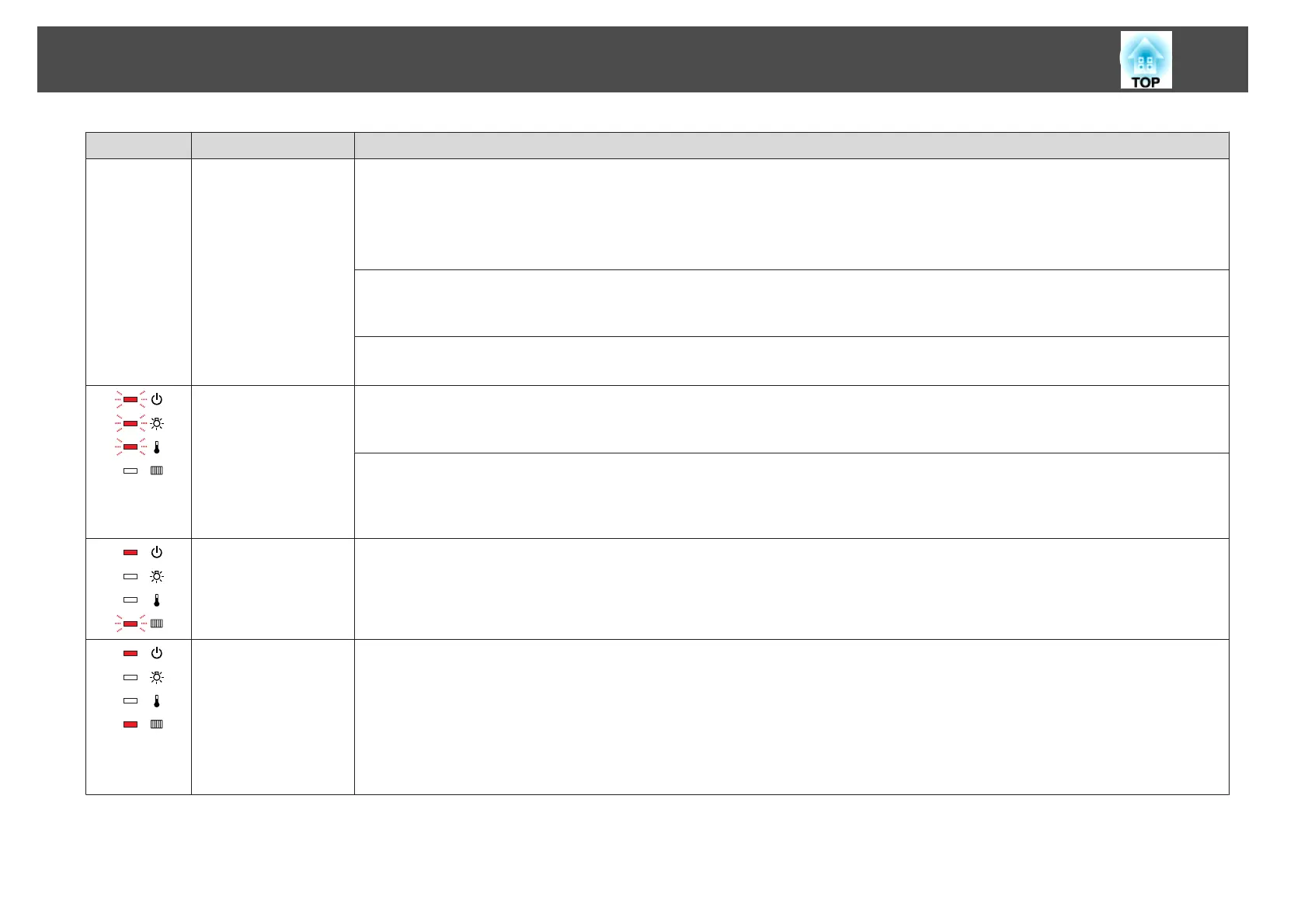
Status Cause Remedy or Status
If it is not cracked: Reinstall the lamp and turn on the power.
If the error continues: Replace the lamp with a new one and then turn on the power.
If the error continues: Stop using the projector, disconnect the power cable from the electrical outlet, and contact your local dealer or the
nearest address provided in the Epson Projector Contact List.
s Epson Projector Contact List
If it is cracked: Contact your local dealer or the nearest address provided in the Epson Projector Contact List. (Images cannot be projected until
the lamp is replaced.)
s Epson Projector Contact List
When using at an altitude of 1500 m or more, set High Altitude Mode to On.
s "Extended Menu" p.69
Auto Iris Error
Power Err. (Ballast)
Exhaust vent shutter Er‐
ror
Stop using the projector, disconnect the power cable from the electrical outlet, and contact your local dealer or the nearest address provided in
the Epson Projector Contact List.
s Epson Projector Contact List
The air exhaust vent shutter is defective if it does not open when the projector is turned on, or if it does not close when the projector is turned off.
Stop using the projector, disconnect the power cable from the electrical outlet, and contact your local dealer or the nearest address provided in
the Epson Projector Contact List.
s Epson Projector Contact List
Air Flow Sensor Err. The air flow sensor is defective. Stop using the projector, disconnect the power cable from the electrical outlet, and contact your local dealer or
the nearest address provided in the Epson Projector Contact List.
s Epson Projector Contact List
Filter Airflow Error Check the following two points.
• Check that the air filter and air exhaust vent are not blocked, and that the projector is not positioned against a wall.
• If the air filter is clogged, clean or replace it.
s "Cleaning the Air Filter" p.99, "Replacing the Air Filter" p.105
If the error continues after checking the points above, stop using the projector, remove the power plug from the electrical outlet, and contact
your local dealer or the nearest address provided in the Epson Projector Contact List.
s Epson Projector Contact List
Problem Solving
86



 To Next Page