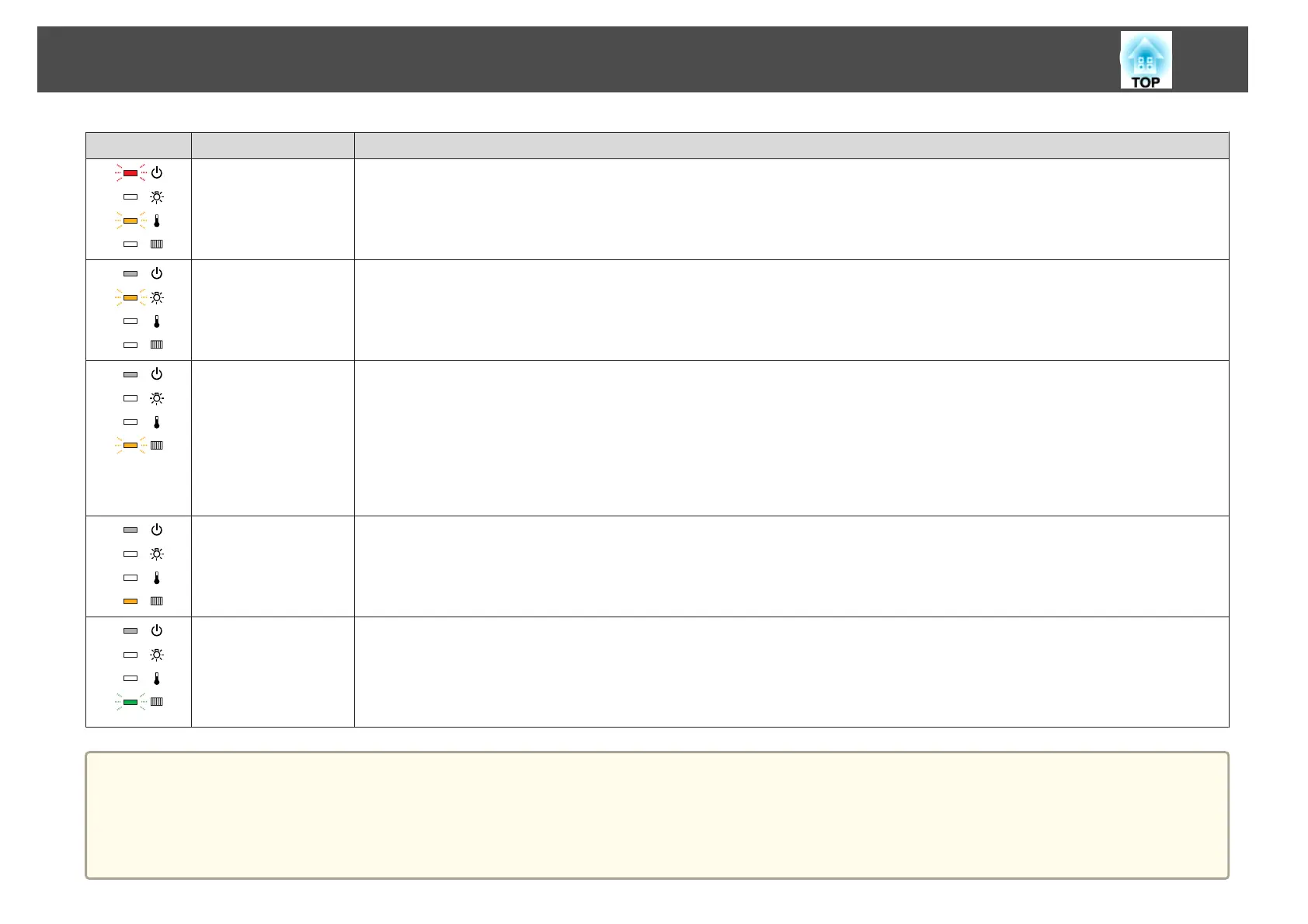
Status Cause Remedy or Status
High Temp Warning (This is not an abnormality. However, if the temperature rises too high again, projection stops automatically.)
• Check that the air filter and air exhaust vent are clear, and that the projector is not positioned against a wall.
• If the air filter is clogged, clean or replace it.
s "Cleaning the Air Filter" p.99, "Replacing the Air Filter" p.105
Replace Lamp Replace it with a new lamp.
s "Replacing the Lamp" p.102
If you continue to use the lamp after the replacement period has passed, the possibility that the lamp may explode increases. Replace it with a
new lamp as soon as possible.
Low Air Flow Check the following two points.
• Check that the air filter and air exhaust vent are not blocked, and that the projector is not positioned against a wall.
• If the air filter is clogged, clean or replace it.
s "Cleaning the Air Filter" p.99, "Replacing the Air Filter" p.105
If the error continues after checking the points above, stop using the projector, remove the power plug from the electrical outlet, and contact
your local dealer or the nearest address provided in the Epson Projector Contact List.
s Epson Projector Contact List
No Air Filter Check that the air filter is securely installed.
s "Replacing the Air Filter" p.105
Air Filter Notice "Time to clean the air filter. Clean or replace the air filter." is displayed. Clean the air filter.
s "Cleaning the Air Filter" p.99
The indicators or messages regarding Air Filter Notice are displayed only when Clean Notice is set to On in Air Filter Setting from the
Configuration menu.
s Extended - Air Filter Settingp.69
a
• See the following if the projector is not operating properly, even though the indicators are all showing normal.
s "When the Indicators Provide No Help" p.88
• If the error is not indicated in this table, stop using the projector, disconnect the power cable from the electrical outlet, and contact your local dealer or the
nearest address provided in the Epson Projector Contact List.
s Epson Projector Contact List
Problem Solving
87



 To Next Page