EasyManua.ls Logo

Epson PERFECTION V10 - User Manual

Epson PERFECTION V10
77 pages
Print Icon
To Next Page IconTo Next Page
Loading...
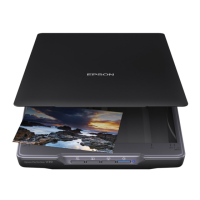
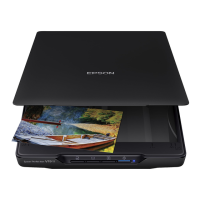
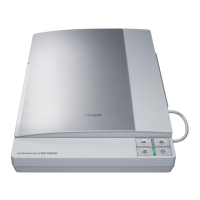
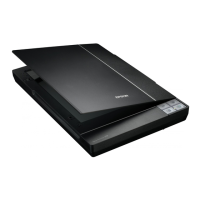
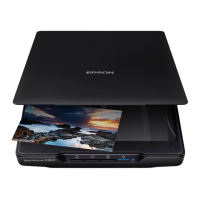
EPSON Perfection V10
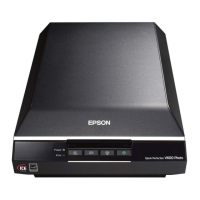
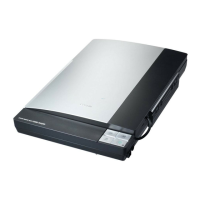
Perfection V100 Photo
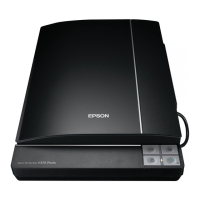
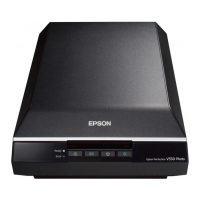
Perfection V200 Photo
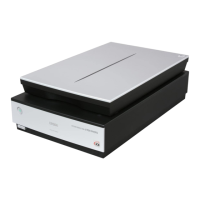
Perfection V350 Photo
Color Image Scanner
Service Manual
SESC06-002

Other manuals for Epson PERFECTION V10

Questions and Answers

  • A
    Andrea GardnerJul 27, 2025
    Why is the Carriage Unit not operating on my Epson PERFECTION V10?
    • S
      Scott Cooper MDJul 27, 2025
      If the Carriage Unit on your Epson Scanner isn't working, it could be due to disconnected connectors on the Main Board. Ensure all connectors are properly connected. Another cause may be a Carriage Movement Mechanism failure, in this case, check the Carriage Movement Mechanism and replace the corresponding part, or disassemble the mechanism to reassemble it. It could also be a CR Motor failure, consider replacing the CR Motor. Finally, a Main Board failure could be the reason; in this case, replace the Main Board.
  • C
    cynthia61Aug 1, 2025
    What to do if the Fluorescent Lamps don't light up on my Epson Scanner's Main Unit?
    • N
      Nicholas JonesAug 1, 2025
      If the Fluorescent Lamps in the Main Unit of your Epson Scanner don't light up, it might be due to the Carriage FFC being disconnected from the Main Board. Ensure the FFC is properly connected. Alternatively, the Carriage Unit itself may have failed, requiring replacement. As a last resort, the Main Board could be faulty and need replacement.
  • S
    Scott YoungAug 6, 2025
    Why are the films not being fed or ejected on my Epson Scanner (AFL)?
    • A
      Autumn GarciaAug 6, 2025
      If your Epson Scanner is not feeding or ejecting films (AFL), check the following: First, ensure the connector of the AFL Sensor A is connected to the AFL Main Board. Second, verify that the AFL Motor connector is connected to the AFL Main Board. Third, confirm the connector of the AFL Sensor B is connected to the AFL Main Board. If these connectors are properly connected, the issue might be an AFL Main Board failure, requiring replacement. Finally, the Main Unit Main Board failure may be the cause, in this case, replace the Main Board.
  • E
    elizabethfordAug 11, 2025
    What to do if the Carriage Unit moves but the error is still displayed on my Epson PERFECTION V10?
    • D
      Deborah KaufmanAug 11, 2025
      If the Carriage Unit of your Epson Scanner moves but an error is still displayed, it could be due to smudges on the Document Glass, which appear as white dots on the scanned image. Remove any extraneous matter from the Document Glass. Alternatively, smudges on the Mirror in the Carriage Unit, which appear as vertical stripes on the scanned image, could be the cause. Remove any extraneous matter from the Mirror. As a last resort, the Main Board might have failed, requiring replacement.
  • J
    Jeffrey NelsonAug 16, 2025
    Why aren't the Fluorescent Lamps lighting up in the AFL of my Epson PERFECTION V10?
    • T
      Tina ScottAug 16, 2025
      If the Fluorescent Lamps in the AFL of your Epson Scanner don't light up, ensure the connector of the Fluorescent Lamp is connected to the TPU Inverter Board. If it is, the TPU Inverter Board itself may have failed and need replacement. As a last resort, the Main Unit Main Board could be faulty and need replacement.
  • J
    Jerry JonesAug 22, 2025
    What to do if the Main Unit of my Epson PERFECTION V10 Scanner does not operate after powering on?
    • R
      Rachel WebbAug 22, 2025
      If the Main Unit of your Epson Scanner doesn't operate after being powered on, it might be because all connectors are disconnected. Ensure all connectors are properly connected. In another case, replace the Main Board with a new one.

Summary

About This Manual

PRODUCT DESCRIPTION

Features

Details the key features and capabilities of the scanners.

Basic Specifications

Provides technical specifications like resolution, scanning speed, and interface.

Error Handling

Explains error types, causes, scanner actions, and recovery methods.

OPERATING PRINCIPLES

TROUBLESHOOTING

Troubleshooting

Provides a guide to diagnose and resolve common scanner problems.

DISASSEMBLY;ASSEMBLY

Disassembly of Main Unit

Details the procedures for taking apart the main scanner unit.

Disassembly of TPU

Explains how to disassemble the Transparency Unit (TPU).

Disassembly of AFL

Details the procedures for disassembling the Auto Film Loader (AFL).

MAINTENANCE

Epson PERFECTION V10 Specifications

General IconGeneral
Color scanningYes
Input color depth48 bit
Maximum scan size216 x 297 mm
Optical density (Dmax)3.2
Flatbed scan speed (b/w, A4)34 sec/page
Scanner typeFlatbed scanner
Sensor typeCCD
Minimum RAM128 MB
Minimum processorPentium II 450MHz
Minimum storage drive space350 MB
Minimum system requirementsCD-ROM
Compatible operating systemsWindows 98SE/Me/2000/XP/XP 64-bit Mac OS X 10.2.8 +
USB version2.0
Standard interfacesUSB 2.0
CompatibilityPC / Mac
Dimensions (WxDxH)280 x 430 x 41 mm
Power requirements100-240V; 50/60Hz
Bundled softwareEPSON Scan & EPSON Creativity Suite ArcSoft PhotoImpression 5 ABBYY FineReader Sprint 6 ABBYY FineReader Sprint 5 (Mac)
Power consumption (standby)3.5 W
Power consumption (typical)16 W
Operating temperature (T-T)5 - 35 °C
Operating relative humidity (H-H)10 - 80 %
Pallet width800 mm
Pallet height2150 mm
Pallet length1200 mm
Pallet width (UK)1000 mm
Quantity per pallet70 pc(s)
Quantity per pallet (UK)100 pc(s)
Quantity per pallet layer14 pc(s)
Quantity per pallet layer (UK)20 pc(s)
Package depth490 mm
Package width105 mm
Package height400 mm
Package weight2975 g
Quantity per pack1 pc(s)
Country of originIndonesia
Weight and Dimensions IconWeight and Dimensions
Weight2200 g

Related product manuals