Epson Stylus Pro 7700/7710/7700M/7710M/7900/7910/9700/9710/9900/9910/WT7900/WT7910/9890/9908/7890/7908 Revision I
DISASSEMBLY & ASSEMBLY Disassembly and Assembly Procedure 348
Confidential
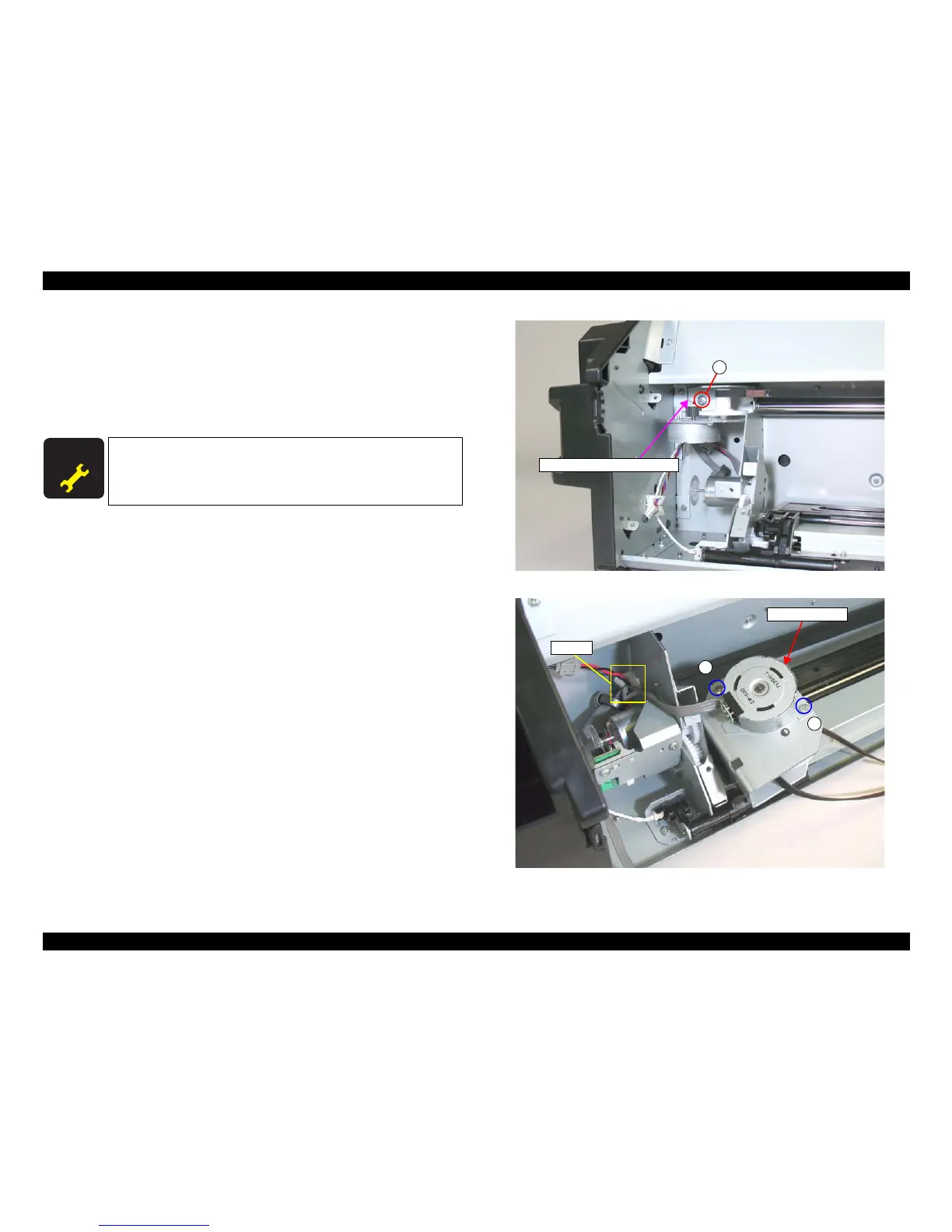
6. Remove the screw that secures the Carriage Motor mounting plate, and remove the
Carriage Motor mounting plate.
B) Silver, Phillips, Bind machine screw M4x8: one piece
7. Remove the two screws that secure the Carriage Motor, and remove the Carriage
Motor.
C) Silver, Phillips, Bind machine screw M3x6: two pieces
Figure 4-228. Removing the Carriage Motor mounting plate
Figure 4-229. Removing the Carriage Motor
A D J U S T M E N T
R E Q U I R E D
Be sure to refer to Chapter 5 “Adjustment” (see p351) and perform
specified adjustments after replacing the Carriage Motor.
<Adjustment Item>
1. Counter Clear (Carriage Motor)
Carriage Motor mounting plate
B
Carriage Motor
Clamp
C
C



 To Next Page
 Loading...









