Operation 2. TEACH Mode
TP1 Rev.5 63
(9)
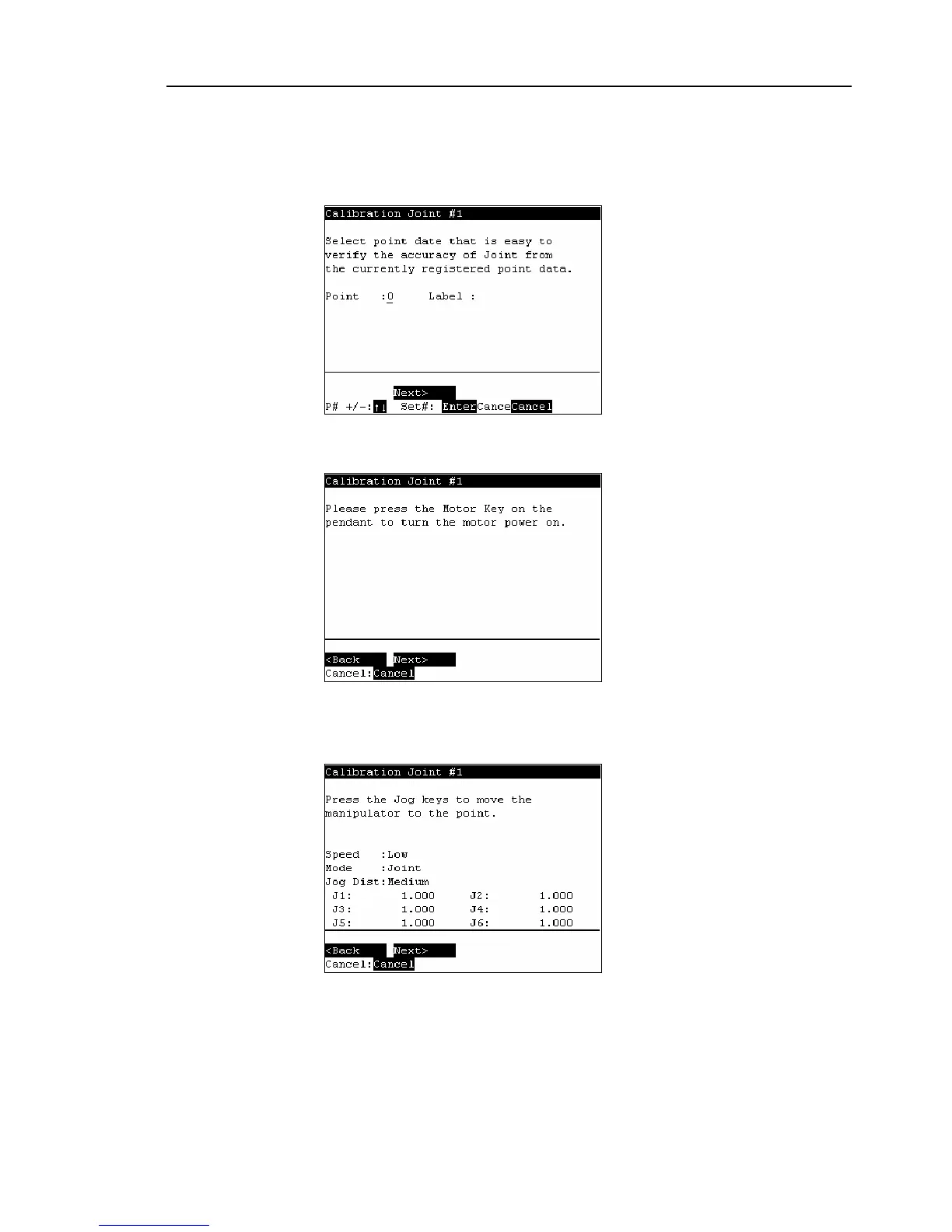
Select a point data that is easy to verify the accuracy of the joint that needs origin
alignment from the currently registered point data using the <↑> and <↓> keys, and
press the <Enter> key.
Press the <F2> key.
(10)
The following screen appears.
Press the <Motor> key to turn ON the motor. Press the <F2> key.
(11)
The following screen appears.
Press the Jog key to move the joint to the basic pose as accurate as possible.
Press the <F2> key.



 To Next Page