Installing Option
250-Sheet Paper Cassette Unit
Installing the paper cassette unit
Follow the steps below to install the paper cassette unit.
A
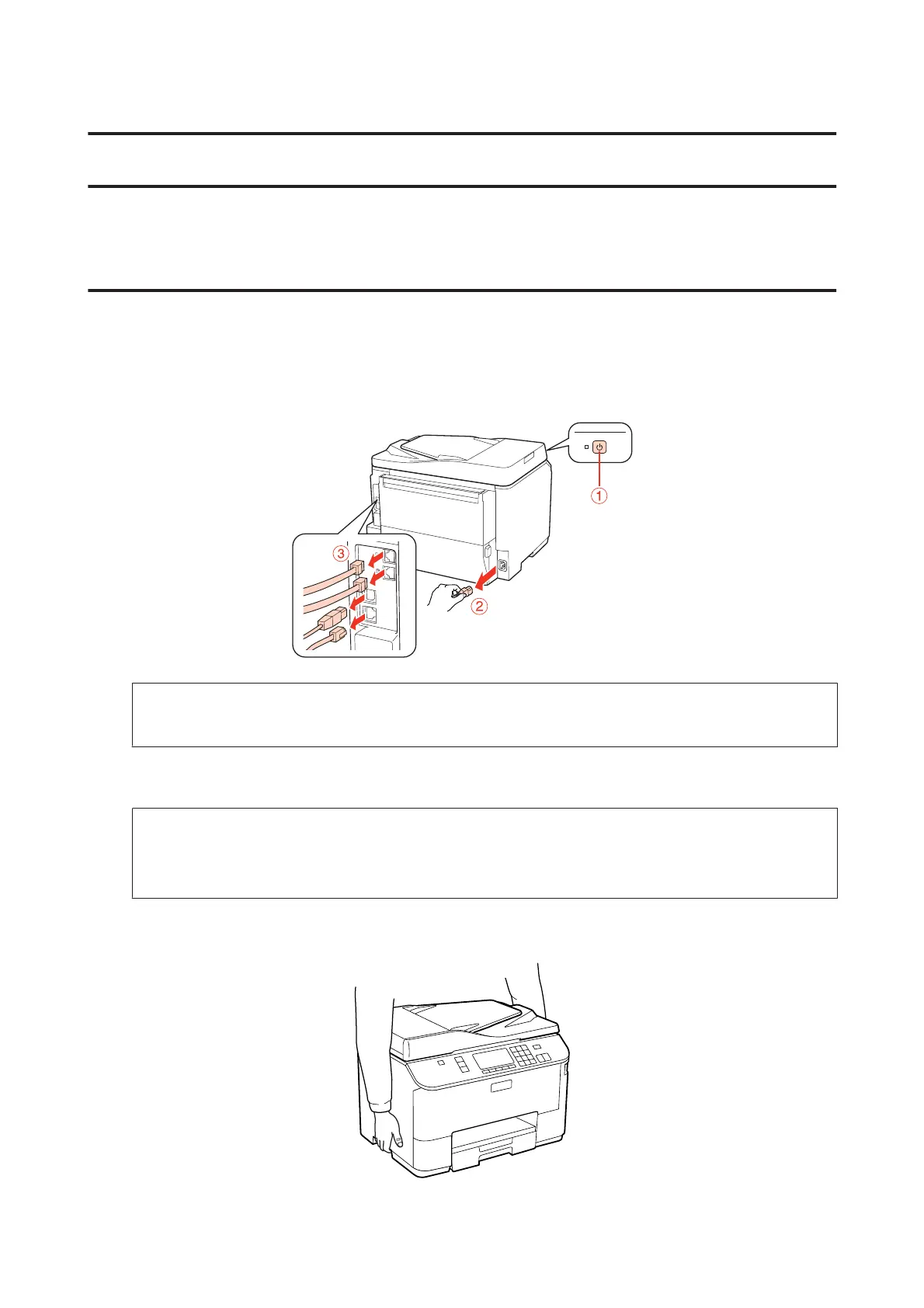
Turn the product off and unplug the power cord and all the interface cables.
c
Caution:
Make sure to unplug the power cord from the product to prevent getting an electric shock.
B
Carefully remove the paper cassette unit from its carton and place it where you intend to set up the product.
Note:
❏ Remove the protective materials from the unit.
❏ Keep all protective materials in case you want to ship the optional paper cassette unit in the future.
C
Carefully, grasp the product at the position indicated below and lift it carefully.
WP-4511/4515/4521/4525/4530/4531/4535/4540/4545/4590/4595 User’s Guide
Installing Option
127











 To Next Page