Scanning a Photo
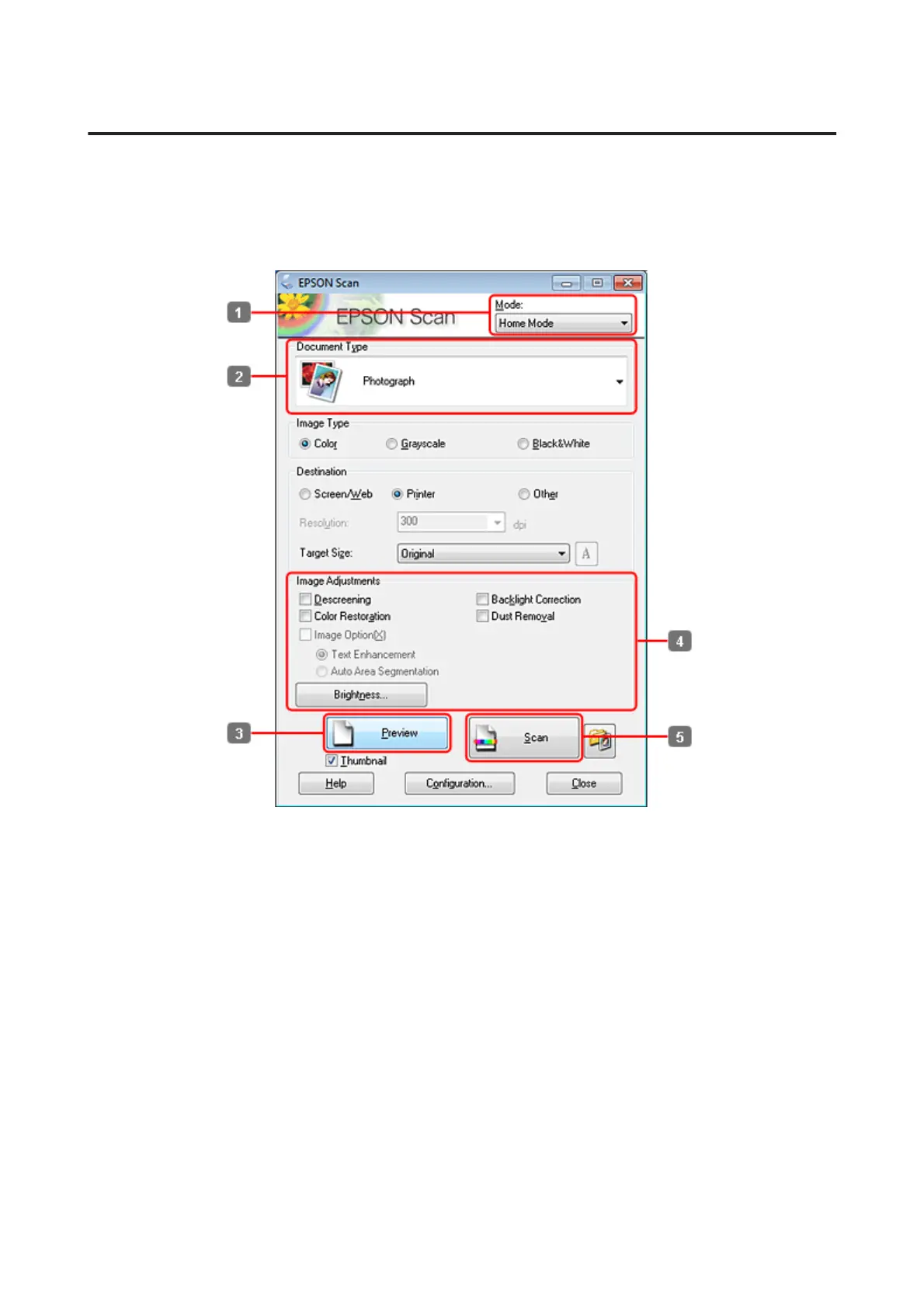
First of all, place your photo on the document glass and start Epson Scan.
& “Starting a Scan” on page 69
A
Select Home Mode from the Mode list.
B
Select Photograph as the Document Type setting.
C
Click Preview.
D
Adjust the exposure, brightness, and other image quality settings.
See the Help for more details on Epson Scan.
WP-4511/4515/4521/4525/4530/4531/4535/4540/4545/4590/4595 User’s Guide
Scanning
89











 To Next Page