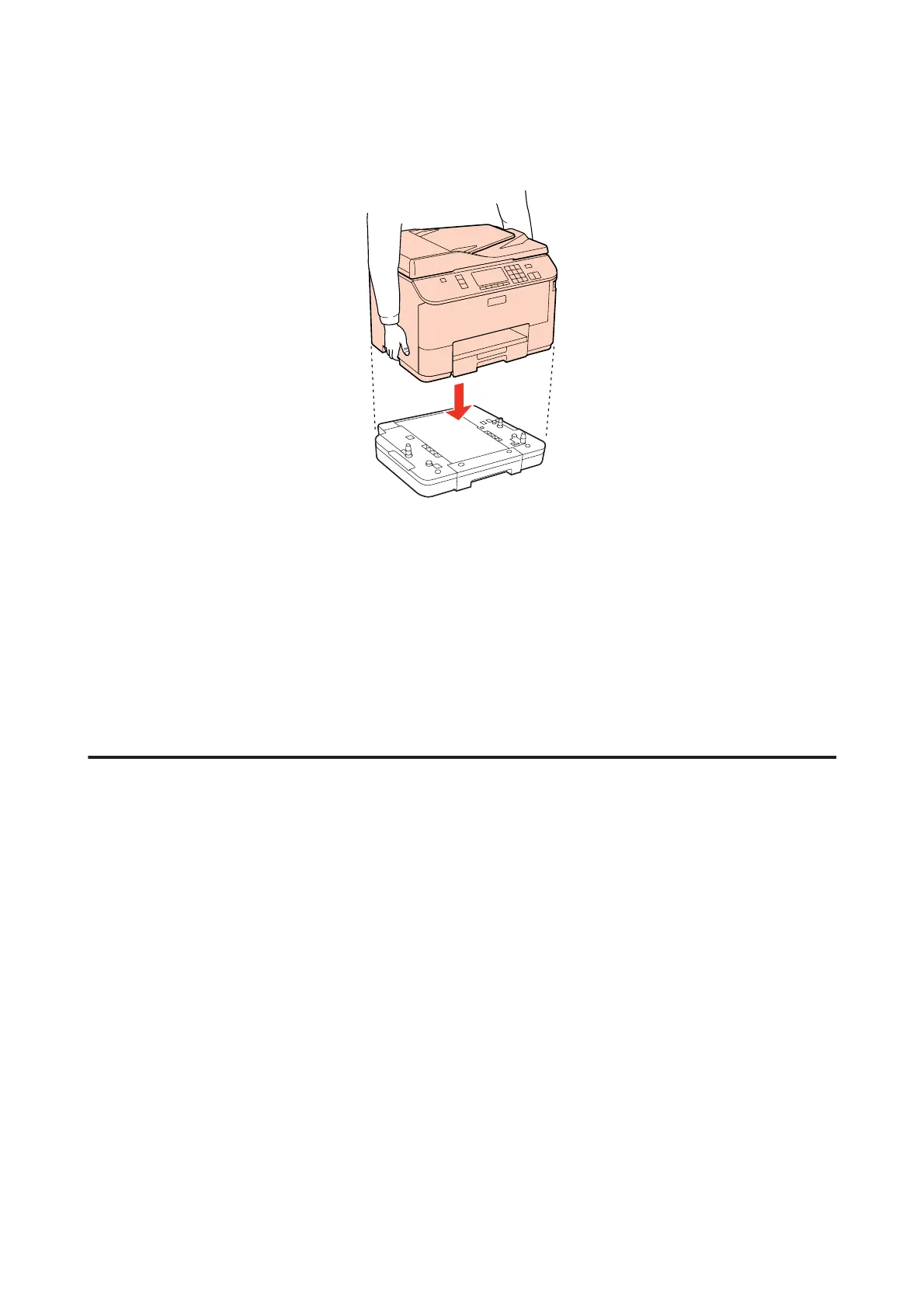
D
Align the corners of the product and the unit, then lower the product gently onto the unit so that the connector
and two pins on the top of the unit fit into the terminal and the holes on the bottom of the product respectively.
E
Reconnect all the interface cables and the power cord.
F
Plug the product’s power cord into an electrical outlet.
G
Turn on the product.
To confirm that the option is installed correctly, print a Status Sheet.
& “Print Status Sheet” on page 118
Uninstalling the cassette unit
Perform the installation procedure in reverse.
WP-4511/4515/4521/4525/4530/4531/4535/4540/4545/4590/4595 User’s Guide
Installing Option
128











 To Next Page