Using EPSON Status Monitor 3
A
Access the EPSON Status Monitor 3.
& “Using EPSON Status Monitor 3” on page 153
B
Click the Print Queue button. The Windows Spooler appears.
C
Right-click on the job you want to cancel and then select Cancel.
For Mac OS X
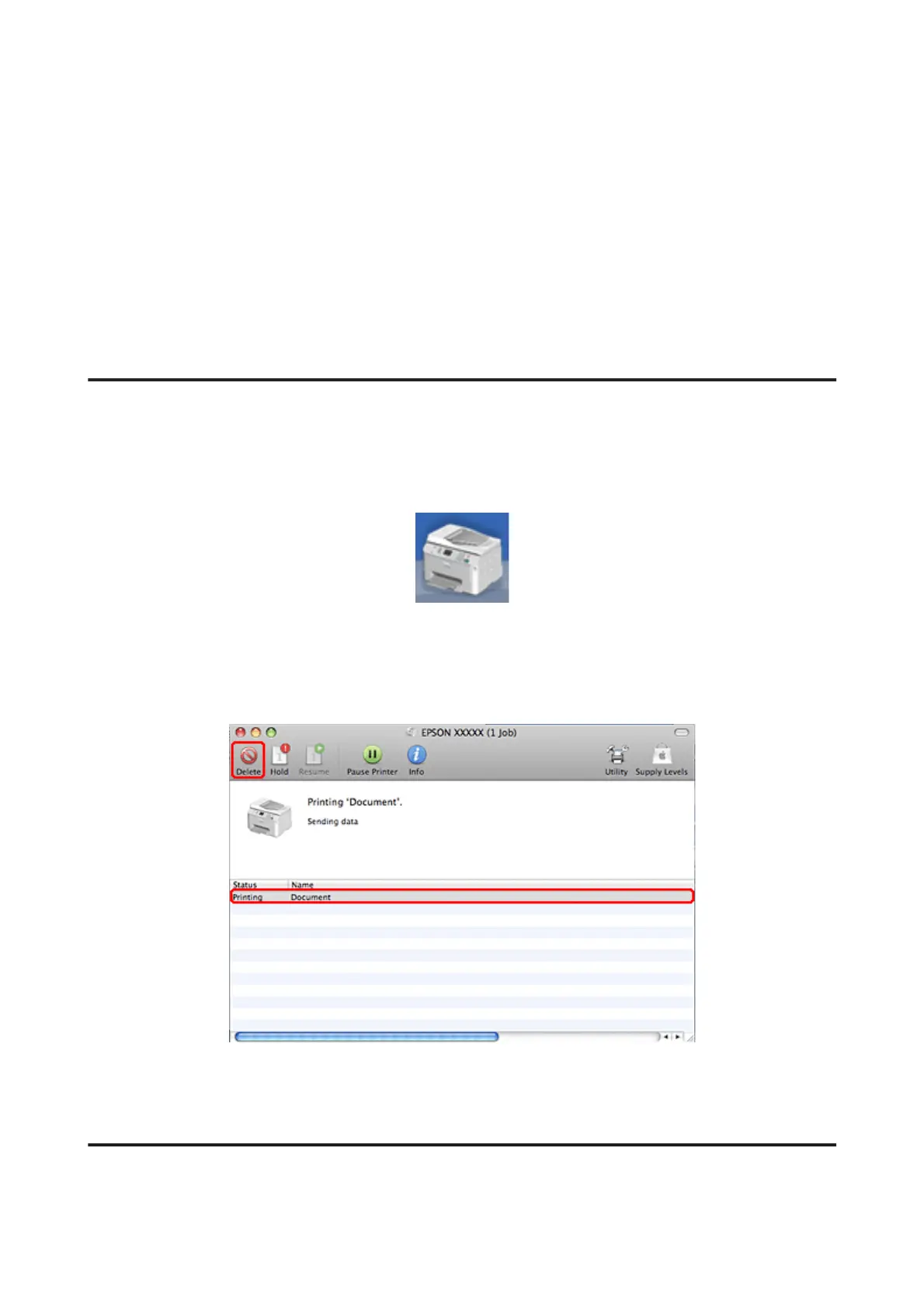
Follow the steps below to cancel a print job.
A
Click your printer icon in the Dock.
B
In the Document Name list, select the document which is printing.
C
Click the Delete button to cancel the print job.
Printing with Special Layout Options
2-Sided Printing
Two types of 2-sided printing are available: standard and folded booklet.
WP-4511/4515/4521/4525/4530/4531/4535/4540/4545/4590/4595 User’s Guide
Printing
48











 To Next Page