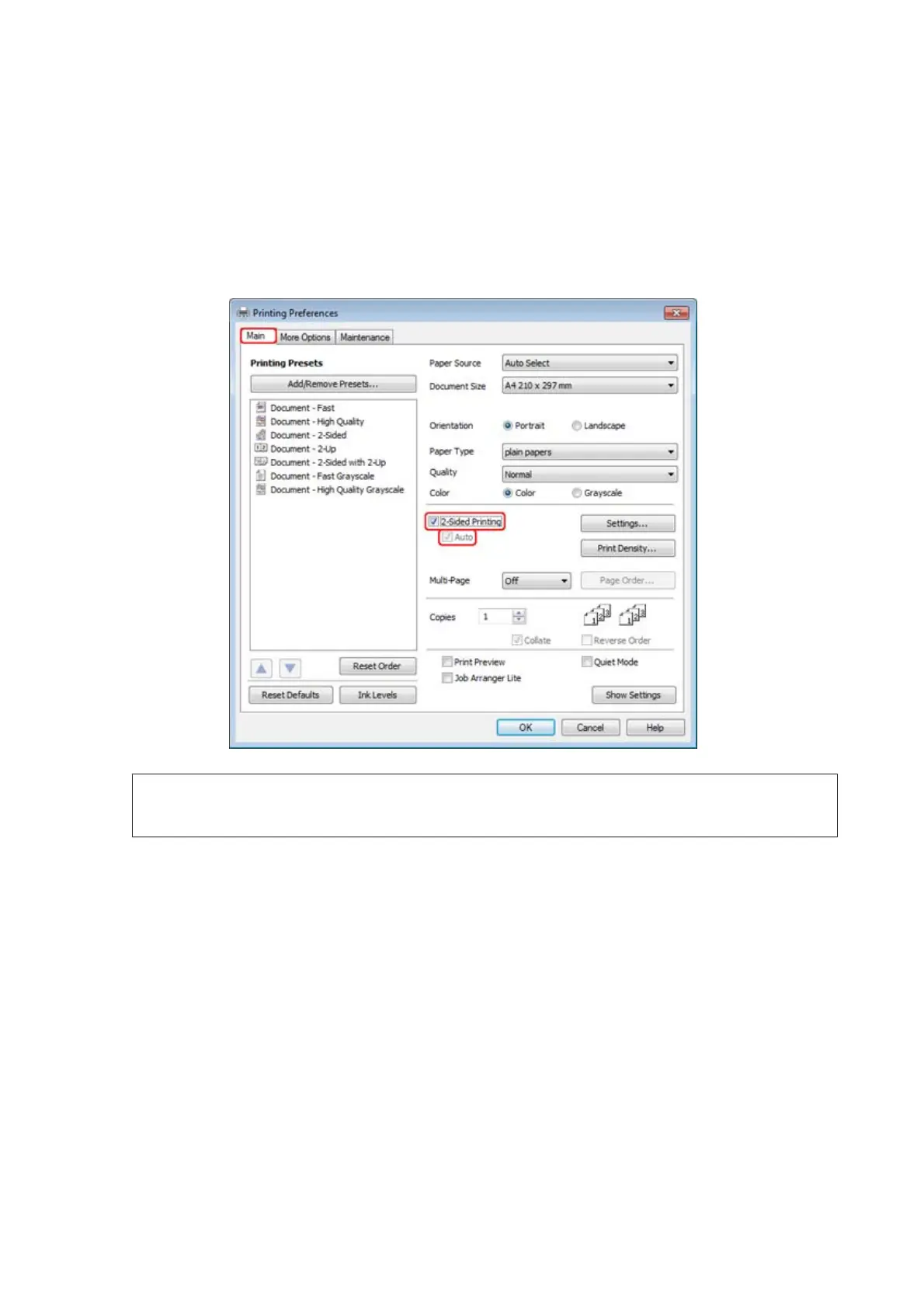
Printer settings for Windows
A
Make adjustments to basic settings.
& “Basic printer settings for Windows” on page 42
B
Select 2-Sided Printing check box.
Note:
When using automatic printing, make sure the Auto check box is checked.
WP-4511/4515/4521/4525/4530/4531/4535/4540/4545/4590/4595 User’s Guide
Printing
51











 To Next Page